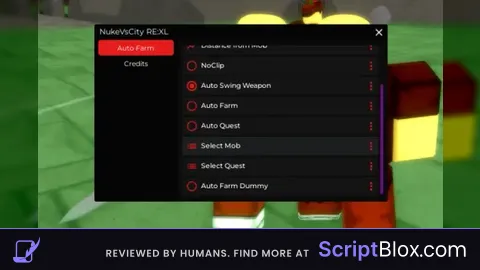
Keyless

local player = game.Players.LocalPlayer
local playerGui = player:WaitForChild("PlayerGui")
local ReplicatedStorage = game:GetService("ReplicatedStorage")

-- Create ScreenGui
local screenGui = Instance.new("ScreenGui")
screenGui.Name = "MainGui"
screenGui.Parent = playerGui

-- Create Main Frame
local mainFrame = Instance.new("Frame")
mainFrame.Name = "MainFrame"
mainFrame.Size = UDim2.new(0, 400, 0, 400)
mainFrame.Position = UDim2.new(0.5, -200, 0.5, -200)
mainFrame.BackgroundColor3 = Color3.fromRGB(50, 50, 50)
mainFrame.Active = true
mainFrame.Draggable = true
mainFrame.Parent = screenGui

-- Create Tab Buttons
local autoBuyTabButton = Instance.new("TextButton")
autoBuyTabButton.Name = "AutoBuyTabButton"
autoBuyTabButton.Size = UDim2.new(0, 200, 0, 30)
autoBuyTabButton.Position = UDim2.new(0, 0, 0, 0)
autoBuyTabButton.Text = "AutoBuy"
autoBuyTabButton.Parent = mainFrame

local autoUseTabButton = Instance.new("TextButton")
autoUseTabButton.Name = "AutoUseTabButton"
autoUseTabButton.Size = UDim2.new(0, 200, 0, 30)
autoUseTabButton.Position = UDim2.new(0, 200, 0, 0)
autoUseTabButton.Text = "AutoUse"
autoUseTabButton.Parent = mainFrame

-- Create AutoBuy Frame
local autoBuyFrame = Instance.new("Frame")
autoBuyFrame.Name = "AutoBuyFrame"
autoBuyFrame.Size = UDim2.new(1, 0, 1, -30)
autoBuyFrame.Position = UDim2.new(0, 0, 0, 30)
autoBuyFrame.BackgroundColor3 = Color3.fromRGB(50, 50, 50)
autoBuyFrame.Visible = true
autoBuyFrame.Parent = mainFrame

-- Create AutoUse Frame
local autoUseFrame = Instance.new("Frame")
autoUseFrame.Name = "AutoUseFrame"
autoUseFrame.Size = UDim2.new(1, 0, 1, -30)
autoUseFrame.Position = UDim2.new(0, 0, 0, 30)
autoUseFrame.BackgroundColor3 = Color3.fromRGB(50, 50, 50)
autoUseFrame.Visible = false
autoUseFrame.Parent = mainFrame

-- Create Close Button
local closeButton = Instance.new("TextButton")
closeButton.Name = "CloseButton"
closeButton.Size = UDim2.new(0, 30, 0, 30)
closeButton.Position = UDim2.new(1, -40, 0, 0)
closeButton.Text = "X"
closeButton.TextColor3 = Color3.fromRGB(255, 0, 0)
closeButton.Parent = mainFrame

-- Create AutoBuy elements
local itemNameTextBox = Instance.new("TextBox")
itemNameTextBox.Name = "ItemNameTextBox"
itemNameTextBox.Size = UDim2.new(0, 300, 0, 30)
itemNameTextBox.Position = UDim2.new(0.5, -150, 0, 20)
itemNameTextBox.Text = "Enter item name"
itemNameTextBox.TextColor3 = Color3.fromRGB(200, 200, 200)
itemNameTextBox.TextSize = 14
itemNameTextBox.ClearTextOnFocus = false
itemNameTextBox.Parent = autoBuyFrame

local whitelistTextBox = Instance.new("TextBox")
whitelistTextBox.Name = "WhitelistTextBox"
whitelistTextBox.Size = UDim2.new(0, 350, 0, 30)
whitelistTextBox.Position = UDim2.new(0.5, -175, 0, 60)
whitelistTextBox.Text = "Enter whitelist items (comma separated)"
whitelistTextBox.TextColor3 = Color3.fromRGB(200, 200, 200)
whitelistTextBox.TextSize = 14
whitelistTextBox.ClearTextOnFocus = false
whitelistTextBox.TextWrapped = true  -- Add this line
whitelistTextBox.Parent = autoBuyFrame

local quantityDropdown = Instance.new("TextButton")
quantityDropdown.Name = "QuantityDropdown"
quantityDropdown.Size = UDim2.new(0, 100, 0, 30)
quantityDropdown.Position = UDim2.new(.8, -50, 0, 100)
quantityDropdown.Text = "Quantity: 10"
quantityDropdown.Parent = autoBuyFrame

local dropdownList = Instance.new("Frame")
dropdownList.Name = "DropdownList"
dropdownList.Size = UDim2.new(0, 100, 0, 100)
dropdownList.Position = UDim2.new(.8, -50, 0, 130)
dropdownList.Visible = false
dropdownList.Parent = autoBuyFrame

local quantities = {10, 20, 30, 40, 50}

for i, qty in ipairs(quantities) do
    local option = Instance.new("TextButton")
    option.Name = "Option" .. qty
    option.Size = UDim2.new(1, 0, 0, 20)
    option.Position = UDim2.new(0, 0, 0, (i - 1) * 20)
    option.Text = tostring(qty)
    option.Parent = dropdownList

    option.MouseButton1Click:Connect(function()
        quantityDropdown.Text = "Quantity: " .. tostring(qty)
        dropdownList.Visible = false
    end)
end

quantityDropdown.MouseButton1Click:Connect(function()
    dropdownList.Visible = not dropdownList.Visible
end)

local autoBuyCheckBox = Instance.new("TextButton")
autoBuyCheckBox.Name = "AutoBuyCheckBox"
autoBuyCheckBox.Size = UDim2.new(0, 20, 0, 20)
autoBuyCheckBox.Position = UDim2.new(0.5, -150, 0, 150)
autoBuyCheckBox.Text = " "
autoBuyCheckBox.Parent = autoBuyFrame

local autoBuyLabel = Instance.new("TextLabel")
autoBuyLabel.Size = UDim2.new(0, 100, 0, 20)
autoBuyLabel.Position = UDim2.new(0.5, -120, 0, 150)
autoBuyLabel.Text = "     Enable AutoBuy"
autoBuyLabel.BackgroundTransparency = 1
autoBuyLabel.TextColor3 = Color3.fromRGB(255, 255, 255)
autoBuyLabel.TextSize = 14
autoBuyLabel.Parent = autoBuyFrame

local autoDeleteCheckBox = Instance.new("TextButton")
autoDeleteCheckBox.Name = "AutoDeleteCheckBox"
autoDeleteCheckBox.Size = UDim2.new(0, 20, 0, 20)
autoDeleteCheckBox.Position = UDim2.new(0.5, -150, 0, 180)
autoDeleteCheckBox.Text = " "
autoDeleteCheckBox.Parent = autoBuyFrame

local autoDeleteLabel = Instance.new("TextLabel")
autoDeleteLabel.Size = UDim2.new(0, 100, 0, 20)
autoDeleteLabel.Position = UDim2.new(0.5, -120, 0, 180)
autoDeleteLabel.Text = "        Enable AutoDelete"
autoDeleteLabel.BackgroundTransparency = 1
autoDeleteLabel.TextColor3 = Color3.fromRGB(255, 255, 255)
autoDeleteLabel.TextSize = 14
autoDeleteLabel.Parent = autoBuyFrame

local bagCheckCheckBox = Instance.new("TextButton")
bagCheckCheckBox.Name = "BagCheckCheckBox"
bagCheckCheckBox.Size = UDim2.new(0, 20, 0, 20)
bagCheckCheckBox.Position = UDim2.new(0.5, -150, 0, 210)
bagCheckCheckBox.Text = " "
bagCheckCheckBox.Parent = autoBuyFrame

local bagCheckLabel = Instance.new("TextLabel")
bagCheckLabel.Size = UDim2.new(0, 100, 0, 20)
bagCheckLabel.Position = UDim2.new(0.5, -120, 0, 210)
bagCheckLabel.Text = "         Enable Bag Check"
bagCheckLabel.BackgroundTransparency = 1
bagCheckLabel.TextColor3 = Color3.fromRGB(255, 255, 255)
bagCheckLabel.TextSize = 14
bagCheckLabel.Parent = autoBuyFrame

local executeOnceButton = Instance.new("TextButton")
executeOnceButton.Name = "ExecuteOnceButton"
executeOnceButton.Size = UDim2.new(0, 150, 0, 30)
executeOnceButton.Position = UDim2.new(0.5, -160, 0, 250)
executeOnceButton.Text = "Execute Once"
executeOnceButton.Parent = autoBuyFrame

local loopExecuteButton = Instance.new("TextButton")
loopExecuteButton.Name = "LoopExecuteButton"
loopExecuteButton.Size = UDim2.new(0, 150, 0, 30)
loopExecuteButton.Position = UDim2.new(0.5, 10, 0, 250)
loopExecuteButton.Text = "Loop Execute"
loopExecuteButton.Parent = autoBuyFrame

-- Create AutoUse elements
local buyRokakakaButton = Instance.new("TextButton")
buyRokakakaButton.Name = "BuyRokakakaButton"
buyRokakakaButton.Size = UDim2.new(0, 150, 0, 30)
buyRokakakaButton.Position = UDim2.new(0.5, -160, 0, 20)
buyRokakakaButton.Text = "Buy Rokakaka"
buyRokakakaButton.Parent = autoUseFrame

local buyArrowButton = Instance.new("TextButton")
buyArrowButton.Name = "BuyArrowButton"
buyArrowButton.Size = UDim2.new(0, 150, 0, 30)
buyArrowButton.Position = UDim2.new(0.5, 10, 0, 20)
buyArrowButton.Text = "Buy Arrow"
buyArrowButton.Parent = autoUseFrame

local buyBothButton = Instance.new("TextButton")
buyBothButton.Name = "BuyBothButton"
buyBothButton.Size = UDim2.new(0, 150, 0, 30)
buyBothButton.Position = UDim2.new(0.5, -75, 0, 60)
buyBothButton.Text = "Buy Both"
buyBothButton.Parent = autoUseFrame

local autoUseCheckBox = Instance.new("TextButton")
autoUseCheckBox.Name = "AutoUseCheckBox"
autoUseCheckBox.Size = UDim2.new(0, 20, 0, 20)
autoUseCheckBox.Position = UDim2.new(0.5, -160, 0, 100)
autoUseCheckBox.Text = " "
autoUseCheckBox.Parent = autoUseFrame

local autoUseLabel = Instance.new("TextLabel")
autoUseLabel.Size = UDim2.new(0, 100, 0, 20)
autoUseLabel.Position = UDim2.new(0.5, -120, 0, 100)
autoUseLabel.Text = "Enable AutoUse"
autoUseLabel.BackgroundTransparency = 1
autoUseLabel.TextColor3 = Color3.fromRGB(255, 255, 255)
autoUseLabel.TextSize = 14
autoUseLabel.Parent = autoUseFrame

local executeUseOnceButton = Instance.new("TextButton")
executeUseOnceButton.Name = "ExecuteUseOnceButton"
executeUseOnceButton.Size = UDim2.new(0, 150, 0, 30)
executeUseOnceButton.Position = UDim2.new(0.5, -160, 0, 140)
executeUseOnceButton.Text = "Execute Once"
executeUseOnceButton.Parent = autoUseFrame

local loopUseExecuteButton = Instance.new("TextButton")
loopUseExecuteButton.Name = "LoopUseExecuteButton"
loopUseExecuteButton.Size = UDim2.new(0, 150, 0, 30)
loopUseExecuteButton.Position = UDim2.new(0.5, 10, 0, 140)
loopUseExecuteButton.Text = "Loop Execute"
loopUseExecuteButton.Parent = autoUseFrame

-- Variables for checkbox states
local autoBuyEnabled = false
local autoDeleteEnabled = false
local bagCheckEnabled = false
local loopExecuting = false
local autoUseEnabled = false

-- Function to toggle checkboxes
local function toggleCheckbox(button)
    button.Text = button.Text == " " and "X" or " "
    return button.Text == "X"
end

-- Connect checkbox buttons
autoBuyCheckBox.MouseButton1Click:Connect(function()
    autoBuyEnabled = toggleCheckbox(autoBuyCheckBox)
end)

autoDeleteCheckBox.MouseButton1Click:Connect(function()
    autoDeleteEnabled = toggleCheckbox(autoDeleteCheckBox)
end)

bagCheckCheckBox.MouseButton1Click:Connect(function()
    bagCheckEnabled = toggleCheckbox(bagCheckCheckBox)
end)

autoUseCheckBox.MouseButton1Click:Connect(function()
    autoUseEnabled = toggleCheckbox(autoUseCheckBox)
end)

-- Functions for switching tabs
autoBuyTabButton.MouseButton1Click:Connect(function()
    autoBuyFrame.Visible = true
    autoUseFrame.Visible = false
end)

autoUseTabButton.MouseButton1Click:Connect(function()
    autoBuyFrame.Visible = false
    autoUseFrame.Visible = true
end)

-- Function to find an available item storage slot
local function findAvailableStorageSlot()
    local playerValues = player:WaitForChild("PlayerValues")
    for _, value in ipairs(playerValues:GetChildren()) do
        if value:IsA("StringValue") and value.Name:match("ItemStorage%d+") and value.Value == "" then
            return value.Name
        end
    end
    return nil
end

-- Function to store whitelisted items in an available storage slot
local function storeWhitelistedItems(item)
    local StorageRemote = ReplicatedStorage:WaitForChild("RemoteEvents"):WaitForChild("StorageRemote", 5)

    if not StorageRemote then
        warn("StorageRemote not found")
        return
    end

    local availableSlot = findAvailableStorageSlot()
    if availableSlot then
        StorageRemote:FireServer(item, availableSlot)
    else
        warn("No available storage slot found")
    end
end

-- Function to execute the buying and checking process once
local function executeAutoBuyOnce()
    local BuyItemRemote = ReplicatedStorage:WaitForChild("RemoteEvents"):WaitForChild("BuyItemRemote", 5)
    local ClearInventoryRemote = ReplicatedStorage:WaitForChild("RemoteEvents"):WaitForChild("ClearInventoryRemote", 5)

    if not BuyItemRemote or not ClearInventoryRemote then
        warn("RemoteEvents not found")
        return
    end

    local itemName = itemNameTextBox.Text
    local whitelistText = whitelistTextBox.Text
    local whitelistItems = {}
    for item in string.gmatch(whitelistText, '([^,]+)') do
        table.insert(whitelistItems, item:match("^%s*(.-)%s*$"))
    end

    local quantity = tonumber(quantityDropdown.Text:match("%d+")) or 10

    if autoBuyEnabled then
        for i = 1, quantity do
            BuyItemRemote:FireServer(itemName)
            wait()
        end
        wait(.1)
    end

    local backpack = player.Backpack
    local found = false

    if bagCheckEnabled then
        for _, item in ipairs(backpack:GetChildren()) do
            if item:IsA("Tool") and item.Name == "Bag" then
                wait(.1)
                local itemNameText = item:WaitForChild("BagPart"):WaitForChild("Overhead"):WaitForChild("ItemName").Text
                print(itemNameText)
                if table.find(whitelistItems, itemNameText) then
                    found = true
                    storeWhitelistedItems(item)
                    break
                end
            end
        end
    else
        for _, item in ipairs(backpack:GetChildren()) do
            if table.find(whitelistItems, item.Name) then
                found = true
                storeWhitelistedItems(item)  -- Store the whitelisted item
                break
            end
        end
    end

    if not found and autoDeleteEnabled then
        ClearInventoryRemote:FireServer()
    end
end

-- Function to buy items
local function buyItem(itemName)
    local BuyItemRemote = ReplicatedStorage:WaitForChild("RemoteEvents"):WaitForChild("BuyItemRemote", 5)
    if not BuyItemRemote then
        warn("BuyItemRemote not found")
        return
    end
    BuyItemRemote:FireServer(itemName)
end

-- Function to execute the using process once
local function executeAutoUseOnce()
    local backpack = player:WaitForChild("Backpack")
    local character = player.Character or player.CharacterAdded:Wait()

    -- Equip and use items
    local function equipAndUseItem(itemName)
        local item = backpack:FindFirstChild(itemName)
        if item then
            item.Parent = character
            wait(0.1)  -- Adjust the delay as needed to ensure the item is equipped

            local ItemRemote = ReplicatedStorage:WaitForChild("RemoteEvents"):WaitForChild("ItemRemote", 5)
            if not ItemRemote then
                warn("ItemRemote not found")
                return
            end

            ItemRemote:FireServer(itemName)
            wait(.1) -- Ensure some delay after using the item
        else
            warn("Item not found in backpack: " .. itemName)
        end
    end

    if backpack:FindFirstChild("Rokakaka") then
        equipAndUseItem("Rokakaka")
    end

    if backpack:FindFirstChild("Arrow") then
        equipAndUseItem("Arrow")
    end
end

-- Function to start looping execution for AutoBuy
local function startLoopAutoBuyExecution()
    loopExecuting = true
    while loopExecuting do
        executeAutoBuyOnce()
        wait(0.75)  -- Adjust the delay between loops as needed
    end
end

-- Function to start looping execution for AutoUse
local function startLoopAutoUseExecution()
    loopExecuting = true
    while loopExecuting do
        executeAutoUseOnce()
        wait(1)  -- Adjust the delay between loops as needed
    end
end

-- Function to stop looping execution
local function stopLoopExecution()
    loopExecuting = false
end

-- Connect execute buttons
executeOnceButton.MouseButton1Click:Connect(executeAutoBuyOnce)
loopExecuteButton.MouseButton1Click:Connect(function()
    if loopExecuting then
        stopLoopExecution()
        loopExecuteButton.Text = "Loop Execute"
    else
        startLoopAutoBuyExecution()
        loopExecuteButton.Text = "Stop Loop"
    end
end)

executeUseOnceButton.MouseButton1Click:Connect(executeAutoUseOnce)
loopUseExecuteButton.MouseButton1Click:Connect(function()
    if loopExecuting then
        stopLoopExecution()
        loopUseExecuteButton.Text = "Loop Execute"
    else
        startLoopAutoUseExecution()
        loopUseExecuteButton.Text = "Stop Loop"
    end
end)

-- Connect close button
closeButton.MouseButton1Click:Connect(function()
    screenGui:Destroy()
end)

-- Connect Buy buttons
buyRokakakaButton.MouseButton1Click:Connect(function()
    buyItem("Rokakaka")
end)

buyArrowButton.MouseButton1Click:Connect(function()
    buyItem("Arrow")
end)

buyBothButton.MouseButton1Click:Connect(function()
    buyItem("Rokakaka")
    wait()
    buyItem("Arrow")
end)No comments yet for this script.