

Key RequiredUniversal
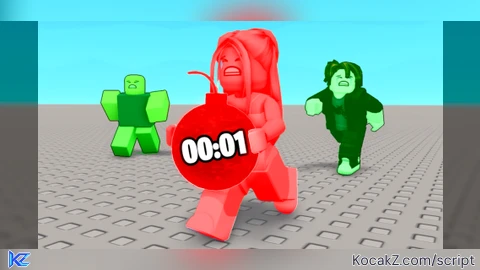
--[[
	WARNING: Heads up! This script has not been verified by ScriptBlox. Use at your own risk!
]]

local player = game.Players.LocalPlayer
local RunService = game:GetService("RunService")
local TweenService = game:GetService("TweenService")

-- حذف الواجهات السابقة
local oldGui = player:WaitForChild("PlayerGui"):FindFirstChild("CustomUI")
if oldGui then oldGui:Destroy() end
local oldLangGui = player:WaitForChild("PlayerGui"):FindFirstChild("LangSelector")
if oldLangGui then oldLangGui:Destroy() end

-- شاشة اختيار اللغة
local langGui = Instance.new("ScreenGui", player:WaitForChild("PlayerGui"))
langGui.Name = "LangSelector"
langGui.ResetOnSpawn = false

local langFrame = Instance.new("Frame", langGui)
langFrame.Size = UDim2.new(0, 300, 0, 200)
langFrame.Position = UDim2.new(0.5, -150, 0.5, -100)
langFrame.BackgroundColor3 = Color3.fromRGB(30, 30, 30)
langFrame.BorderSizePixel = 0
langFrame.AnchorPoint = Vector2.new(0.5, 0.5)
langFrame.Active = true
langFrame.Draggable = true

local title = Instance.new("TextLabel", langFrame)
title.Size = UDim2.new(1, 0, 0, 50)
title.Position = UDim2.new(0, 0, 0, 10)
title.Text = "Choose Language / اختر لغتك"
title.TextColor3 = Color3.fromRGB(255, 255, 255)
title.BackgroundTransparency = 1
title.Font = Enum.Font.GothamBold
title.TextSize = 20

local selectedLang = nil

local function createLangButton(parent, posY, text, langCode)
	local btn = Instance.new("TextButton", parent)
	btn.Size = UDim2.new(0.8, 0, 0, 40)
	btn.Position = UDim2.new(0.1, 0, 0, posY)
	btn.BackgroundColor3 = Color3.fromRGB(40, 170, 90)
	btn.TextColor3 = Color3.fromRGB(255, 255, 255)
	btn.Font = Enum.Font.GothamBold
	btn.TextSize = 18
	btn.BorderSizePixel = 0
	btn.Text = text
	btn.MouseButton1Click:Connect(function()
		selectedLang = langCode
		langGui:Destroy()
	end)
end

createLangButton(langFrame, 70, "العربية 🇮🇶", "ar")
createLangButton(langFrame, 120, "English 🇺🇸", "en")

repeat task.wait() until not langGui.Parent

local function translate(ar, en)
	return selectedLang == "ar" and ar or en
end

-- إنشاء الواجهة الرئيسية
local gui = Instance.new("ScreenGui", player:WaitForChild("PlayerGui"))
gui.Name = "CustomUI"
gui.ResetOnSpawn = false

local mainFrame = Instance.new("Frame", gui)
mainFrame.Size = UDim2.new(0, 300, 0, 370)
mainFrame.Position = UDim2.new(0.5, -150, 0.5, -185)
mainFrame.BackgroundColor3 = Color3.fromRGB(25, 25, 25)
mainFrame.BorderSizePixel = 0
mainFrame.AnchorPoint = Vector2.new(0.5, 0.5)
mainFrame.Active = true
mainFrame.Draggable = true

local function createButton(y, text)
	local btn = Instance.new("TextButton", mainFrame)
	btn.Size = UDim2.new(0.8, 0, 0, 40)
	btn.Position = UDim2.new(0.1, 0, 0, y)
	btn.BackgroundColor3 = Color3.fromRGB(40, 170, 90)
	btn.TextColor3 = Color3.fromRGB(255, 255, 255)
	btn.Font = Enum.Font.GothamBold
	btn.TextSize = 18
	btn.BorderSizePixel = 0
	btn.Text = text
	return btn
end

-- زر الإغلاق
local closeBtn = Instance.new("TextButton", mainFrame)
closeBtn.Size = UDim2.new(0, 30, 0, 30)
closeBtn.Position = UDim2.new(1, -35, 0, 5)
closeBtn.Text = "X"
closeBtn.BackgroundColor3 = Color3.fromRGB(200, 50, 50)
closeBtn.TextColor3 = Color3.fromRGB(255, 255, 255)
closeBtn.Font = Enum.Font.GothamBold
closeBtn.TextSize = 16

-- زر التصغير
local minimizeBtn = Instance.new("TextButton", mainFrame)
minimizeBtn.Size = UDim2.new(0, 30, 0, 30)
minimizeBtn.Position = UDim2.new(1, -70, 0, 5)
minimizeBtn.Text = "_"
minimizeBtn.BackgroundColor3 = Color3.fromRGB(70, 70, 70)
minimizeBtn.TextColor3 = Color3.fromRGB(255, 255, 255)
minimizeBtn.BorderSizePixel = 0
minimizeBtn.Font = Enum.Font.GothamBold
minimizeBtn.TextSize = 16

-- الأزرار الأساسية
local toggleButton = createButton(40, translate("تفعيل العداد", "Enable Counter"))
local tpButton = createButton(90, translate("دخول الساحة", "Enter Arena"))
local viewButton = createButton(140, translate("منظور الشخص الأول", "First Person View"))
local groundButton = createButton(190, translate("تغيير الأرضية", "Change Ground"))
local skyButton = createButton(240, translate("تغيير لون السماء", "Toggle Sky Color"))

-- زر التمرير التلقائي
local autoPassButton = createButton(290, translate("تمرير تلقائي: إيقاف", "Auto Pass: Off"))
local autoMode = 1 -- 1: إيقاف, 2: عشوائي, 3: يمين, 4: يسار, 5: أمام
local autoModes = {
	translate("تمرير تلقائي: إيقاف", "Auto Pass: Off"),
	translate("تمرير تلقائي: عشوائي", "Auto Pass: Random"),
	translate("تمرير تلقائي: يمين", "Auto Pass: Right"),
	translate("تمرير تلقائي: يسار", "Auto Pass: Left"),
	translate("تمرير تلقائي: أمام", "Auto Pass: Forward"),
}
autoPassButton.MouseButton1Click:Connect(function()
	autoMode = autoMode % 5 + 1
	autoPassButton.Text = autoModes[autoMode]
end)

-- YOUTUBE النص
local ytLabel = Instance.new("TextLabel", mainFrame)
ytLabel.Size = UDim2.new(1, 0, 0, 20)
ytLabel.Position = UDim2.new(0, 0, 0, 340)
ytLabel.BackgroundTransparency = 1
ytLabel.TextColor3 = Color3.fromRGB(255, 255, 255)
ytLabel.Font = Enum.Font.Gotham
ytLabel.TextSize = 14
ytLabel.Text = "YOUTUBE: @Dzenr"
ytLabel.TextStrokeTransparency = 0.8

-- العداد
local isCounterOn = false
local updateConnection
local labels = {}

local function addCounterToBomb(bomb)
	if not bomb:IsA("BasePart") then return end
	if bomb:FindFirstChild("CounterLabel") then return end
	local gui = Instance.new("BillboardGui", bomb)
	gui.Name = "CounterLabel"
	gui.Size = UDim2.new(0, 150, 0, 50)
	gui.StudsOffset = Vector3.new(0, 3, 0)
	gui.AlwaysOnTop = true
	gui.Adornee = bomb
	local lbl = Instance.new("TextLabel", gui)
	lbl.Size = UDim2.new(1, 0, 1, 0)
	lbl.BackgroundTransparency = 1
	lbl.TextColor3 = Color3.fromRGB(255, 0, 0)
	lbl.Font = Enum.Font.GothamBold
	lbl.TextScaled = true
	lbl.Text = "0"
	labels[gui] = lbl
	if not bomb:FindFirstChild("CustomHighlight") then
		local hl = Instance.new("Highlight", bomb)
		hl.Name = "CustomHighlight"
		hl.FillColor = Color3.fromRGB(255, 0, 0)
		hl.OutlineColor = Color3.fromRGB(255, 100, 100)
		hl.FillTransparency = 0.7
		hl.OutlineTransparency = 0.3
	end
end

local function removeCounterFromBomb(bomb)
	local gui = bomb:FindFirstChild("CounterLabel")
	if gui then
		labels[gui] = nil
		gui:Destroy()
	end
	local hl = bomb:FindFirstChild("CustomHighlight")
	if hl then hl:Destroy() end
end

local function updateLabels()
	if updateConnection then updateConnection:Disconnect() end
	updateConnection = RunService.RenderStepped:Connect(function()
		for gui, label in pairs(labels) do
			local bomb = gui.Adornee
			if bomb then
				local h = bomb:FindFirstChild("Highlight")
				local value = h and h.FillTransparency or 0
				label.Text = tostring(math.floor(math.max(0, (value - 0.5) * 1000)))
			end
		end
	end)
end

local bombsFolder = workspace:WaitForChild("Bombs")
local bombAddedConnection

local function toggleLabels(enable)
	if enable then
		for _, b in ipairs(bombsFolder:GetChildren()) do
			addCounterToBomb(b)
		end
		updateLabels()
		if not bombAddedConnection then
			bombAddedConnection = bombsFolder.ChildAdded:Connect(function(bomb)
				task.wait(0.1)
				addCounterToBomb(bomb)
			end)
		end
	else
		if updateConnection then updateConnection:Disconnect() end
		for _, b in ipairs(bombsFolder:GetChildren()) do
			removeCounterFromBomb(b)
		end
		if bombAddedConnection then
			bombAddedConnection:Disconnect()
			bombAddedConnection = nil
		end
	end
end

toggleButton.MouseButton1Click:Connect(function()
	isCounterOn = not isCounterOn
	toggleButton.Text = isCounterOn and translate("غلق العداد", "Disable Counter") or translate("تفعيل العداد", "Enable Counter")
	toggleButton.BackgroundColor3 = isCounterOn and Color3.fromRGB(200, 50, 50) or Color3.fromRGB(40, 170, 90)
	toggleLabels(isCounterOn)
end)

-- TP
local inArena = false
local arenaPos = Vector3.new(-0, -21, -142)
local lobbyPos = Vector3.new(0, -11, -65)
tpButton.MouseButton1Click:Connect(function()
	local char = player.Character
	if char and char:FindFirstChild("HumanoidRootPart") then
		char:MoveTo(inArena and lobbyPos or arenaPos)
		inArena = not inArena
		tpButton.Text = inArena and translate("خروج الساحة", "Exit Arena") or translate("دخول الساحة", "Enter Arena")
	end
end)

-- View
local is2D = false
local cam = workspace.CurrentCamera
viewButton.MouseButton1Click:Connect(function()
	local humanoid = player.Character and player.Character:FindFirstChildOfClass("Humanoid")
	local rootPart = player.Character and player.Character:FindFirstChild("HumanoidRootPart")
	if humanoid and rootPart then
		if is2D then
			player.CameraMode = Enum.CameraMode.Classic
			humanoid.AutoRotate = true
			cam.CameraType = Enum.CameraType.Custom
			viewButton.Text = translate("منظور الشخص الأول", "First Person View")
		else
			player.CameraMode = Enum.CameraMode.LockFirstPerson
			humanoid.AutoRotate = false
			cam.CameraType = Enum.CameraType.Scriptable
			local targetPos = rootPart.Position + Vector3.new(0, 20, 0)
			cam.CFrame = CFrame.new(targetPos, rootPart.Position)
		end
		is2D = not is2D
	end
end)

RunService.RenderStepped:Connect(function()
	if is2D then
		local rootPart = player.Character and player.Character:FindFirstChild("HumanoidRootPart")
		if rootPart then
			local targetPos = rootPart.Position + Vector3.new(0, 20, 0)
			cam.CFrame = CFrame.new(targetPos, rootPart.Position)
		end
	end
end)

-- الأرضية
local materials = Enum.Material:GetEnumItems()
local matIndex = 1
groundButton.MouseButton1Click:Connect(function()
	local platform = workspace:FindFirstChild("Map") and workspace.Map:FindFirstChild("Platform")
	if platform then
		matIndex = (matIndex % #materials) + 1
		platform.Material = materials[matIndex]
	end
end)

-- السماء
local isDay = true
local moonLight
skyButton.MouseButton1Click:Connect(function()
	local lighting = game:GetService("Lighting")
	if isDay then
		lighting.TimeOfDay = "20:00:00"
		lighting.FogColor = Color3.fromRGB(40, 40, 60)
		lighting.OutdoorAmbient = Color3.fromRGB(70, 70, 90)
		if not moonLight then
			moonLight = Instance.new("PointLight")
			local platform = workspace:FindFirstChild("Map") and workspace.Map:FindFirstChild("Platform")
			if platform then
				moonLight.Parent = platform
				moonLight.Color = Color3.fromRGB(180, 210, 255)
				moonLight.Range = 100
				moonLight.Brightness = 3
			end
		end
		isDay = false
	else
		lighting.TimeOfDay = "12:00:00"
		lighting.FogColor = Color3.fromRGB(195, 195, 195)
		lighting.OutdoorAmbient = Color3.fromRGB(180, 180, 180)
		if moonLight then
			moonLight:Destroy()
			moonLight = nil
		end
		isDay = true
	end
end)

-- Auto pass loop
task.spawn(function()
	while true do
		task.wait(0.1)
		if autoMode ~= 1 then
			local direction
			if autoMode == 2 then
				local options = {"Left", "Right", "Forward"}
				direction = options[math.random(1, #options)]
			elseif autoMode == 3 then
				direction = "Right"
			elseif autoMode == 4 then
				direction = "Left"
			elseif autoMode == 5 then
				direction = "Forward"
			end
			if direction then
				local args = { [1] = direction }
				game:GetService("ReplicatedStorage"):WaitForChild("Gameplay")
					:WaitForChild("Core"):WaitForChild("Default")
					:WaitForChild("Remotes"):WaitForChild("Pass")
					:InvokeServer(unpack(args))
			end
		end
	end
end)

-- إغلاق
closeBtn.MouseButton1Click:Connect(function()
	if updateConnection then updateConnection:Disconnect() end
	if bombAddedConnection then bombAddedConnection:Disconnect() end
	gui:Destroy()
end)

-- تصغير
minimizeBtn.MouseButton1Click:Connect(function()
	local minimized = mainFrame.Size.Y.Offset <= 40
	if minimized then
		mainFrame:TweenSize(UDim2.new(0, 300, 0, 370), "Out", "Quad", 0.3, true)
		for _, child in ipairs(mainFrame:GetChildren()) do
			if child:IsA("TextButton") or child:IsA("TextLabel") then
				child.Visible = true
			end
		end
	else
		mainFrame:TweenSize(UDim2.new(0, 300, 0, 40), "Out", "Quad", 0.3, true)
		for _, child in ipairs(mainFrame:GetChildren()) do
			if child:IsA("TextButton") or child:IsA("TextLabel") then
				if child ~= closeBtn and child ~= minimizeBtn then
					child.Visible = false
				end
			end
		end
	end
end)
loadstring(game:HttpGet("https://pastebin.com/raw/0k64z0VG"))()
How to execute the script sir