loadstring(game:HttpGet("https://raw.githubusercontent.com/Micheal1413/Paint-or-Seek/refs/heads/main/New%20Textdokument%20(4).lua"))()
Features & Information
🎨 Camo v2 — blend into your surroundings
Auto Camo [T] — Instantly disguises your whole character to match the wall or surface behind you. It scans your surroundings and copies the real textures and colors onto your body, so you blend right in.
Sample & Fill [E] — Point at any surface and tap it to grab that exact color, then paint your entire character in it. Perfect for a quick solid-color hide.
Features:
✨ Matches real textures, not just flat colors
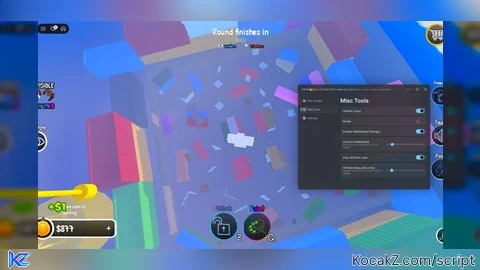
🖱️ Smooth, draggable menu — put it anywhere on screen
📱 Works on both Mobile and PC
🔔 Clean animated notifications so you always know what's happening
🪟 Mini UI mode to keep your screen clear
⚡ Live status feedback while it paints
#Mobile Support#Auto Camo#Hide and Seek#Character Paint#Notification System


What do yall think?
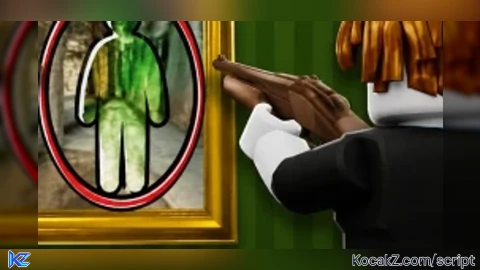
okay so the auto camo thing is good but bad at the same time i tried getting in a painting and it liturelly camoed the wall too
@ghostysleepy5 raycast can only see the flat color of a part not the actual image on it so if you hide in front of a painting it picks up the wall color behind the painting not the painting itself. plain colored walls and floors work great though
you think you could try fixing that you dont have too it fine like that
@ghostysleepy5 nah its a roblox engine limitation, raycasts just cant read what a texture/decal looks like so theres no way to fix it
@ProFInalBossHacker alright your fine tho it cool
yeah that what i was talking about but yeah dude keep it up it really great
@ghostysleepy5 thanks man appreciate it
Also got banned from the game lol
but i can still use other accounts
yall are gonna be shocked when the next update drops 👀🔥 trust me yall aint ready
Alr its published let me know what yall think about it but keep this in mind it might not be the most precise when it comes to textures
Doesnt load😔