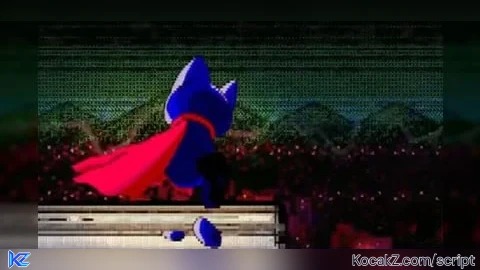

-- Services
local Players = game:GetService("Players")
-- Player setup
local player = Players.LocalPlayer
local character = player.Character or player.CharacterAdded:Wait()
local humanoid = character:WaitForChild("Humanoid")
-- SPEED SETTINGS
local NORMAL_SPEED = 36
local BOOST_SPEED = 45
local BOOST_TIME = 10 -- â±ï¸ 10 seconds
-- Force normal speed on spawn
humanoid.WalkSpeed = NORMAL_SPEED
-- GUI
local playerGui = player:WaitForChild("PlayerGui")
local screenGui = Instance.new("ScreenGui")
screenGui.Name = "SpeedBoostGui"
screenGui.ResetOnSpawn = true
screenGui.Parent = playerGui
local boostButton = Instance.new("TextButton")
boostButton.Parent = screenGui
boostButton.Size = UDim2.new(0, 70, 0, 70)
boostButton.Position = UDim2.new(1, -80, 0, 10) -- TOP RIGHT
boostButton.BackgroundColor3 = Color3.fromRGB(9, 199, 223)
boostButton.Text = "SPEED BOOST"
boostButton.TextScaled = true
boostButton.TextColor3 = Color3.new(1, 1, 1)
boostButton.Font = Enum.Font.GothamBold
boostButton.BorderSizePixel = 0
local corner = Instance.new("UICorner")
corner.CornerRadius = UDim.new(1, 0)
corner.Parent = boostButton
-- Animation
local boostAnim = Instance.new("Animation")
boostAnim.AnimationId = "rbxassetid://113633905787067"
local boostTrack = humanoid:LoadAnimation(boostAnim)
boostTrack.Priority = Enum.AnimationPriority.Action
-- Boost variables
local boostEndTime = 0
-- Boost function with stacking
local function activateBoost()
-- Play animation
boostTrack:Play()
-- Apply speed boost
humanoid.WalkSpeed = BOOST_SPEED
-- Stop animation shortly after
task.delay(0.5, function()
boostTrack:Stop()
end)
-- Extend boost duration
boostEndTime = math.max(boostEndTime, tick() + BOOST_TIME)
-- Coroutine to reset speed
coroutine.wrap(function()
while tick() < boostEndTime do
task.wait(0.1)
end
humanoid.WalkSpeed = NORMAL_SPEED
end)()
end
-- Button press
boostButton.MouseButton1Click:Connect(activateBoost)How to Execute PURSUITCORE Script – Custom Ability: Boost! (Speed)
Step 1: Copy Code: Click the Copy Code button in the viewer above to grab the clean Lua loadstring.
Step 2: Launch Executor: Open a compatible, unpatched executor. If you need one, check our Roblox Executors Directory.
Step 3: Join Experience: Launch Roblox and join PURSUITCORE.
Step 4: Attach & Run: Attach/inject your executor into the Roblox process, paste the code into the script tab, and press Execute.

Features & Information
Script Changelog (1)
Community Comments (0)
No comments yet for this script.
Frequently Asked Questions
How do I execute PURSUITCORE Script – Custom Ability: Boost! (Speed) in Roblox?
To run PURSUITCORE Script – Custom Ability: Boost! (Speed), copy the Lua loadstring from the code viewer above, launch Roblox and join PURSUITCORE, attach a working executor (such as Potassium, Solara, or Delta from our Executors directory), paste the code into your executor console, and click Execute.
Is PURSUITCORE Script – Custom Ability: Boost! (Speed) keyless or does it require an access key?
PURSUITCORE Script – Custom Ability: Boost! (Speed) requires an access key. You can retrieve the official key directly using the Get Script Key link provided above.
Is PURSUITCORE Script – Custom Ability: Boost! (Speed) currently safe and working?
This script is active and operational. Always test scripts using a secondary (alt) Roblox account to safeguard your main profile against anti-cheat bans.