
Keyless
print("Drop GUI running")

-- SERVICES
local Players = game:GetService("Players")
local ReplicatedStorage = game:GetService("ReplicatedStorage")
local UserInputService = game:GetService("UserInputService")
local Camera = workspace.CurrentCamera

local player = Players.LocalPlayer
local playerGui = player:WaitForChild("PlayerGui")

-- REMOTES
local trainRemote = ReplicatedStorage:WaitForChild("DropBlock")
local planeRemote = ReplicatedStorage:WaitForChild("PlaneDrop")
local carRemote = ReplicatedStorage:WaitForChild("SpawnCars")

-- === FIXED GUI CREATION ===
local gui = Instance.new("ScreenGui")
gui.Name = "DropGui"
gui.ResetOnSpawn = false
gui.IgnoreGuiInset = true
gui.ZIndexBehavior = Enum.ZIndexBehavior.Sibling
gui.Parent = playerGui

-- === BUTTON CREATOR ===
local function makeButton(textOff, textOn, pos, offCol, onCol)
	local b = Instance.new("TextButton")
	b.Size = UDim2.new(0, 220, 0, 70)
	b.Position = pos
	b.Text = textOff
	b.TextScaled = true
	b.BackgroundColor3 = offCol
	b.Active = true
	b.Draggable = true
	b.Parent = gui

	local enabled = false
	b.MouseButton1Click:Connect(function()
		enabled = not enabled
		b.Text = enabled and textOn or textOff
		b.BackgroundColor3 = enabled and onCol or offCol
	end)

	return function() return enabled end
end

-- === BUTTONS ===
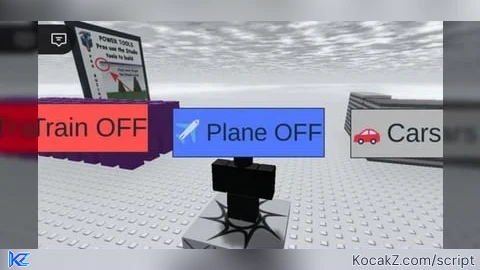
local trainOn = makeButton(
	"🚆 Train OFF", "🚆 Train ON",
	UDim2.new(0.02, 0, 0.60, 0),
	Color3.fromRGB(255,80,80), Color3.fromRGB(80,255,80)
)

local planeOn = makeButton(
	"✈️ Plane OFF", "✈️ Plane ON",
	UDim2.new(0.02, 0, 0.70, 0),
	Color3.fromRGB(80,120,255), Color3.fromRGB(80,255,160)
)

local carOn = makeButton(
	"🚗 Cars OFF", "🚗 Cars ON",
	UDim2.new(0.02, 0, 0.80, 0),
	Color3.fromRGB(180,180,180), Color3.fromRGB(255,255,80)
)

-- === RAYCAST FROM SCREEN ===
local function getWorldPos(screenPos)
	local ray = Camera:ViewportPointToRay(screenPos.X, screenPos.Y)
	local params = RaycastParams.new()
	params.FilterDescendantsInstances = { player.Character }
	params.FilterType = Enum.RaycastFilterType.Blacklist

	local hit = workspace:Raycast(ray.Origin, ray.Direction * 3000, params)
	return hit and hit.Position
end

-- === INPUT HANDLER (PC + MOBILE) ===
UserInputService.InputBegan:Connect(function(input, gp)
	if gp then return end
	if input.UserInputType ~= Enum.UserInputType.Touch
	and input.UserInputType ~= Enum.UserInputType.MouseButton1 then return end

	local worldPos = getWorldPos(input.Position)
	if not worldPos then return end

	-- Train
	if trainOn() then
		trainRemote:FireServer(worldPos)
	end

	-- Plane
	if planeOn() then
		planeRemote:FireServer(worldPos)
	end

	-- Cars
	if carOn() then
		carRemote:FireServer(worldPos)
	end
end)
:p
I appreciate if you like it but if not it's okay,
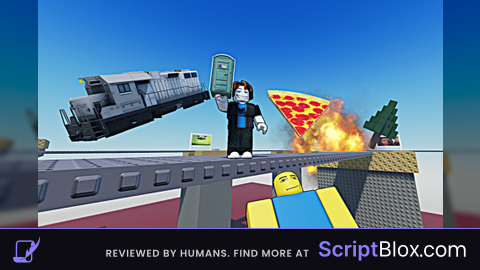
And also I forgot to mention the controls turn on one of them to spawn it but if you turn all of them on you can go chaos mode
And click anywhere to spawn them in
Also if you ever see someone named jynsmsdmdm / hysteria that's me
okay I'm not gonna keep yapping
w script
It does not work
oh it's patched aww man i think