

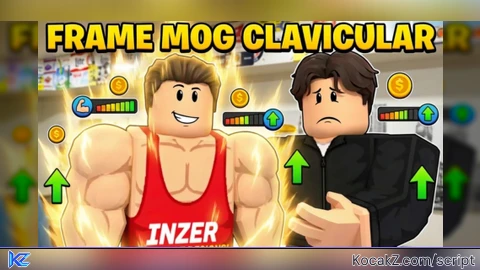
Key Required
-- Spam the remote to gain unlimited progress
while wait(0.1) do
    game:GetService("ReplicatedStorage").Events.WorkoutPerformed:FireServer(1)
end

local player = game.Players.LocalPlayer
local VIM = game:GetService("VirtualInputManager")

local pressCount = 0
local qteArena = player.PlayerGui.OverlayGui.MinigameOverlay.Card.QTEArena
local pressedThisRound = false


local function pressSpace()
    if pressedThisRound then return end

    pressCount = pressCount + 1
    pressedThisRound = true

    VIM:SendKeyEvent(true, Enum.KeyCode.Space, false, game)
    VIM:SendKeyEvent(false, Enum.KeyCode.Space, false, game)
        task.spawn(function()
        task.wait(0.3)
        pressedThisRound = false
    end)
end


local function setupShrinkRing(shrink)
       shrink:GetPropertyChangedSignal("Size"):Connect(function()
        local x = shrink.Size.X.Offset
        local y = shrink.Size.Y.Offset

              if x >= 84 and x <= 86 and y >= 84 and y <= 86 then
            print(string.format(" %d,%d", x, y))
            pressSpace()
        end
    end)

    local x = shrink.Size.X.Offset
    local y = shrink.Size.Y.Offset
    if x >= 84 and x <= 86 and y >= 84 and y <= 86 then
        pressSpace()
    end
end

qteArena.ChildAdded:Connect(function(child)
    if child.Name == "ShrinkRing" then
        setupShrinkRing(child)
    end
end)

-- Verifiy if it exist
local existing = qteArena:FindFirstChild("ShrinkRing")
if existing then
    setupShrinkRing(existing)
end

print("GO - going to click when ts is size 84 and 86")

while true do
    task.wait()
end
-- Spam the remote to gain unlimited progress
while wait(0.1) do
    game:GetService("ReplicatedStorage").Events.WorkoutPerformed:FireServer(1)
end

local player = game.Players.LocalPlayer
local VIM = game:GetService("VirtualInputManager")

local pressCount = 0
local qteArena = player.PlayerGui.OverlayGui.MinigameOverlay.Card.QTEArena
local pressedThisRound = false


local function pressSpace()
    if pressedThisRound then return end

    pressCount = pressCount + 1
    pressedThisRound = true

    VIM:SendKeyEvent(true, Enum.KeyCode.Space, false, game)
    VIM:SendKeyEvent(false, Enum.KeyCode.Space, false, game)
        task.spawn(function()
        task.wait(0.3)
        pressedThisRound = false
    end)
end


local function setupShrinkRing(shrink)
       shrink:GetPropertyChangedSignal("Size"):Connect(function()
        local x = shrink.Size.X.Offset
        local y = shrink.Size.Y.Offset

              if x >= 84 and x <= 86 and y >= 84 and y <= 86 then
            print(string.format(" %d,%d", x, y))
            pressSpace()
        end
    end)

    local x = shrink.Size.X.Offset
    local y = shrink.Size.Y.Offset
    if x >= 84 and x <= 86 and y >= 84 and y <= 86 then
        pressSpace()
    end
end

qteArena.ChildAdded:Connect(function(child)
    if child.Name == "ShrinkRing" then
        setupShrinkRing(child)
    end
end)

-- Verifiy if it exist
local existing = qteArena:FindFirstChild("ShrinkRing")
if existing then
    setupShrinkRing(existing)
end

print("GO - going to click when ts is size 84 and 86")

while true do
    task.wait()
endNo comments yet for this script.