
KeylessUniversal
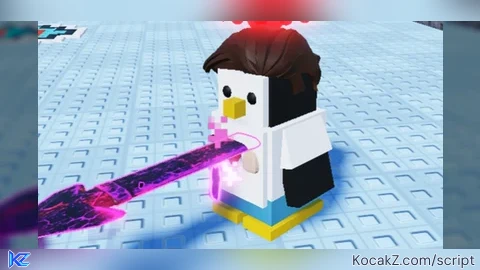
-- Steak Skin GUI for your own Roblox game

local Players = game:GetService("Players")
local ReplicatedStorage = game:GetService("ReplicatedStorage")
local RunService = game:GetService("RunService")

local player = Players.LocalPlayer

local steakModel = ReplicatedStorage:WaitForChild("Models")
	:WaitForChild("Skins")
	:WaitForChild("YoutuberSkins")
	:WaitForChild("Steak")

local guiName = "SteakSkinGui"
local cosmeticName = "SteakCosmetic"

local currentSkin = nil
local hideConnection = nil

local function cleanupSkin()
	if hideConnection then
		hideConnection:Disconnect()
		hideConnection = nil
	end
	if currentSkin and currentSkin.Parent then
		currentSkin:Destroy()
	end
	currentSkin = nil
end

local function restoreCharacter(character)
	if hideConnection then
		hideConnection:Disconnect()
		hideConnection = nil
	end

	for _, obj in ipairs(character:GetDescendants()) do
		if obj:IsA("BasePart") then
			obj.Transparency = 0
			obj.CanCollide = true
			obj.CastShadow = true
		elseif obj:IsA("Decal") or obj:IsA("Texture") then
			obj.Transparency = 0
		end
	end
end

local function applySkin()
	local character = player.Character
	if not character then return end

	local root = character:FindFirstChild("HumanoidRootPart")
	if not root then return end

	cleanupSkin()

	-- Clone the skin
	local clone = steakModel:Clone()
	clone.Name = cosmeticName
	currentSkin = clone

	-- Set up skin parts - only show MeshParts and UnionOperations
	for _, obj in ipairs(clone:GetDescendants()) do
		if obj:IsA("MeshPart") or obj:IsA("UnionOperation") then
			-- These are the visual parts - keep visible
			obj.Transparency = 0
			obj.CanCollide = false
			obj.CastShadow = true
			obj.Anchored = false
			obj.Massless = true
		elseif obj:IsA("BasePart") then
			-- Regular BaseParts (like spheres) - hide them
			obj.Transparency = 1
			obj.CanCollide = false
			obj.CastShadow = false
			obj.Anchored = false
			obj.Massless = true
		elseif obj:IsA("Decal") or obj:IsA("Texture") then
			obj.Transparency = 0
		elseif obj:IsA("Script") or obj:IsA("LocalScript") or obj:IsA("Humanoid") then
			obj:Destroy()
		end
	end

	-- Parent skin to character
	clone.Parent = character

	-- Position skin
	clone:PivotTo(root.CFrame)

	-- Weld all skin parts to root
	for _, part in ipairs(clone:GetDescendants()) do
		if part:IsA("BasePart") then
			local weld = Instance.new("WeldConstraint")
			weld.Part0 = root
			weld.Part1 = part
			weld.Parent = part
		end
	end

	-- Continuous loop
	hideConnection = RunService.Heartbeat:Connect(function()
		if not currentSkin or not currentSkin.Parent then
			if hideConnection then
				hideConnection:Disconnect()
				hideConnection = nil
			end
			return
		end

		for _, obj in ipairs(character:GetDescendants()) do
			-- Check if inside skin
			local parent = obj.Parent
			local isInSkin = false
			while parent do
				if parent == currentSkin then
					isInSkin = true
					break
				end
				parent = parent.Parent
			end

			if isInSkin then
				-- Inside skin: show only MeshParts/Unions, hide regular BaseParts
				if obj:IsA("MeshPart") or obj:IsA("UnionOperation") then
					obj.Transparency = 0
				elseif obj:IsA("BasePart") then
					obj.Transparency = 1
				elseif obj:IsA("Decal") or obj:IsA("Texture") then
					obj.Transparency = 0
				end
			else
				-- Original character: hide everything
				if obj:IsA("BasePart") and obj.Name ~= "HumanoidRootPart" then
					obj.Transparency = 1
					obj.CastShadow = false
				elseif obj:IsA("Decal") or obj:IsA("Texture") then
					obj.Transparency = 1
				end
			end
		end
	end)
end

local function removeSkin()
	local character = player.Character
	cleanupSkin()
	if character then
		restoreCharacter(character)
	end
end

local function makeGui()
	local old = player:WaitForChild("PlayerGui"):FindFirstChild(guiName)
	if old then old:Destroy() end

	local screenGui = Instance.new("ScreenGui")
	screenGui.Name = guiName
	screenGui.ResetOnSpawn = false
	screenGui.Parent = player:WaitForChild("PlayerGui")

	local frame = Instance.new("Frame")
	frame.Size = UDim2.new(0, 220, 0, 130)
	frame.Position = UDim2.new(0.5, -110, 0.2, 0)
	frame.BackgroundColor3 = Color3.fromRGB(25, 25, 25)
	frame.BorderSizePixel = 0
	frame.Active = true
	frame.Draggable = true
	frame.Parent = screenGui

	Instance.new("UICorner", frame).CornerRadius = UDim.new(0, 8)

	local title = Instance.new("TextLabel")
	title.Size = UDim2.new(1, 0, 0, 32)
	title.BackgroundTransparency = 1
	title.Text = "Steak Skin"
	title.TextColor3 = Color3.new(1, 1, 1)
	title.Font = Enum.Font.GothamBold
	title.TextSize = 18
	title.Parent = frame

	local applyBtn = Instance.new("TextButton")
	applyBtn.Size = UDim2.new(1, -20, 0, 34)
	applyBtn.Position = UDim2.new(0, 10, 0, 42)
	applyBtn.BackgroundColor3 = Color3.fromRGB(0, 170, 0)
	applyBtn.BorderSizePixel = 0
	applyBtn.Text = "Apply Steak"
	applyBtn.TextColor3 = Color3.new(1, 1, 1)
	applyBtn.Font = Enum.Font.GothamBold
	applyBtn.TextSize = 16
	applyBtn.Parent = frame
	Instance.new("UICorner", applyBtn).CornerRadius = UDim.new(0, 6)

	local removeBtn = Instance.new("TextButton")
	removeBtn.Size = UDim2.new(1, -20, 0, 34)
	removeBtn.Position = UDim2.new(0, 10, 0, 82)
	removeBtn.BackgroundColor3 = Color3.fromRGB(170, 0, 0)
	removeBtn.BorderSizePixel = 0
	removeBtn.Text = "Remove Skin"
	removeBtn.TextColor3 = Color3.new(1, 1, 1)
	removeBtn.Font = Enum.Font.GothamBold
	removeBtn.TextSize = 16
	removeBtn.Parent = frame
	Instance.new("UICorner", removeBtn).CornerRadius = UDim.new(0, 6)

	applyBtn.MouseButton1Click:Connect(applySkin)
	removeBtn.MouseButton1Click:Connect(removeSkin)
end

makeGui()

player.CharacterAdded:Connect(function()
	task.wait(0.5)
	if currentSkin then
		applySkin()
	end
end)
@loraine284729 ik im working on a skin changer btw :)))