


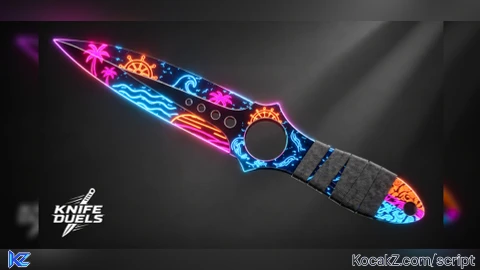
-- Knife Duels | ESP + Skeleton + Tracers + Aimbot
-- Solara | hold E to aim | Salz loaded
if _G.KD_ESP_UNLOAD then pcall(_G.KD_ESP_UNLOAD) end

local Players = game:GetService("Players")
local RunService = game:GetService("RunService")
local UserInputService = game:GetService("UserInputService")
local LocalPlayer = Players.LocalPlayer
local Camera = workspace.CurrentCamera
local mouse = LocalPlayer:GetMouse()
local PlayerGui = LocalPlayer:WaitForChild("PlayerGui")

local Settings = {
    -- ESP
    ESPEnabled = true,
    BoxESP = true,
    SkeletonESP = true,
    TracerESP = true,
    MaxDistance = 1000,
    BoxColor = Color3.fromRGB(255, 60, 60),
    SkeletonColor = Color3.fromRGB(0, 255, 140),
    TracerColor = Color3.fromRGB(255, 255, 255),
    TextColor = Color3.fromRGB(255, 255, 255),
    TextSize = 13,
    TracerFrom = "Bottom",

    -- Aimbot
    AimEnabled = true,
    AimKey = Enum.KeyCode.E,
    AimFOV = 75,
    AimSmooth = 0.18,
    AimPart = "Head",
    TeamCheck = false,
    ShowFOV = true,
    FOVColor = Color3.fromRGB(255, 70, 70),
    Prediction = 0.08,
}

local espObjects = {}
local connections = {}

-- corner announce
local announceGui = Instance.new("ScreenGui")
announceGui.Name = "SalzAnnounce"
announceGui.ResetOnSpawn = false
announceGui.IgnoreGuiInset = true
announceGui.Parent = PlayerGui

local announce = Instance.new("TextLabel")
announce.Size = UDim2.new(0, 220, 0, 36)
announce.Position = UDim2.new(0, 14, 0, 14)
announce.BackgroundColor3 = Color3.fromRGB(12, 12, 16)
announce.BackgroundTransparency = 0.25
announce.BorderSizePixel = 0
announce.Text = "Salz loaded"
announce.TextColor3 = Color3.fromRGB(0, 255, 140)
announce.TextSize = 16
announce.Font = Enum.Font.GothamBold
announce.Parent = announceGui

local ac = Instance.new("UICorner")
ac.CornerRadius = UDim.new(0, 6)
ac.Parent = announce

local stroke = Instance.new("UIStroke")
stroke.Color = Color3.fromRGB(0, 255, 140)
stroke.Thickness = 1.2
stroke.Transparency = 0.4
stroke.Parent = announce

-- fade after a few seconds (optional, stays if you want permanent)
task.spawn(function()
    task.wait(4)
    for i = 0, 1, 0.04 do
        announce.TextTransparency = i
        announce.BackgroundTransparency = 0.25 + (i * 0.75)
        stroke.Transparency = 0.4 + (i * 0.6)
        task.wait(0.03)
    end
    announce.Visible = false
end)

local fovCircle = Drawing.new("Circle")
fovCircle.Thickness = 1
fovCircle.NumSides = 48
fovCircle.Filled = false
fovCircle.Color = Settings.FOVColor
fovCircle.Visible = false
fovCircle.ZIndex = 0
fovCircle.Radius = Settings.AimFOV

local function newDrawing(class, props)
    local d = Drawing.new(class)
    for k, v in pairs(props) do d[k] = v end
    return d
end

local skeletonOffsets = {
    {"Head", "UpperTorso"},
    {"UpperTorso", "LowerTorso"},
    {"UpperTorso", "LeftUpperArm"},
    {"LeftUpperArm", "LeftLowerArm"},
    {"LeftLowerArm", "LeftHand"},
    {"UpperTorso", "RightUpperArm"},
    {"RightUpperArm", "RightLowerArm"},
    {"RightLowerArm", "RightHand"},
    {"LowerTorso", "LeftUpperLeg"},
    {"LeftUpperLeg", "LeftLowerLeg"},
    {"LeftLowerLeg", "LeftFoot"},
    {"LowerTorso", "RightUpperLeg"},
    {"RightUpperLeg", "RightLowerLeg"},
    {"RightLowerLeg", "RightFoot"},
}

local skeletonOffsetsR6 = {
    {"Head", "Torso"},
    {"Torso", "Left Arm"},
    {"Torso", "Right Arm"},
    {"Torso", "Left Leg"},
    {"Torso", "Right Leg"},
}

local function createObjects(player)
    if player == LocalPlayer or espObjects[player] then return end

    local lines = {}
    for i = 1, 14 do
        lines[i] = newDrawing("Line", {
            Thickness = 1.5,
            Color = Settings.SkeletonColor,
            Visible = false,
            ZIndex = 1,
        })
    end

    espObjects[player] = {
        box = newDrawing("Square", {
            Thickness = 1, Filled = false, Color = Settings.BoxColor,
            Visible = false, ZIndex = 1,
        }),
        name = newDrawing("Text", {
            Size = Settings.TextSize, Center = true, Outline = true,
            Color = Settings.TextColor, Visible = false, ZIndex = 2,
        }),
        tracer = newDrawing("Line", {
            Thickness = 1, Color = Settings.TracerColor,
            Visible = false, ZIndex = 0,
        }),
        skeleton = lines,
    }
end

local function removeObjects(player)
    local o = espObjects[player]
    if not o then return end
    pcall(function() o.box:Remove() end)
    pcall(function() o.name:Remove() end)
    pcall(function() o.tracer:Remove() end)
    for _, l in pairs(o.skeleton) do pcall(function() l:Remove() end) end
    espObjects[player] = nil
end

local function hideAll(o)
    o.box.Visible = false
    o.name.Visible = false
    o.tracer.Visible = false
    for _, l in pairs(o.skeleton) do l.Visible = false end
end

local function getClosest()
    local closest = nil
    local shortest = Settings.AimFOV
    local myChar = LocalPlayer.Character
    local myRoot = myChar and myChar:FindFirstChild("HumanoidRootPart")
    if not myRoot then return nil end

    for _, player in ipairs(Players:GetPlayers()) do
        if player ~= LocalPlayer and player.Character then
            if Settings.TeamCheck and player.Team and LocalPlayer.Team and player.Team == LocalPlayer.Team then
                continue
            end
            local char = player.Character
            local part = char:FindFirstChild(Settings.AimPart)
            local hum = char:FindFirstChildOfClass("Humanoid")
            if part and hum and hum.Health > 0 then
                local pos, onScreen = Camera:WorldToViewportPoint(part.Position)
                if onScreen and pos.Z > 0 then
                    local dist2d = (Vector2.new(mouse.X, mouse.Y) - Vector2.new(pos.X, pos.Y)).Magnitude
                    local dist3d = (myRoot.Position - part.Position).Magnitude
                    if dist2d < shortest and dist3d <= Settings.MaxDistance then
                        shortest = dist2d
                        closest = part
                    end
                end
            end
        end
    end
    return closest
end

local function drawSkeleton(char, lines)
    local isR15 = char:FindFirstChild("UpperTorso")
    local offsets = isR15 and skeletonOffsets or skeletonOffsetsR6
    for i, pair in ipairs(offsets) do
        local a = char:FindFirstChild(pair[1])
        local b = char:FindFirstChild(pair[2])
        local line = lines[i]
        if a and b and line then
            local p1, on1 = Camera:WorldToViewportPoint(a.Position)
            local p2, on2 = Camera:WorldToViewportPoint(b.Position)
            if on1 or on2 then
                line.From = Vector2.new(p1.X, p1.Y)
                line.To = Vector2.new(p2.X, p2.Y)
                line.Color = Settings.SkeletonColor
                line.Visible = true
            else
                line.Visible = false
            end
        elseif line then
            line.Visible = false
        end
    end
    for i = #offsets + 1, #lines do
        lines[i].Visible = false
    end
end

local aiming = false

local function update()
    local myChar = LocalPlayer.Character
    local myRoot = myChar and myChar:FindFirstChild("HumanoidRootPart")

    fovCircle.Position = Vector2.new(mouse.X, mouse.Y + 36)
    fovCircle.Radius = Settings.AimFOV
    fovCircle.Visible = Settings.ShowFOV and Settings.AimEnabled

    if Settings.AimEnabled and aiming then
        local target = getClosest()
        if target then
            local velocity = target.AssemblyLinearVelocity or Vector3.zero
            local predicted = target.Position + (velocity * Settings.Prediction)
            local current = Camera.CFrame
            local goal = CFrame.new(current.Position, predicted)
            Camera.CFrame = current:Lerp(goal, Settings.AimSmooth)
        end
    end

    for player, o in pairs(espObjects) do
        local char = player.Character
        local head = char and char:FindFirstChild("Head")
        local root = char and char:FindFirstChild("HumanoidRootPart")
        local hum = char and char:FindFirstChildOfClass("Humanoid")

        if Settings.ESPEnabled and head and root and hum and hum.Health > 0 and myRoot then
            local dist = (myRoot.Position - root.Position).Magnitude
            if dist <= Settings.MaxDistance then
                local headPos, onScreen = Camera:WorldToViewportPoint(head.Position + Vector3.new(0, 0.4, 0))
                local footPos = Camera:WorldToViewportPoint(root.Position - Vector3.new(0, 3, 0))
                local rootPos = Camera:WorldToViewportPoint(root.Position)

                if onScreen then
                    if Settings.BoxESP then
                        local height = math.abs(footPos.Y - headPos.Y)
                        local width = height * 0.55
                        o.box.Position = Vector2.new(headPos.X - width/2, headPos.Y)
                        o.box.Size = Vector2.new(width, height)
                        o.box.Visible = true
                    else
                        o.box.Visible = false
                    end

                    o.name.Text = string.format("%s [%d]", player.DisplayName, math.floor(dist))
                    o.name.Position = Vector2.new(headPos.X, headPos.Y - 15)
                    o.name.Visible = true

                    if Settings.TracerESP then
                        local from
                        if Settings.TracerFrom == "Center" then
                            from = Vector2.new(Camera.ViewportSize.X/2, Camera.ViewportSize.Y/2)
                        elseif Settings.TracerFrom == "Mouse" then
                            from = Vector2.new(mouse.X, mouse.Y + 36)
                        else
                            from = Vector2.new(Camera.ViewportSize.X/2, Camera.ViewportSize.Y)
                        end
                        o.tracer.From = from
                        o.tracer.To = Vector2.new(rootPos.X, rootPos.Y)
                        o.tracer.Color = Settings.TracerColor
                        o.tracer.Visible = true
                    else
                        o.tracer.Visible = false
                    end

                    if Settings.SkeletonESP then
                        drawSkeleton(char, o.skeleton)
                    else
                        for _, l in pairs(o.skeleton) do l.Visible = false end
                    end
                else
                    hideAll(o)
                end
            else
                hideAll(o)
            end
        else
            hideAll(o)
        end
    end
end

table.insert(connections, UserInputService.InputBegan:Connect(function(input, gpe)
    if gpe then return end
    if input.KeyCode == Settings.AimKey then
        aiming = true
    end
end))

table.insert(connections, UserInputService.InputEnded:Connect(function(input)
    if input.KeyCode == Settings.AimKey then
        aiming = false
    end
end))

for _, p in ipairs(Players:GetPlayers()) do createObjects(p) end
table.insert(connections, Players.PlayerAdded:Connect(createObjects))
table.insert(connections, Players.PlayerRemoving:Connect(removeObjects))
table.insert(connections, RunService.RenderStepped:Connect(update))

_G.KD_ESP_UNLOAD = function()
    for _, c in ipairs(connections) do c:Disconnect() end
    for player in pairs(espObjects) do removeObjects(player) end
    pcall(function() fovCircle:Remove() end)
    pcall(function() announceGui:Destroy() end)
    _G.KD_ESP_UNLOAD = nil
end

print("Salz loaded")
How to Execute KNIFE DUELS Script – Salz Hub
Step 1: Copy Code: Click the Copy Code button in the viewer above to grab the clean Lua loadstring.
Step 2: Launch Executor: Open a compatible, unpatched executor. If you need one, check our Roblox Executors Directory.
Step 3: Join Experience: Launch Roblox and join KNIFE DUELS.
Step 4: Attach & Run: Attach/inject your executor into the Roblox process, paste the code into the script tab, and press Execute.
Features & Information
Script Changelog (1)
Community Comments (1)
Frequently Asked Questions
How do I execute KNIFE DUELS Script – Salz Hub in Roblox?
To run KNIFE DUELS Script – Salz Hub, copy the Lua loadstring from the code viewer above, launch Roblox and join KNIFE DUELS, attach a working executor (such as Potassium, Solara, or Delta from our Executors directory), paste the code into your executor console, and click Execute.
Is KNIFE DUELS Script – Salz Hub keyless or does it require an access key?
KNIFE DUELS Script – Salz Hub requires an access key. You can retrieve the official key directly using the Get Script Key link provided above.
Is KNIFE DUELS Script – Salz Hub currently safe and working?
This script is active and operational. Always test scripts using a secondary (alt) Roblox account to safeguard your main profile against anti-cheat bans.



Cool script