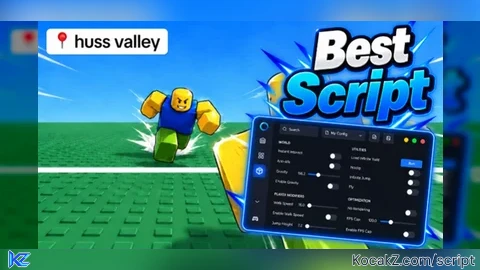

-- AutoDodge.lua — open source, no key, no loader
-- Target: Huss Valley (Roblox)
-- Executor: any with loadstring + task.spawn (Volt, Potassium, Delta, Wave, Xeno, Solara)

local Players = game:GetService("Players")
local RunService = game:GetService("RunService")
local Workspace = game:GetService("Workspace")
local UIS = game:GetService("UserInputService")
local TweenService = game:GetService("TweenService")
local LocalPlayer = Players.LocalPlayer

local CONFIG = {
    enabled = true,
    range = 28,
    closeRange = 10,       -- studs: extra-tight trigger, dodges even on cooldown tail
    dodgeDistance = 30,
    cooldown = 0.45,
    closeCooldown = 0.25,  -- shorter cooldown when threat is within closeRange
    dodgeKey = Enum.KeyCode.Q,
    useRemote = true,
}

local lastDodge = 0

local function getChar()
    return LocalPlayer.Character or LocalPlayer.CharacterAdded:Wait()
end
local function getHRP()
    local c = getChar()
    return c and c:FindFirstChild("HumanoidRootPart")
end
local function getHum()
    local c = getChar()
    return c and c:FindFirstChildOfClass("Humanoid")
end

local function getThreats()
    local hrp = getHRP()
    if not hrp then return {}, 0 end
    local myPos = hrp.Position
    local out = {}
    local nearest = math.huge

    for _, p in ipairs(Players:GetPlayers()) do
        if p ~= LocalPlayer and p.Character then
            local otherHrp = p.Character:FindFirstChild("HumanoidRootPart")
            local otherHum = p.Character:FindFirstChildOfClass("Humanoid")
            if otherHrp and otherHum and otherHum.Health > 0 then
                local d = (otherHrp.Position - myPos).Magnitude
                if d < nearest then nearest = d end
                if d <= CONFIG.range then
                    table.insert(out, {pos = otherHrp.Position, dist = d, obj = p.Character})
                end
            end
        end
    end

    for _, obj in ipairs(Workspace:GetDescendants()) do
        if obj:IsA("Model") and obj ~= LocalPlayer.Character then
            local hum = obj:FindFirstChildOfClass("Humanoid")
            local hrp2 = obj:FindFirstChild("HumanoidRootPart")
            if hum and hrp2 and hum.Health > 0 then
                local d = (hrp2.Position - myPos).Magnitude
                if d < nearest then nearest = d end
                if d <= CONFIG.range then
                    table.insert(out, {pos = hrp2.Position, dist = d, obj = obj})
                end
            end
        end
    end
    return out, nearest
end

local function escapeVector(threats)
    local hrp = getHRP()
    if not hrp or #threats == 0 then return nil end
    local sum = Vector3.zero
    for _, t in ipairs(threats) do
        sum = sum + t.pos
    end
    local centroid = sum / #threats
    local away = (hrp.Position - centroid)
    if away.Magnitude < 0.1 then
        away = Vector3.new(math.random(-1,1), 0, math.random(-1,1))
    end
    return away.Unit
end

local function fireRemoteDodge(dir)
    if not CONFIG.useRemote then return false end
    local remotes = {}
    for _, d in ipairs(game:GetDescendants()) do
        if d:IsA("RemoteEvent") then
            local n = d.Name:lower()
            if n:find("dodge") or n:find("dash") or n:find("tackle") or n:find("evade") then
                table.insert(remotes, d)
            end
        end
    end
    if #remotes == 0 then return false end
    for _, r in ipairs(remotes) do
        pcall(function()
            r:FireServer(dir)
            r:FireServer()
            r:FireServer(dir, true)
        end)
    end
    return true
end

local function velocityDodge(dir)
    local hrp = getHRP()
    if not hrp then return end
    local target = hrp.Position + dir * CONFIG.dodgeDistance
    hrp.AssemblyLinearVelocity = dir * 90 + Vector3.new(0, 35, 0)
    task.delay(0.12, function()
        if hrp and hrp.Parent then
            hrp.CFrame = CFrame.new(target + Vector3.new(0, 3, 0))
        end
    end)
end

local function doDodge(dir)
    if not fireRemoteDodge(dir) then
        velocityDodge(dir)
    end
    pcall(function()
        local vim = game:GetService("VirtualInputManager")
        vim:SendKeyEvent(true, CONFIG.dodgeKey, false, game)
        task.wait(0.05)
        vim:SendKeyEvent(false, CONFIG.dodgeKey, false, game)
    end)
end

-- ---------- GUI ----------
local gui = Instance.new("ScreenGui")
gui.Name = "AutoDodgeGui"
gui.ResetOnSpawn = false
gui.IgnoreGuiInset = true
gui.ZIndexBehavior = Enum.ZIndexBehavior.Sibling
gui.Parent = (gethui and gethui()) or LocalPlayer:WaitForChild("PlayerGui")

local frame = Instance.new("Frame")
frame.Name = "Main"
frame.Size = UDim2.new(0, 160, 0, 56)
frame.Position = UDim2.new(0, 20, 0, 20)
frame.BackgroundColor3 = Color3.fromRGB(20, 20, 20)
frame.BorderSizePixel = 0
frame.Active = true
frame.Draggable = true              -- built-in drag
frame.Parent = gui

local corner = Instance.new("UICorner")
corner.CornerRadius = UDim.new(0, 8)
corner.Parent = frame

local stroke = Instance.new("UIStroke")
stroke.Thickness = 2
stroke.Color = Color3.fromRGB(255, 0, 0)
stroke.Parent = frame

local title = Instance.new("TextLabel")
title.Size = UDim2.new(1, 0, 0, 20)
title.Position = UDim2.new(0, 0, 0, 2)
title.BackgroundTransparency = 1
title.Text = "AUTO DODGE"
title.TextColor3 = Color3.fromRGB(255, 255, 255)
title.Font = Enum.Font.GothamBold
title.TextSize = 12
title.Parent = frame

local button = Instance.new("TextButton")
button.Name = "Toggle"
button.Size = UDim2.new(1, -20, 0, 24)
button.Position = UDim2.new(0, 10, 0, 26)
button.BackgroundColor3 = Color3.fromRGB(40, 40, 40)
button.BorderSizePixel = 0
button.Text = "ON"
button.TextColor3 = Color3.fromRGB(255, 255, 255)
button.Font = Enum.Font.GothamBold
button.TextSize = 13
button.AutoButtonColor = false
button.Parent = frame

local btnCorner = Instance.new("UICorner")
btnCorner.CornerRadius = UDim.new(0, 6)
btnCorner.Parent = button

-- Rainbow: cycle hue on stroke + button background tint
local rainbowConn
local hue = 0
rainbowConn = RunService.RenderStepped:Connect(function(dt)
    hue = (hue + dt * 0.35) % 1
    local c = Color3.fromHSV(hue, 1, 1)
    stroke.Color = c
    if CONFIG.enabled then
        button.BackgroundColor3 = Color3.fromHSV(hue, 0.85, 0.35)
    else
        button.BackgroundColor3 = Color3.fromRGB(40, 40, 40)
    end
end)

local function refreshButton()
    if CONFIG.enabled then
        button.Text = "ON"
    else
        button.Text = "OFF"
        button.BackgroundColor3 = Color3.fromRGB(40, 40, 40)
    end
end

button.MouseButton1Click:Connect(function()
    CONFIG.enabled = not CONFIG.enabled
    refreshButton()
end)

-- Drag with touch + mouse (Draggable covers mouse; add touch for mobile)
local dragging, dragInput, dragStart, startPos
local function beginDrag(input)
    dragging = true
    dragStart = input.Position
    startPos = frame.Position
    input.Changed:Connect(function()
        if input.UserInputState == Enum.UserInputState.End then
            dragging = false
        end
    end)
end
frame.InputBegan:Connect(function(input)
    if input.UserInputType == Enum.UserInputType.MouseButton1
        or input.UserInputType == Enum.UserInputType.Touch then
        beginDrag(input)
    end
end)
frame.InputChanged:Connect(function(input)
    if input.UserInputType == Enum.UserInputType.MouseMovement
        or input.UserInputType == Enum.UserInputType.Touch then
        dragInput = input
    end
end)
UIS.InputChanged:Connect(function(input)
    if input == dragInput and dragging then
        local delta = input.Position - dragStart
        frame.Position = UDim2.new(
            startPos.X.Scale, startPos.X.Offset + delta.X,
            startPos.Y.Scale, startPos.Y.Offset + delta.Y
        )
    end
end)

refreshButton()

-- ---------- Loop ----------
RunService.Heartbeat:Connect(function()
    if not CONFIG.enabled then return end
    local now = os.clock()

    local hum = getHum()
    if not hum or hum.Health <= 0 then return end

    local threats, nearest = getThreats()
    if #threats == 0 then return end

    local cd = (nearest <= CONFIG.closeRange) and CONFIG.closeCooldown or CONFIG.cooldown
    if now - lastDodge < cd then return end

    local dir = escapeVector(threats)
    if not dir then return end

    lastDodge = now
    doDodge(dir)
end)

-- RightShift also toggles
UIS.InputBegan:Connect(function(input, gp)
    if gp then return end
    if input.KeyCode == Enum.KeyCode.RightShift then
        CONFIG.enabled = not CONFIG.enabled
        refreshButton()
    end
end)
How to Execute Huss Valley Script – Keyless
Step 1: Copy Code: Click the Copy Code button in the viewer above to grab the clean Lua loadstring.
Step 2: Launch Executor: Open a compatible, unpatched executor. If you need one, check our Roblox Executors Directory.
Step 3: Join Experience: Launch Roblox and join Huss Valley.
Step 4: Attach & Run: Attach/inject your executor into the Roblox process, paste the code into the script tab, and press Execute.
![[🎃] Huss Valley](https://media.kocakz.me/e307f8ca6f930fafca0facec125b36c90262d0488a0640a31d1176dfd5ee7bf6.webp)
Features & Information
Script Changelog (1)
Community Comments (0)
No comments yet for this script.
Frequently Asked Questions
How do I execute Huss Valley Script – Keyless in Roblox?
To run Huss Valley Script – Keyless, copy the Lua loadstring from the code viewer above, launch Roblox and join Huss Valley, attach a working executor (such as Potassium, Solara, or Delta from our Executors directory), paste the code into your executor console, and click Execute.
Is Huss Valley Script – Keyless keyless or does it require an access key?
Huss Valley Script – Keyless requires an access key. You can retrieve the official key directly using the Get Script Key link provided above.
Is Huss Valley Script – Keyless currently safe and working?
This script is active and operational. Always test scripts using a secondary (alt) Roblox account to safeguard your main profile against anti-cheat bans.


![[KEYLESS] OP SCRIPT - Verified script for Huss Valley](https://media.kocakz.me/592dd9a2266e53de2d922fac1872f2a40fab051b82ff7f62763a9c579ec20d0f.webp)