
![[NEW] Nore Hub](https://scriptblox.com/images/script/0-1791028937811.png)
Key RequiredUniversal
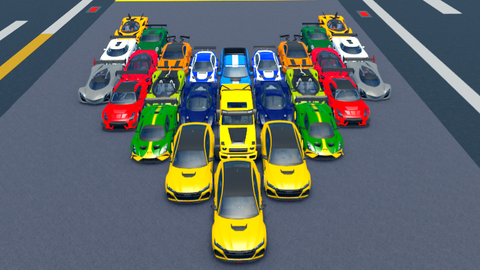
-- Atualizações:
-- - Ao duplicar, remove o "Owner" do clone (deleta o objeto Owner em Stats do clone).
-- - Detecta APENAS o carro original (ignora clones pelo nome contendo "_Clone").
-- - Clones mantêm colisão ativada (CanCollide = true) e ancorados (Anchored = true).
-- - Para PC: Pressione G para duplicar o carro ORIGINAL atual (nome único: NomeOriginal_CloneX).
-- - Para PC: Pressione V para deletar todos os clones.
-- - Para Mobile: Botões arrastáveis G e V na tela, aparecendo inicialmente no meio.
-- - Detecta troca de carro sem deletar clones e sem confundir com clones.
-- Nota: Este é um LocalScript simulado para executor. Ajuste se necessário.

local Players = game:GetService("Players")
local UserInputService = game:GetService("UserInputService")
local RunService = game:GetService("RunService")
local GuiService = game:GetService("GuiService")
local player = Players.LocalPlayer
local currentCar = nil  -- Armazena o carro atual do player (apenas original)
local clones = {}  -- Tabela para rastrear clones criados
local cloneCounter = {}  -- Contador por carro original para nomes únicos

-- Função para encontrar o carro ATUAL e ORIGINAL do player (ignora clones)
local function findCurrentCar()
    local playerName = player.Name
    for _, car in pairs(workspace.Cars:GetChildren()) do
        -- Ignora clones pelo nome
        if not car.Name:match("_Clone") then
            local stats = car:FindFirstChild("Stats")
            if stats and stats:FindFirstChild("Owner") and stats.Owner.Value == playerName then
                return car
            end
        end
    end
    return nil
end

-- Função para duplicar o carro (sempre o original)
local function duplicateCar(car)
    if not car then return end

    local originalName = car.Name
    if not cloneCounter[originalName] then
        cloneCounter[originalName] = 0
    end
    cloneCounter[originalName] = cloneCounter[originalName] + 1
    local cloneName = originalName .. "_Clone" .. cloneCounter[originalName]

    local clone = car:Clone()
    clone.Name = cloneName
    clone.Parent = workspace.Cars

    -- Remover o Owner do clone
    local cloneStats = clone:FindFirstChild("Stats")
    if cloneStats then
        local owner = cloneStats:FindFirstChild("Owner")
        if owner then
            owner:Destroy()
        end
    end

    -- Ativar colisão e ancorar todas as partes do clone
    for _, part in pairs(clone:GetDescendants()) do
        if part:IsA("BasePart") then
            part.CanCollide = true  -- Colisão ativada
            part.Anchored = true    -- Ancorado para fixar no lugar
        end
    end

    -- Adicionar à lista de clones
    table.insert(clones, clone)

    print("Carro original duplicado: " .. cloneName .. " (Owner removido, com colisão e ancorado)")
end

-- Função para deletar todos os clones
local function deleteClones()
    for _, clone in pairs(clones) do
        if clone and clone.Parent then
            clone:Destroy()
        end
    end
    clones = {}
    cloneCounter = {}
    print("Todos os clones foram deletados.")
end

-- Detectar troca de carro (loop para monitorar apenas originais)
local function monitorCarChange()
    local lastCar = nil
    RunService.Heartbeat:Connect(function()
        local newCar = findCurrentCar()
        if newCar and newCar ~= lastCar then
            currentCar = newCar
            lastCar = newCar
            print("Carro original atual trocado para: " .. newCar.Name)
            -- Não deleta clones aqui, só atualiza
        end
    end)
end

-- Função para criar GUI de escolha de plataforma
local function createPlatformChoiceGui()
    local screenGui = Instance.new("ScreenGui")
    screenGui.Parent = player.PlayerGui
    screenGui.Name = "PlatformChoiceGui"

    local frame = Instance.new("Frame")
    frame.Size = UDim2.new(0, 300, 0, 150)
    frame.Position = UDim2.new(0.5, -150, 0.5, -75)
    frame.BackgroundColor3 = Color3.fromRGB(50, 50, 50)
    frame.Parent = screenGui

    local title = Instance.new("TextLabel")
    title.Size = UDim2.new(1, 0, 0, 50)
    title.Text = "Escolha a Plataforma"
    title.TextColor3 = Color3.fromRGB(255, 255, 255)
    title.BackgroundTransparency = 1
    title.Parent = frame

    local pcButton = Instance.new("TextButton")
    pcButton.Size = UDim2.new(0.4, 0, 0, 50)
    pcButton.Position = UDim2.new(0.1, 0, 0.5, 0)
    pcButton.Text = "PC"
    pcButton.Parent = frame

    local mobileButton = Instance.new("TextButton")
    mobileButton.Size = UDim2.new(0.4, 0, 0, 50)
    mobileButton.Position = UDim2.new(0.5, 0, 0.5, 0)
    mobileButton.Text = "Mobile"
    mobileButton.Parent = frame

    return screenGui, pcButton, mobileButton
end

-- Função para anexar drag e click a um botão
local function attachDragAndClick(button, action)
    local frame = button.Parent
    local dragging = false
    local dragInput = nil
    local dragStart = nil
    local startPos = nil
    local hasDragged = false

    button.InputBegan:Connect(function(input)
        if not dragging and (input.UserInputType == Enum.UserInputType.MouseButton1 or input.UserInputType == Enum.UserInputType.Touch) then
            dragging = true
            hasDragged = false
            dragStart = input.Position
            startPos = frame.Position

            local endConnection
            endConnection = input.Changed:Connect(function()
                if input.UserInputState == Enum.UserInputState.End then
                    dragging = false
                    endConnection:Disconnect()
                end
            end)
        end
    end)

    button.InputChanged:Connect(function(input)
        if input.UserInputType == Enum.UserInputType.MouseMovement or input.UserInputType == Enum.UserInputType.Touch then
            dragInput = input
        end
    end)

    UserInputService.InputChanged:Connect(function(input)
        if dragging and input == dragInput then
            local delta = input.Position - dragStart
            if not hasDragged and (math.abs(delta.X) + math.abs(delta.Y) > 5) then
                hasDragged = true
            end
            frame.Position = UDim2.new(startPos.X.Scale, startPos.X.Offset + delta.X, startPos.Y.Scale, startPos.Y.Offset + delta.Y)
        end
    end)

    button.InputEnded:Connect(function(input)
        if input.UserInputType == Enum.UserInputType.MouseButton1 or input.UserInputType == Enum.UserInputType.Touch then
            if not hasDragged then
                action()
            end
        end
    end)
end

-- Função para criar botões arrastáveis para Mobile
local function createMobileButtons()
    local screenGui = Instance.new("ScreenGui")
    screenGui.Parent = player.PlayerGui
    screenGui.Name = "MobileButtonsGui"

    -- Botão G (posicionado no meio, ligeiramente à esquerda)
    local gFrame = Instance.new("Frame")
    gFrame.Size = UDim2.new(0, 50, 0, 50)
    gFrame.Position = UDim2.new(0.5, -60, 0.5, -25)  -- Centro, offset para esquerda
    gFrame.BackgroundColor3 = Color3.fromRGB(0, 255, 0)
    gFrame.Parent = screenGui

    local gButton = Instance.new("TextButton")
    gButton.Size = UDim2.new(1, 0, 1, 0)
    gButton.Text = "G"
    gButton.Parent = gFrame

    attachDragAndClick(gButton, function()
        currentCar = findCurrentCar()  -- Atualiza para o original antes de duplicar
        duplicateCar(currentCar)
    end)

    -- Botão V (posicionado no meio, ligeiramente à direita)
    local vFrame = Instance.new("Frame")
    vFrame.Size = UDim2.new(0, 50, 0, 50)
    vFrame.Position = UDim2.new(0.5, 10, 0.5, -25)  -- Centro, offset para direita
    vFrame.BackgroundColor3 = Color3.fromRGB(255, 0, 0)
    vFrame.Parent = screenGui

    local vButton = Instance.new("TextButton")
    vButton.Size = UDim2.new(1, 0, 1, 0)
    vButton.Text = "V"
    vButton.Parent = vFrame

    attachDragAndClick(vButton, function()
        deleteClones()
    end)
end

-- Inicializar escolha de plataforma
local choiceGui, pcButton, mobileButton = createPlatformChoiceGui()

pcButton.MouseButton1Click:Connect(function()
    choiceGui:Destroy()
    -- Modo PC: Conectar inputs de teclado
    UserInputService.InputBegan:Connect(function(input, gameProcessed)
        if gameProcessed then return end

        if input.KeyCode == Enum.KeyCode.G then
            currentCar = findCurrentCar()  -- Atualiza para o original antes de duplicar
            duplicateCar(currentCar)
        elseif input.KeyCode == Enum.KeyCode.V then
            deleteClones()
        end
    end)
    print("Modo PC selecionado. Use G e V no teclado.")
end)

mobileButton.MouseButton1Click:Connect(function()
    choiceGui:Destroy()
    -- Modo Mobile: Criar botões na tela
    createMobileButtons()
    print("Modo Mobile selecionado. Use os botões G e V na tela (arrastáveis).")
end)

-- Iniciar monitoramento
monitorCarChange()
print("Script carregado (atualizado para Mobile/PC)! Escolha a plataforma na GUI.")
print("Monitorando carro original atual...")

-- Loop inicial para setar o carro atual
spawn(function()
    wait(1)  -- Espera um pouco para carregar
    currentCar = findCurrentCar()
    if currentCar then
        print("Carro original inicial detectado: " .. currentCar.Name)
    end
end)
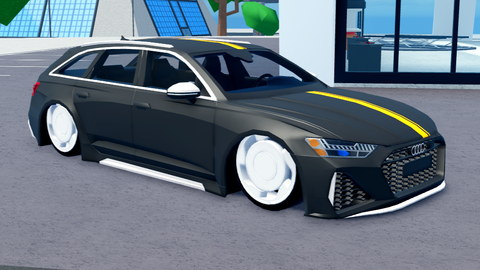
fe or visual?
@6nnnnnn Visual
howw
does it work
Any updates?