

Key Required
local player = game.Players.LocalPlayer
local character = player.Character or player.CharacterAdded:Wait()
local humanoidRootPart = character:WaitForChild("HumanoidRootPart")

local screenGui = Instance.new("ScreenGui")
screenGui.Name = "AutoBoxGui"
screenGui.ResetOnSpawn = false
screenGui.Parent = player:WaitForChild("PlayerGui")

local toggleButton = Instance.new("TextButton")
toggleButton.Size = UDim2.new(0, 150, 0, 50)
toggleButton.Position = UDim2.new(0, 20, 0.5, -120)
toggleButton.BackgroundColor3 = Color3.fromRGB(35, 35, 35)
toggleButton.TextColor3 = Color3.new(1, 1, 1)
toggleButton.Font = Enum.Font.SourceSansBold
toggleButton.TextSize = 24
toggleButton.Text = "Start Auto Box"
toggleButton.Parent = screenGui

local unloadButton = Instance.new("TextButton")
unloadButton.Size = UDim2.new(0, 150, 0, 50)
unloadButton.Position = UDim2.new(0, 20, 0.5, -60)
unloadButton.BackgroundColor3 = Color3.fromRGB(180, 50, 50)
unloadButton.TextColor3 = Color3.new(1, 1, 1)
unloadButton.Font = Enum.Font.SourceSansBold
unloadButton.TextSize = 24
unloadButton.Text = "Unload Script"
unloadButton.Parent = screenGui

local running = false
local loopThread

local function waitForCharacter()
    character = player.Character or player.CharacterAdded:Wait()
    humanoidRootPart = character:WaitForChild("HumanoidRootPart")
end

local function firePrompt(prompt)
    if not prompt then return false end
    if prompt.HoldDuration > 0 then
        prompt:InputHoldBegin()
        wait(prompt.HoldDuration)
        prompt:InputHoldEnd()
    else
        fireproximityprompt(prompt)
    end
    return true
end

local function teleportAndFirePrompt(path)
    -- Ensure character is loaded
    if not humanoidRootPart or not humanoidRootPart.Parent then
        waitForCharacter()
    end

    local node = workspace
    for _, partName in ipairs(path) do
        node = node:WaitForChild(partName)
    end

    local targetPosition = node.Position or (node:IsA("BasePart") and node.Position) or (node.CFrame and node.CFrame.Position)
    humanoidRootPart.CFrame = CFrame.new(targetPosition) + Vector3.new(0, 3, 0) -- slight Y offset to avoid clipping

    wait(1) -- Increased wait for settling

    local prompt = node:FindFirstChildWhichIsA("ProximityPrompt")
    if prompt then
        local success = firePrompt(prompt)
        if not success then
            warn("Failed to fire prompt at " .. table.concat(path, "."))
        end
        wait(1) -- wait after firing prompt for game to register
    else
        warn("ProximityPrompt not found at " .. table.concat(path, "."))
    end
end

local function autoBoxLoop()
    while running do
        teleportAndFirePrompt({"BoxStocker", "Box", "Node"})
        wait(1.5) -- wait a bit longer after pickup

        teleportAndFirePrompt({"BoxStocker", "Pallet", "Node"})
        wait(2.5) -- wait longer after placing
    end
end

toggleButton.MouseButton1Click:Connect(function()
    running = not running
    if running then
        toggleButton.Text = "Stop Auto Box"
        loopThread = spawn(autoBoxLoop)
    else
        toggleButton.Text = "Start Auto Box"
    end
end)

unloadButton.MouseButton1Click:Connect(function()
    running = false
    screenGui:Destroy()
end)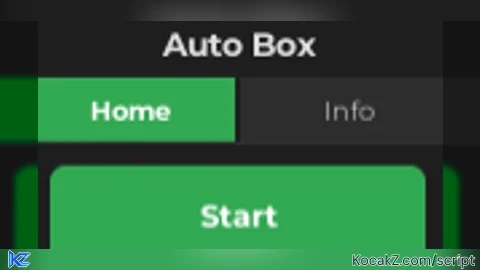
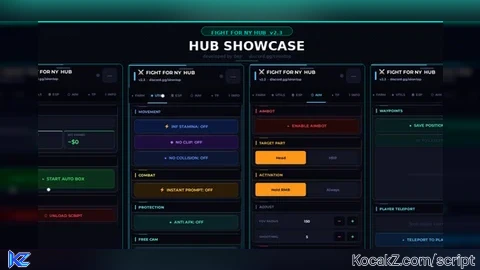
good script worked and it got me lots of levels