

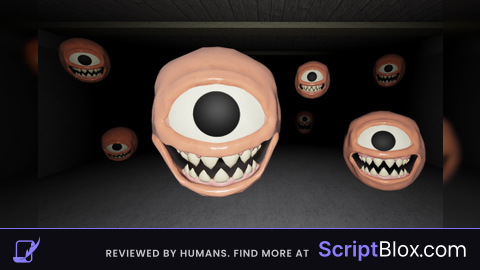
Keyless

local ScreenGui = Instance.new("ScreenGui")
local MainFrame = Instance.new("Frame")
local OpenButton = Instance.new("TextButton")
local CloseButton = Instance.new("TextButton")
local TeleportButton = Instance.new("TextButton")
local EspButton = Instance.new("TextButton")
local TeleportMenu = Instance.new("Frame")
local EspMenu = Instance.new("Frame")
local MenuLabel = Instance.new("TextLabel")

-- ตั้งค่าสี
local colors = {
    red = Color3.fromRGB(255, 0, 0),
    black = Color3.fromRGB(0, 0, 0),
    gray = Color3.fromRGB(128, 128, 128)
}

-- ตั้งค่า ScreenGui
ScreenGui.Name = "Ayenhub"
ScreenGui.Parent = syn and game.CoreGui or game.Players.LocalPlayer:WaitForChild("PlayerGui")
ScreenGui.ZIndexBehavior = Enum.ZIndexBehavior.Sibling
ScreenGui.ResetOnSpawn = false

-- ตั้งค่า MainFrame
MainFrame.Name = "MainFrame"
MainFrame.Parent = ScreenGui
MainFrame.BackgroundColor3 = colors.gray
MainFrame.BorderColor3 = colors.red
MainFrame.BorderSizePixel = 2
MainFrame.Position = UDim2.new(0.5, -200, 0.5, -100)
MainFrame.Size = UDim2.new(0, 400, 0, 200)
MainFrame.Draggable = true
MainFrame.Active = true
MainFrame.Visible = false

-- ตั้งค่า OpenButton
OpenButton.Name = "OpenButton"
OpenButton.Parent = ScreenGui
OpenButton.BackgroundColor3 = colors.red
OpenButton.TextColor3 = colors.black
OpenButton.Position = UDim2.new(0.5, -425, 0.5, 4)
OpenButton.Size = UDim2.new(0, 100, 0, 50)
OpenButton.Text = "Open Ayenhub"
OpenButton.MouseButton1Click:Connect(function()
    MainFrame.Visible = true
end)

-- ตั้งค่า CloseButton
CloseButton.Name = "CloseButton"
CloseButton.Parent = MainFrame
CloseButton.BackgroundColor3 = colors.red
CloseButton.TextColor3 = colors.black
CloseButton.Position = UDim2.new(1, -25, 0, 0)
CloseButton.Size = UDim2.new(0, 25, 0, 25)
CloseButton.Text = "X"
CloseButton.MouseButton1Click:Connect(function()
    MainFrame.Visible = false
end)

-- ตั้งค่า MenuLabel
MenuLabel.Name = "MenuLabel"
MenuLabel.Parent = MainFrame
MenuLabel.BackgroundColor3 = colors.gray
MenuLabel.TextColor3 = colors.black
MenuLabel.Position = UDim2.new(0, 0, 0, 0)
MenuLabel.Size = UDim2.new(0, 200, 0, 25)
MenuLabel.Text = "GEF Script"

-- ตั้งค่า TeleportButton
TeleportButton.Name = "TeleportButton"
TeleportButton.Parent = MainFrame
TeleportButton.BackgroundColor3 = Color3.fromRGB(255, 0, 0) -- สีแดง
TeleportButton.Size = UDim2.new(0, 200, 0, 50)
TeleportButton.Text = "Teleport"

-- ตั้งค่า EspButton
EspButton.Name = "EspButton"
EspButton.Parent = MainFrame
EspButton.BackgroundColor3 = Color3.fromRGB(255, 0, 0) -- สีแดง
EspButton.Position = UDim2.new(0, 0, 0, 50)
EspButton.Size = UDim2.new(0, 200, 0, 50)
EspButton.Text = "Esp"

-- ตั้งค่า TeleportMenu
TeleportMenu.Name = "TeleportMenu"
TeleportMenu.Parent = MainFrame
TeleportMenu.BackgroundColor3 = Color3.fromRGB(128, 128, 128) -- สีเทา
TeleportMenu.Position = UDim2.new(0, 200, 0, 0)
TeleportMenu.Size = UDim2.new(0, 200, 0, 200)
TeleportMenu.Visible = false

-- ตั้งค่า EspMenu
EspMenu.Name = "EspMenu"
EspMenu.Parent = MainFrame
EspMenu.BackgroundColor3 = Color3.fromRGB(128, 128, 128) -- สีเทา
EspMenu.Position = UDim2.new(0, 200, 0, 0)
EspMenu.Size = UDim2.new(0, 200, 0, 200)
EspMenu.Visible = false

-- สร้างปุ่มย่อยใน TeleportMenu และกำหนดฟังก์ชันเทเลพอร์ต
for i = 1, 8 do
    local Button = Instance.new("TextButton")
    Button.Parent = TeleportMenu
    Button.BackgroundColor3 = Color3.fromRGB(255, 255, 255) -- สีขาว
    Button.Size = UDim2.new(0, 180, 0, 20)
    Button.Position = UDim2.new(0, 10, 0, (i - 1) * 25)

    -- กำหนดฟังก์ชันเทเลพอร์ตตามชื่อไอเทม
    if i == 1 then
        Button.Text = "Shotgun"
        Button.MouseButton1Click:Connect(function()
            local rootPart = game.Players.LocalPlayer.Character.HumanoidRootPart
            rootPart.CFrame = game:GetService("Workspace").Pickups.Shotgun.CFrame
        end)
    elseif i == 2 then
        Button.Text = "Shells"
        Button.MouseButton1Click:Connect(function()
            local rootPart = game.Players.LocalPlayer.Character.HumanoidRootPart
            rootPart.CFrame = game:GetService("Workspace").Pickups.Shells.CFrame
        end)
    elseif i == 3 then
        Button.Text = "Medkit"
        Button.MouseButton1Click:Connect(function()
            local rootPart = game.Players.LocalPlayer.Character.HumanoidRootPart
            rootPart.CFrame = game:GetService("Workspace").Pickups.Medkit.CFrame
        end)
    elseif i == 4 then
        Button.Text = "Food"
        Button.MouseButton1Click:Connect(function()
            local rootPart = game.Players.LocalPlayer.Character.HumanoidRootPart
            rootPart.CFrame = game:GetService("Workspace").Pickups.Food.CFrame
        end)
    elseif i == 5 then
        Button.Text = "Bat"
        Button.MouseButton1Click:Connect(function()
            local rootPart = game.Players.LocalPlayer.Character.HumanoidRootPart
            rootPart.CFrame = game:GetService("Workspace").Pickups.Bat.CFrame
        end)
    elseif i == 6 then
        Button.Text = "Crowbar"
        Button.MouseButton1Click:Connect(function()
            local rootPart = game.Players.LocalPlayer.Character.HumanoidRootPart
            rootPart.CFrame = game:GetService("Workspace").Pickups.Crowbar.CFrame
        end)
    elseif i == 7 then
        Button.Text = "Money"
        Button.MouseButton1Click:Connect(function()
            local rootPart = game.Players.LocalPlayer.Character.HumanoidRootPart
            rootPart.CFrame = game:GetService("Workspace").Pickups.Money.CFrame
        end)
    elseif i == 8 then
        Button.Text = "Handgun"
        Button.MouseButton1Click:Connect(function()
            local rootPart = game.Players.LocalPlayer.Character.HumanoidRootPart
            rootPart.CFrame = game:GetService("Workspace").Pickups.Handgun.CFrame
        end)
    end
end

-- สร้างปุ่ม Esp Gefs และ Esp Menu Players
for i = 1, 2 do
    local Button = Instance.new("TextButton")
    Button.Parent = EspMenu
    Button.BackgroundColor3 = Color3.fromRGB(255, 255, 255) -- สีขาว
    Button.Size = UDim2.new(0, 180, 0, 20)
    Button.Position = UDim2.new(0, 10, 0, (i - 1) * 25)

    if i == 1 then
    Button.Text = "Esp Gefs"
    Button.MouseButton1Click:Connect(function()
        -- สคริปต์ ESP ที่ไม่มี GUI จะถูกใส่ที่นี่
        local espEnabled = true -- ตั้งค่าเป็น true เพื่อให้ ESP ทำงานทันที

-- ฟังก์ชันสำหรับสร้าง ESP สำหรับ Hurtbox
local function createESPForHurtbox(part)
    local espGui = Instance.new("BillboardGui", part)
    espGui.Adornee = part
    espGui.Size = UDim2.new(0, 200, 0, 50)
    espGui.AlwaysOnTop = true
    espGui.StudsOffset = Vector3.new(0, 3, 0)

    local nameLabel = Instance.new("TextLabel", espGui)
    nameLabel.Text = "GEF"
    nameLabel.BackgroundTransparency = 1
    nameLabel.Size = UDim2.new(0, 200, 0, 20)
    nameLabel.Font = Enum.Font.SourceSansBold
    nameLabel.TextSize = 18

    local distanceLabel = Instance.new("TextLabel", espGui)
    distanceLabel.BackgroundTransparency = 1
    distanceLabel.Size = UDim2.new(0, 200, 0, 20)
    distanceLabel.Font = Enum.Font.SourceSansBold
    distanceLabel.TextSize = 18
    distanceLabel.Position = UDim2.new(0, 0, 0, 20)

    -- อัปเดตระยะห่างและสีข้อความ
    game:GetService("RunService").RenderStepped:Connect(function()
        local distance = (game.Players.LocalPlayer.Character.HumanoidRootPart.Position - part.Position).magnitude
        distanceLabel.Text = string.format("Distance: %.2f", distance)

        if distance < 50 then
            nameLabel.TextColor3 = Color3.new(1, 0.5, 0)
            distanceLabel.TextColor3 = Color3.new(1, 0.5, 0)
        elseif distance < 100 then
            nameLabel.TextColor3 = Color3.new(1, 1, 0)
            distanceLabel.TextColor3 = Color3.new(1, 1, 0)
        else
            nameLabel.TextColor3 = Color3.new(0, 1, 0)
            distanceLabel.TextColor3 = Color3.new(0, 1, 0)
        end
    end)
end

-- ฟังก์ชันสำหรับการเปิด/ปิด ESP และอัปเดต Hurtbox ทุก ๆ 60 วินาที
local function toggleESP()
    while espEnabled do
        for _, part in pairs(workspace:GetDescendants()) do
            if part:IsA("BasePart") and part.Name == "Hurtbox" then
                if not part:FindFirstChildOfClass("BillboardGui") then
                    createESPForHurtbox(part)
                end
            end
        end
        wait(60) -- รอ 60 วินาทีก่อนที่จะทำการลูปใหม่
    end
end

-- เรียกใช้ฟังก์ชัน toggleESP ทันทีเมื่อปุ่มถูกคลิก
toggleESP()

    end)
elseif i == 2 then
        Button.Text = "Esp Menu Players"
        Button.MouseButton1Click:Connect(function()
            loadstring(game:HttpGet("https://pastebin.com/raw/USEXe42D"))()
        end)
    end
end

-- เพิ่มเส้นขีดสีแดงระหว่างหัวข้อใหญ่และหัวข้อย่อย
local function createSeparator(parent, position)
    local Separator = Instance.new("Frame")
    Separator.Parent = parent
    Separator.BackgroundColor3 = colors.red
    Separator.Size = UDim2.new(0, 180, 0, 2)
    Separator.Position = position
end

-- สร้างเส้นขีดสีแดงใน TeleportMenu
for i = 1, 8 do
    createSeparator(TeleportMenu, UDim2.new(0, 10, 0, (i * 25) - 3))
end

-- สร้างเส้นขีดสีแดงใน EspMenu
for i = 1, 2 do
    createSeparator(EspMenu, UDim2.new(0, 10, 0, (i * 25) - 3))
end

-- ฟังก์ชันสำหรับแสดง/ซ่อนเมนู
TeleportButton.MouseButton1Click:Connect(function()
    TeleportMenu.Visible = not TeleportMenu.Visible
    EspMenu.Visible = false
end)

EspButton.MouseButton1Click:Connect(function()
    EspMenu.Visible = not EspMenu.Visible
    TeleportMenu.Visible = false
end)

-- ตั้งค่า Hotkey เพื่อเปิด/ปิด GUI ตามสคริปต์ก่อนหน้านี้
Chatgpt'd lol
no way he copied nahh hub and mine script :skull:
Nahhh
Bro?