

--[[
    WARNING: Heads up! This script has not been verified by ScriptBlox. Use at your own risk!
]]
-- Made by 0_Void (Master Ultra-Precision Engine - Rate-Compensated 120ms Tap Edition)
run_on_actor(game:GetService("Players").LocalPlayer.PlayerScripts.ClientActor, [[
    if not newlclosure then
        getgenv().newlclosure = function(func)
            local env = getfenv(func)
            local t = {F = func}
            setrawmetatable(t, {__index = env, __newindex = env})
            local closure = function(...)
                return t.F(...)
            end
            setfenv(closure, t)
            return closure
        end
    end

    local RunService = game:GetService("RunService")
    local Players = game:GetService("Players")
    local LocalPlayer = Players.LocalPlayer
    local newgame, gamehandler

    local totalNotesHit = 0
    local hasHitFirstNote = false

    -- Apply text specifically to target elements
    local function applyBotplayText(target, text)
        if not target then return end

        if target:IsA("TextLabel") or target:IsA("TextButton") then
            if target.Text ~= text then
                target.Text = text
            end
        else
            for _, child in pairs(target:GetDescendants()) do
                if child:IsA("TextLabel") or child:IsA("TextButton") then
                    if child.Text ~= text then
                        child.Text = text
                    end
                end
            end
        end
    end

    -- Helper to check if player is on Left Side
    local function isLeftSide(playerSide)
        return playerSide == 1 or playerSide == "Player1" or playerSide == "Left"
    end

    -- Enforce InfoBar and MS judgment text based on the exact player side
    local function enforceSideInfoBar(playerSide)
        if not hasHitFirstNote then return end

        local playerGui = LocalPlayer:FindFirstChildOfClass("PlayerGui")
        if not playerGui then return end

        local window = playerGui:FindFirstChild("Window")
        local gameHud = window and window:FindFirstChild("Game")
        local hud = gameHud and gameHud:FindFirstChild("HUD")

        if hud then
            local displayText = "Bot Is Playing The Song Automatically Just Watch"
            local msText = "0.00 ms (Bot)"
            local onLeft = isLeftSide(playerSide)

            if onLeft then
                -- Left Side InfoBar
                local infoBarLeft = hud:FindFirstChild("InfoBar")
                if infoBarLeft then
                    applyBotplayText(infoBarLeft, displayText)
                end

                -- Left Side MS Indicator
                local indicatorLeft = hud:FindFirstChild("Indicator")
                if indicatorLeft then
                    local msLeft = indicatorLeft:FindFirstChild("MS") or indicatorLeft
                    applyBotplayText(msLeft, msText)
                end
            else
                -- Right Side InfoBar (Child 4)
                local hudChildren = hud:GetChildren()
                if hudChildren and hudChildren[4] then
                    applyBotplayText(hudChildren[4], displayText)
                end

                -- Right Side MS Indicator (Child 5)
                if hudChildren and hudChildren[5] then
                    local indicatorRight = hudChildren[5]
                    local msRight = indicatorRight:FindFirstChild("MS") or indicatorRight
                    applyBotplayText(msRight, msText)
                end
            end
        end
    end

    for _, v in pairs(getgc(true)) do
        if type(v) == "table" and rawget(v, "Games") and rawget(v, "NewGame") then
            newgame = v.StartGame
            gamehandler = v
            break
        end
    end

    local function ongamestarted()
        local gameid, game = next(gamehandler.Games)
        repeat task.wait() until gamehandler.Field and gamehandler.Field.Game and gamehandler.Field.Game.TimePosition

        local field = gamehandler.Field
        local playerSide = field.Team

        -- Reset counters and state on new game
        totalNotesHit = 0
        hasHitFirstNote = false

        -- Frame-by-frame enforcement loop for HUD and Judgment MS indicator
        local renderConnection
        renderConnection = RunService.RenderStepped:Connect(function()
            if not gamehandler.Field or not gamehandler.Field.Game then
                if renderConnection then renderConnection:Disconnect() end
                hasHitFirstNote = false -- Reset on game exit
                return
            end
            pcall(function()
                enforceSideInfoBar(playerSide)
            end)
        end)

        -- =========================================================================
        -- MASTER TIMING & OWNER-SIDE ENGINE CONFIGURATION
        -- =========================================================================
        local TAP_DURATION = 0.1 -- Fixed 120ms tap duration

        -- 9-Key Lane State Machine (Owner side tracking)
        local laneState = {}
        for i = 1, 9 do
            laneState[i] = { isHolding = false, releaseSongTime = 0 }
        end

        -- Ignored Note Types / Names
        local ignoredNames = {
            ["mechanic"] = true,
            ["death"]    = true,
            ["poison"]   = true,
            ["pea note"] = true
        }

        -- Pre-Process & Sort Song Notes ONLY for LocalPlayer's Side
        local processedNotes = {}
        for _, v in pairs(game.Notes) do
            if (v.Field == playerSide or v.Field == "All") and v.Time then
                local noteData = game.NoteConfigs and game.NoteConfigs.NoteData[tostring(v.Type)]
                local noteName = noteData and (noteData.Name or noteData.Type) or tostring(v.Type or "Default")
                local noteTypeStr = noteData and tostring(noteData.Type) or tostring(v.Type or "")

                local lowerName = string.lower(tostring(noteName))
                local lowerType = string.lower(tostring(noteTypeStr))

                if not ignoredNames[lowerName] and not ignoredNames[lowerType] then
                    local dir = tonumber(v.Direction)
                    if dir and dir >= 1 and dir <= 9 then
                        table.insert(processedNotes, {
                            Time = v.Time,
                            Length = v.Length or 0,
                            Direction = dir
                        })
                    end
                end
            end
        end

        table.sort(processedNotes, function(a, b)
            if a.Time == b.Time then
                return a.Direction < b.Direction
            end
            return a.Time < b.Time
        end)

        print("--- [AutoPlayer] Engine Running (" .. #processedNotes .. " Local Notes Loaded) ---")

        local noteIndex = 1
        local totalNotes = #processedNotes
        local activeConnection

        -- Precise Time Engine Tracking
        local lastTimePos = field.Game.TimePosition
        local lastClock = os.clock()

        activeConnection = RunService.RenderStepped:Connect(function(deltaTime)
            if not gamehandler.Field or not gamehandler.Field.Game or not field.HitLane then
                if activeConnection then activeConnection:Disconnect() end
                hasHitFirstNote = false
                return
            end

            local gameObj = field.Game
            local rawTimePos = gameObj.TimePosition
            local rate = gameObj.AdjustedPlayback or gameObj.PlaybackSpeed or 1
            if rate <= 0 then rate = 1 end
            local wallTime = os.clock()

            -- High-precision audio timeline resynchronization
            if rawTimePos ~= lastTimePos then
                lastTimePos = rawTimePos
                lastClock = wallTime
            end

            -- Extrapolate exact time position down to sub-milliseconds
            local currentSongTime = lastTimePos + ((wallTime - lastClock) * rate)

            -- 1. Precision Owner-Side Song-Time Release Management
            for i = 1, 9 do
                local state = laneState[i]
                if state.isHolding and currentSongTime >= state.releaseSongTime then
                    state.isHolding = false
                    local exactReleaseTime = wallTime + ((state.releaseSongTime - currentSongTime) / rate)
                    field:HitLane(i, false, exactReleaseTime)
                end
            end

            -- 2. Exact 0ms Hit Evaluation Engine for Owner Side Only
            local frameEndTime = currentSongTime + (deltaTime * rate)

            while noteIndex <= totalNotes do
                local note = processedNotes[noteIndex]
                local noteTime = note.Time

                if currentSongTime >= noteTime or (noteTime <= frameEndTime) then
                    local direction = note.Direction
                    local state = laneState[direction]

                    local exactHitTime = wallTime + ((noteTime - currentSongTime) / rate)

                    if state.isHolding then
                        field:HitLane(direction, false, exactHitTime)
                        state.isHolding = false
                    end

                    -- Trigger hit on LocalPlayer's field only
                    field:HitLane(direction, true, exactHitTime)

                    -- Trigger post-first-hit flag & increment hit counter
                    hasHitFirstNote = true
                    totalNotesHit = totalNotesHit + 1

                    local noteLength = note.Length or 0
                    state.isHolding = true

                    -- Calculate song release time compensated for rate speed shifts
                    if noteLength > 0 then
                        state.releaseSongTime = noteTime + noteLength
                    else
                        state.releaseSongTime = noteTime + (TAP_DURATION * rate)
                    end

                    noteIndex = noteIndex + 1
                else
                    break
                end
            end
        end)
    end

    if isfunctionhooked and isfunctionhooked(newgame) then restorefunction(newgame) end
    if newgame then
        local old
        old = hookfunction(newgame, newlclosure(function(...)
            old(...)
            task.spawn(ongamestarted)
            return
        end))
    end
]])
How to Execute Funky Friday Script – Bot FR
Step 1: Copy Code: Click the Copy Code button in the viewer above to grab the clean Lua loadstring.
Step 2: Launch Executor: Open a compatible, unpatched executor. If you need one, check our Roblox Executors Directory.
Step 3: Join Experience: Launch Roblox and join Funky Friday.
Step 4: Attach & Run: Attach/inject your executor into the Roblox process, paste the code into the script tab, and press Execute.
Features & Information
Script Changelog (1)
Community Comments (5)
Frequently Asked Questions
How do I execute Funky Friday Script – Bot FR in Roblox?
To run Funky Friday Script – Bot FR, copy the Lua loadstring from the code viewer above, launch Roblox and join Funky Friday, attach a working executor (such as Potassium, Solara, or Delta from our Executors directory), paste the code into your executor console, and click Execute.
Is Funky Friday Script – Bot FR keyless or does it require an access key?
Funky Friday Script – Bot FR requires an access key. You can retrieve the official key directly using the Get Script Key link provided above.
Is Funky Friday Script – Bot FR currently safe and working?
This script is active and operational. Always test scripts using a secondary (alt) Roblox account to safeguard your main profile against anti-cheat bans.
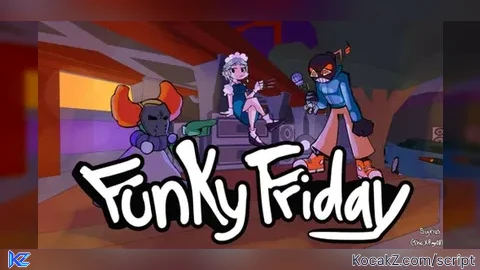
![[REWRITE] Null Fire / Solara & mobile support - Verified script for Funky Friday](https://media.kocakz.me/ad7404820047bd2aadf98402ac96a27a603730a76fc4b900a40fa93767183ebd.webp)




Support only executor can Hook function, firesignal and else
i suggest setting up executors that DON'T work on the post so people don't complain in the comments :3
Does not support JJSploit.
@danielbrown1613 yes
@danielbrown1613 i wonder why