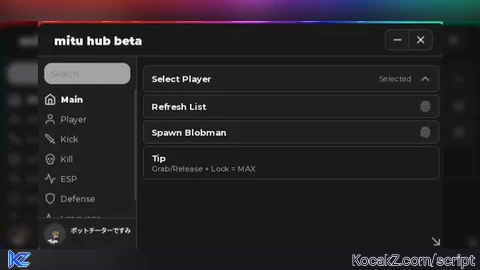
Key Required
-- SELF-CONTAINED LOADSTRING COMPATIBLE SCRIPT
local Players = game:GetService("Players")
local Workspace = game:GetService("Workspace")
local RunService = game:GetService("RunService")
local UserInputService = game:GetService("UserInputService")

local LocalPlayer = Players.LocalPlayer
local Camera = Workspace.CurrentCamera
local playerGui = LocalPlayer:WaitForChild("PlayerGui")

-- Clean up any existing instances of this tool to prevent layering bugs
if playerGui:FindFirstChild("AutoTargetGui") then
    playerGui.AutoTargetGui:Destroy()
end

----------------------------------------------------------------
-- CORE INTERFACE ENGINE
----------------------------------------------------------------
local targetGui = Instance.new("ScreenGui")
targetGui.Name = "AutoTargetGui"
targetGui.ResetOnSpawn = false
targetGui.Parent = playerGui

local MainFrame = Instance.new("Frame")
MainFrame.Name = "MainFrame"
MainFrame.Size = UDim2.new(0, 180, 0, 295)
MainFrame.Position = UDim2.new(0, 15, 0.3, 0)
MainFrame.BackgroundColor3 = Color3.fromRGB(25, 25, 25)
MainFrame.BackgroundTransparency = 0.2
MainFrame.BorderSizePixel = 0
MainFrame.Parent = targetGui

local TitleBar = Instance.new("TextLabel")
TitleBar.Size = UDim2.new(1, -30, 0, 25)
TitleBar.Position = UDim2.new(0, 5, 0, 0)
TitleBar.BackgroundTransparency = 1
TitleBar.Text = "TARGETS (DRAG)"
TitleBar.TextColor3 = Color3.fromRGB(200, 200, 200)
TitleBar.Font = Enum.Font.SourceSansBold
TitleBar.TextSize = 13
TitleBar.TextXAlignment = Enum.TextXAlignment.Left
TitleBar.Parent = MainFrame

local ToggleButton = Instance.new("TextButton")
ToggleButton.Name = "ToggleButton"
ToggleButton.Size = UDim2.new(0, 25, 0, 25)
ToggleButton.Position = UDim2.new(1, -25, 0, 0)
ToggleButton.BackgroundColor3 = Color3.fromRGB(40, 40, 40)
ToggleButton.TextColor3 = Color3.fromRGB(255, 100, 100)
ToggleButton.Font = Enum.Font.SourceSansBold
ToggleButton.Text = "X"
ToggleButton.TextSize = 14
ToggleButton.BorderSizePixel = 0
ToggleButton.Parent = MainFrame

local PlayerList = Instance.new("ScrollingFrame")
PlayerList.Name = "PlayerList"
PlayerList.Size = UDim2.new(1, -10, 1, -135)
PlayerList.Position = UDim2.new(0, 5, 0, 30)
PlayerList.BackgroundTransparency = 1
PlayerList.BorderSizePixel = 0
PlayerList.ScrollBarThickness = 4
PlayerList.CanvasSize = UDim2.new(0, 0, 0, 0)
PlayerList.AutomaticCanvasSize = Enum.AutomaticSize.Y
PlayerList.Parent = MainFrame

local UIListLayout = Instance.new("UIListLayout")
UIListLayout.Padding = UDim.new(0, 4)
UIListLayout.SortOrder = Enum.SortOrder.LayoutOrder
UIListLayout.Parent = PlayerList

local TargetPartsFrame = Instance.new("Frame")
TargetPartsFrame.Name = "TargetPartsFrame"
TargetPartsFrame.Size = UDim2.new(1, -10, 0, 55)
TargetPartsFrame.Position = UDim2.new(0, 5, 1, -95)
TargetPartsFrame.BackgroundColor3 = Color3.fromRGB(15, 15, 15)
TargetPartsFrame.BackgroundTransparency = 0.4
TargetPartsFrame.BorderSizePixel = 0
TargetPartsFrame.Parent = MainFrame

local SectionTitle = Instance.new("TextLabel")
SectionTitle.Size = UDim2.new(1, 0, 0, 18)
SectionTitle.BackgroundTransparency = 1
SectionTitle.Text = "LOCK-ON PART"
SectionTitle.TextColor3 = Color3.fromRGB(150, 150, 150)
SectionTitle.Font = Enum.Font.SourceSansBold
SectionTitle.TextSize = 11
SectionTitle.Parent = TargetPartsFrame

local HeadButton = Instance.new("TextButton")
HeadButton.Size = UDim2.new(0.5, -2, 0, 30)
HeadButton.Position = UDim2.new(0, 0, 0, 20)
HeadButton.BackgroundColor3 = Color3.fromRGB(0, 120, 255)
HeadButton.TextColor3 = Color3.fromRGB(255, 255, 255)
HeadButton.Font = Enum.Font.SourceSansBold
HeadButton.Text = "HEAD"
HeadButton.TextSize = 12
HeadButton.BorderSizePixel = 0
HeadButton.Parent = TargetPartsFrame

local TorsoButton = Instance.new("TextButton")
TorsoButton.Size = UDim2.new(0.5, -2, 0, 30)
TorsoButton.Position = UDim2.new(0.5, 2, 0, 20)
TorsoButton.BackgroundColor3 = Color3.fromRGB(45, 45, 45)
TorsoButton.TextColor3 = Color3.fromRGB(200, 200, 200)
TorsoButton.Font = Enum.Font.SourceSansBold
TorsoButton.Text = "TORSO"
TorsoButton.TextSize = 12
TorsoButton.BorderSizePixel = 0
TorsoButton.Parent = TargetPartsFrame

local ClearButton = Instance.new("TextButton")
ClearButton.Size = UDim2.new(1, -10, 0, 30)
ClearButton.Position = UDim2.new(0, 5, 1, -35)
ClearButton.BackgroundColor3 = Color3.fromRGB(120, 30, 30)
ClearButton.TextColor3 = Color3.fromRGB(255, 255, 255)
ClearButton.Font = Enum.Font.SourceSansBold
ClearButton.Text = "CLEAR LOCK-ON"
ClearButton.TextSize = 12
ClearButton.BorderSizePixel = 0
ClearButton.Parent = MainFrame

----------------------------------------------------------------
-- RUNTIME BEHAVIORS & DATA STATE
----------------------------------------------------------------
local currentTargetPlayer = nil
local TRACKING_SMOOTHNESS = 0.08
local selectedPart = "Head"
local isMinimized = false

local function updatePartButtons()
    if selectedPart == "Head" then
        HeadButton.BackgroundColor3 = Color3.fromRGB(0, 120, 255)
        TorsoButton.BackgroundColor3 = Color3.fromRGB(45, 45, 45)
    else
        TorsoButton.BackgroundColor3 = Color3.fromRGB(0, 120, 255)
        HeadButton.BackgroundColor3 = Color3.fromRGB(45, 45, 45)
    end
end

HeadButton.MouseButton1Click:Connect(function()
    selectedPart = "Head"
    updatePartButtons()
end)

TorsoButton.MouseButton1Click:Connect(function()
    selectedPart = "Torso"
    updatePartButtons()
end)

local function resetListVisuals()
    for _, child in ipairs(PlayerList:GetChildren()) do
        if child:IsA("TextButton") then
            child.BackgroundColor3 = Color3.fromRGB(45, 45, 45)
        end
    end
end

ClearButton.MouseButton1Click:Connect(function()
    currentTargetPlayer = nil
    resetListVisuals()
end)

ToggleButton.MouseButton1Click:Connect(function()
    isMinimized = not isMinimized
    if isMinimized then
        MainFrame.Size = UDim2.new(0, 180, 0, 25)
        PlayerList.Visible = false
        TargetPartsFrame.Visible = false
        ClearButton.Visible = false
        ToggleButton.Text = "+"
        ToggleButton.TextColor3 = Color3.fromRGB(100, 255, 100)
    else
        MainFrame.Size = UDim2.new(0, 180, 0, 295)
        PlayerList.Visible = true
        TargetPartsFrame.Visible = true
        ClearButton.Visible = true
        ToggleButton.Text = "X"
        ToggleButton.TextColor3 = Color3.fromRGB(255, 100, 100)
    end
end)

-- UI Position Dragging System
local dragging, dragInput, dragStart, startPos
MainFrame.InputBegan:Connect(function(input)
    if input.UserInputType == Enum.UserInputType.MouseButton1 or input.UserInputType == Enum.UserInputType.Touch then
        dragging = true
        dragStart = input.Position
        startPos = MainFrame.Position
        input.Changed:Connect(function()
            if input.UserInputState == Enum.UserInputState.End then dragging = false end
        end)
    end
end)

MainFrame.InputChanged:Connect(function(input)
    if input.UserInputType == Enum.UserInputType.MouseMovement or input.UserInputType == Enum.UserInputType.Touch then
        dragInput = input
    end
end)

UserInputService.InputChanged:Connect(function(input)
    if input == dragInput and dragging then
        local delta = input.Position - dragStart
        MainFrame.Position = UDim2.new(startPos.X.Scale, startPos.X.Offset + delta.X, startPos.Y.Scale, startPos.Y.Offset + delta.Y)
    end
end)

-- Dynamic Scrolling Database Loader
local function createPlayerButton(player)
    if player == LocalPlayer then return end
    local button = Instance.new("TextButton")
    button.Size = UDim2.new(1, -4, 0, 28)
    button.BackgroundColor3 = Color3.fromRGB(45, 45, 45)
    button.TextColor3 = Color3.fromRGB(230, 230, 230)
    button.Font = Enum.Font.SourceSans
    button.TextSize = 13
    button.Text = player.DisplayName
    button.BorderSizePixel = 0
    button.Parent = PlayerList

    button.MouseButton1Click:Connect(function()
        resetListVisuals()
        if currentTargetPlayer == player then
            currentTargetPlayer = nil
        else
            currentTargetPlayer = player
            button.BackgroundColor3 = Color3.fromRGB(0, 120, 255)
        end
    end)
end

local function refreshList()
    for _, child in ipairs(PlayerList:GetChildren()) do
        if child:IsA("TextButton") then child:Destroy() end
    end
    for _, player in ipairs(Players:GetPlayers()) do createPlayerButton(player) end
end

Players.PlayerAdded:Connect(refreshList)
Players.PlayerRemoving:Connect(function(player)
    if currentTargetPlayer == player then currentTargetPlayer = nil end
    refreshList()
end)
refreshList()

-- Frame-by-Frame Camera Vector Solver
RunService.RenderStepped:Connect(function()
    if not currentTargetPlayer then return end
    local character = currentTargetPlayer.Character
    if character and character:FindFirstChildOfClass("Humanoid") and character:FindFirstChildOfClass("Humanoid").Health > 0 then
        local actualTargetPart = nil
        if selectedPart == "Head" then
            actualTargetPart = character:FindFirstChild("Head")
        else
            actualTargetPart = character:FindFirstChild("HumanoidRootPart") or character:FindFirstChild("Torso") or character:FindFirstChild("UpperTorso")
        end
        if actualTargetPart then
            local targetCFrame = CFrame.new(Camera.CFrame.Position, actualTargetPart.Position)
            Camera.CFrame = Camera.CFrame:Lerp(targetCFrame, TRACKING_SMOOTHNESS)
        end
    else
        currentTargetPlayer = nil
        refreshList()
    end
end)

print("[LOADSTRING COMPLETE] Interface initiated successfully!")No comments yet for this script.