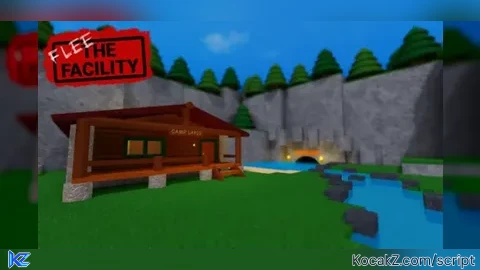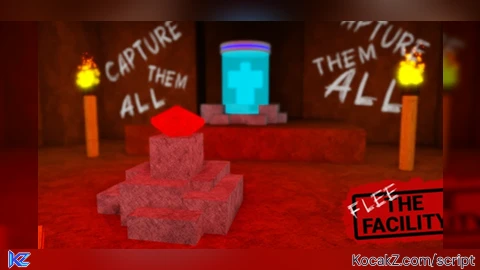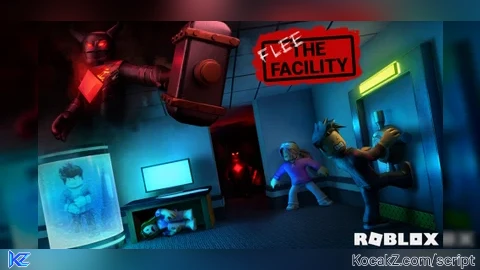

-- Flee The Facility Script (WindUI hub for Delta)
local WindUI = loadstring(game:HttpGet("https://github.com/Footagesus/WindUI/releases/latest/download/main.lua"))()

local Players = game:GetService("Players")
local ReplicatedStorage = game:GetService("ReplicatedStorage")
local StarterGui = game:GetService("StarterGui")
local RunService = game:GetService("RunService")
local UserInputService = game:GetService("UserInputService")

local lp = Players.LocalPlayer

--------------------------------------------------------------------
-- CONFIG
--------------------------------------------------------------------
local BEAST_COLOR = Color3.fromRGB(255, 40, 60)
local PLAYER_COLOR = Color3.fromRGB(0, 255, 0)
local COMPUTER_COLOR = Color3.fromRGB(30, 80, 230)
local COMPUTER_DONE = Color3.fromRGB(120, 120, 130)
local POD_COLOR = Color3.fromRGB(120, 240, 255)
local DOOR_OPEN = Color3.fromRGB(0, 255, 0)
local DOOR_CLOSED = Color3.fromRGB(255, 0, 0)
local EXIT_COLOR = Color3.fromRGB(255, 255, 0)

local ARROW_MARGIN = 60

-- Crawl settings
local CRAWL_HEIGHT = 0.9         -- body height above floor (lower = closer to floor)
local CRAWL_ANIM_REF_SPEED = 8   -- animation speed reference (lower = faster limbs)
local CRAWL_SPEED = 8            -- walk speed while crawling

-- Third person camera settings
local THIRD_PERSON_MIN_ZOOM = 0.5   -- lets you zoom all the way in
local THIRD_PERSON_MAX_ZOOM = 40    -- how far out you can zoom
local THIRD_PERSON_START_ZOOM = 12  -- how far out the camera starts

-- Light settings (soft glow around you)
local LIGHT_BRIGHTNESS = 0.8      -- raise for brighter, lower for dimmer
local LIGHT_RANGE = 45            -- how far the light reaches (studs)
local LIGHT_COLOR = Color3.fromRGB(255, 244, 225)

local flags = {
    Players = false,
    Computers = false,
    Pods = false,
    Doors = false,
    ExitDoors = false,
    BeastAlert = false,
    ThirdPerson = false,
    Light = false,
    NoFail = false,
}
local running = true
local currentBeast = nil

--------------------------------------------------------------------
-- HELPERS
--------------------------------------------------------------------
local function rs(name)
    local v = ReplicatedStorage:FindFirstChild(name)
    return v and v.Value
end

local function stat(plr, name)
    local folder = plr:FindFirstChild("TempPlayerStatsModule", true)
    local v = folder and folder:FindFirstChild(name)
    return v and v.Value
end

local function notify(title, text, duration)
    pcall(function()
        StarterGui:SetCore("SendNotification", {
            Title = title,
            Text = text,
            Duration = duration or 6,
        })
    end)
end

local function makeHighlight(adornee, name)
    local hl = Instance.new("Highlight")
    hl.Name = name
    hl.FillTransparency = 0.6
    hl.OutlineTransparency = 0
    hl.DepthMode = Enum.HighlightDepthMode.AlwaysOnTop
    hl.Adornee = adornee
    hl.Parent = adornee
    return hl
end

local function setColor(hl, color)
    hl.FillColor = color
    hl.OutlineColor = color
end

--------------------------------------------------------------------
-- WINDOW
--------------------------------------------------------------------
local themeName = "Dark"
pcall(function()
    WindUI:AddTheme({
        Name = "Midnight",
        Accent = Color3.fromHex("#00E5FF"),
        Dialog = Color3.fromHex("#0B0B12"),
        Outline = Color3.fromHex("#00E5FF"),
        Text = Color3.fromHex("#FFFFFF"),
        Placeholder = Color3.fromHex("#8A8A9E"),
        Background = Color3.fromHex("#07070C"),
        Button = Color3.fromHex("#00FF6A"),     -- toggle ON = bright green
        Toggle = Color3.fromHex("#00FF6A"),
        ToggleBar = Color3.fromHex("#B8B8C4"),  -- toggle OFF = light gray
        Icon = Color3.fromHex("#FFFFFF"),
    })
end)

local Window = WindUI:CreateWindow({
    Title = "Flee The Facility Script",
    Icon = "gavel",
    Author = "Discord: antho.nyx",
    Folder = "FTFScript",
    Size = UDim2.fromOffset(520, 400),
    Theme = themeName,
})

pcall(function()
    Window:EditOpenButton({
        Title = "Flee The Facility Script",
        Icon = "gavel",
        CornerRadius = UDim.new(0, 16),
        StrokeThickness = 2,
        Color = ColorSequence.new(Color3.fromHex("#00E5FF"), Color3.fromHex("#FF2E88")),
        Draggable = true,
    })
end)

local ESPTab = Window:Tab({ Title = "ESP", Icon = "eye" })
local PlayerTab = Window:Tab({ Title = "Players", Icon = "wrench" })
local BeastTab = Window:Tab({ Title = "Beast", Icon = "skull" })
local SettingsTab = Window:Tab({ Title = "Settings", Icon = "settings" })

-- Overlay for the Beast arrow and crawl button
local gui = Instance.new("ScreenGui")
gui.Name = "FTFScriptOverlay"
gui.ResetOnSpawn = false
gui.IgnoreGuiInset = true
gui.DisplayOrder = 50
if not pcall(function() gui.Parent = (gethui and gethui()) or game:GetService("CoreGui") end) or not gui.Parent then
    gui.Parent = lp:WaitForChild("PlayerGui")
end

--------------------------------------------------------------------
-- PLAYER ESP
--------------------------------------------------------------------
local espObjects = {}

local function clearESP(plr)
    local o = espObjects[plr]
    if o then
        o.hl:Destroy()
        o.bb:Destroy()
        espObjects[plr] = nil
    end
end

local function updateESP(plr, isBeast)
    if plr == lp or not flags.Players then
        return clearESP(plr)
    end

    local char = plr.Character
    local head = char and char:FindFirstChild("Head")
    if not head then
        return clearESP(plr)
    end

    local o = espObjects[plr]
    if o and (o.char ~= char or not o.hl.Parent or not o.bb.Parent) then
        clearESP(plr)
        o = nil
    end

    if not o then
        local bb = Instance.new("BillboardGui")
        bb.Name = "BeastTag"
        bb.Adornee = head
        bb.AlwaysOnTop = true
        bb.Size = UDim2.fromOffset(220, 36)
        bb.StudsOffset = Vector3.new(0, 3, 0)
        bb.Parent = head

        local label = Instance.new("TextLabel")
        label.Size = UDim2.fromScale(1, 1)
        label.BackgroundTransparency = 1
        label.Font = Enum.Font.GothamBold
        label.TextSize = 26
        label.Text = "BEAST"
        label.TextColor3 = BEAST_COLOR
        label.TextStrokeTransparency = 0
        label.Parent = bb

        o = {hl = makeHighlight(char, "PlayerESP"), bb = bb, char = char}
        espObjects[plr] = o
    end

    setColor(o.hl, isBeast and BEAST_COLOR or PLAYER_COLOR)
    o.bb.Enabled = isBeast -- only the Beast gets a text tag
end

Players.PlayerRemoving:Connect(clearESP)

--------------------------------------------------------------------
-- COMPUTER + POD + DOOR ESP
-- (finds objects by exact name, like the old Rayfield script)
--------------------------------------------------------------------
local objects = {} -- [instance] = {kind, hl, adornee}
local lastMapName, lastScan = nil, 0

local function kindOf(inst)
    local n = inst.Name
    if n == "ComputerTable" then return "COMPUTER" end
    if n == "FreezePod" then return "POD" end
    if n:lower() == "exitdoor" then return "EXIT" end
    if n == "SingleDoor" or n == "DoubleDoor" then return "DOOR" end
end

local function adorneeFor(inst)
    -- single doors highlight only the moving "Door" part, double doors the whole model
    if inst.Name == "SingleDoor" then
        return inst:FindFirstChild("Door")
    end
    return inst
end

local function wanted(kind)
    return (kind == "COMPUTER" and flags.Computers)
        or (kind == "POD" and flags.Pods)
        or (kind == "DOOR" and flags.Doors)
        or (kind == "EXIT" and flags.ExitDoors)
end

local function clearObj(inst)
    local o = objects[inst]
    if o then
        o.hl:Destroy()
        objects[inst] = nil
    end
end

local function scanObjects()
    for _, d in ipairs(workspace:GetDescendants()) do
        local kind = kindOf(d)
        if kind and wanted(kind) and not objects[d] then
            local adornee = adorneeFor(d)
            if adornee then
                objects[d] = {kind = kind, hl = makeHighlight(adornee, "ObjESP"), adornee = adornee}
            end
        end
    end
end

-- Computer is "done" when its screen turns dark green
local function isHacked(model)
    local screen = model:FindFirstChild("Screen", true)
    return screen ~= nil and screen:IsA("BasePart")
        and screen.BrickColor == BrickColor.new("Dark green")
end

-- ActionSign value: 11 = open (green), 10 = closed (red)
local function doorColor(inst)
    local trigger = inst:FindFirstChild("DoorTrigger")
    local sign = trigger and trigger:FindFirstChild("ActionSign")
    local val = sign and sign.Value
    if val == 11 then return DOOR_OPEN end
    if val == 10 then return DOOR_CLOSED end
end

local function updateObjects()
    for inst, o in pairs(objects) do
        if not wanted(o.kind) then clearObj(inst) end
    end
    if not flags.Computers and not flags.Pods and not flags.Doors and not flags.ExitDoors then return end

    local mapName = rs("CurrentMap")
    local now = os.clock()
    if mapName ~= lastMapName or now - lastScan > 5 then
        lastMapName, lastScan = mapName, now
        scanObjects()
    end

    for inst, o in pairs(objects) do
        if not inst.Parent or not o.adornee.Parent or not o.hl.Parent then
            clearObj(inst)
        elseif o.kind == "COMPUTER" then
            setColor(o.hl, isHacked(inst) and COMPUTER_DONE or COMPUTER_COLOR)
        elseif o.kind == "POD" then
            setColor(o.hl, POD_COLOR)
        elseif o.kind == "EXIT" then
            setColor(o.hl, EXIT_COLOR)
        else
            local c = doorColor(inst)
            if c then setColor(o.hl, c) end
        end
    end
end

--------------------------------------------------------------------
-- BEAST ARROW (automatic while Players ESP is on)
--------------------------------------------------------------------
local arrow = Instance.new("Frame")
arrow.Name = "BeastArrow"
arrow.AnchorPoint = Vector2.new(0.5, 0.5)
arrow.Size = UDim2.fromOffset(60, 60)
arrow.BackgroundTransparency = 1
arrow.Visible = false
arrow.Parent = gui

-- Arrow shape: thin shaft + a sharp triangular head (tip points up)
local HEAD_TIP_Y = 8        -- y of the very tip inside the arrow frame
local HEAD_HEIGHT = 22
local HEAD_SLOPE = 0.45     -- half-width gained per pixel down (bigger = fatter head)
local SHAFT_WIDTH = 6
local SHAFT_BOTTOM = 52
local OUTLINE = 2.5

local function rowFrame(y, width, height, color, z)
    local f = Instance.new("Frame")
    f.AnchorPoint = Vector2.new(0.5, 0)
    f.Position = UDim2.fromOffset(30, y)
    f.Size = UDim2.fromOffset(width, height)
    f.BackgroundColor3 = color
    f.BorderSizePixel = 0
    f.ZIndex = z
    f.Parent = arrow
    return f
end

-- Triangle from 1px rows (2px tall so rows overlap and leave no seams)
local function head(tipY, height, color, z)
    for i = 0, math.ceil(height) - 1 do
        rowFrame(tipY + i, 2 * HEAD_SLOPE * (i + 1), 2, color, z)
    end
end

local function shaft(topY, bottomY, width, color, z)
    local f = rowFrame(topY, width, bottomY - topY, color, z)
    Instance.new("UICorner", f).CornerRadius = UDim.new(0, math.floor(width / 2))
end

-- Black outline first (pushed out evenly on every side), then the red arrow on top
local sinHalf = HEAD_SLOPE / math.sqrt(1 + HEAD_SLOPE * HEAD_SLOPE)
local tipPush = OUTLINE / sinHalf
head(HEAD_TIP_Y - tipPush, HEAD_HEIGHT + tipPush + OUTLINE, Color3.fromRGB(0, 0, 0), 1)
shaft(HEAD_TIP_Y + HEAD_HEIGHT - 4, SHAFT_BOTTOM + OUTLINE, SHAFT_WIDTH + OUTLINE * 2, Color3.fromRGB(0, 0, 0), 1)

head(HEAD_TIP_Y, HEAD_HEIGHT, BEAST_COLOR, 2)
shaft(HEAD_TIP_Y + HEAD_HEIGHT - 4, SHAFT_BOTTOM, SHAFT_WIDTH, BEAST_COLOR, 2)

-- Distance readout next to the arrow
local distLabel = Instance.new("TextLabel")
distLabel.Name = "BeastDistance"
distLabel.AnchorPoint = Vector2.new(0.5, 0.5)
distLabel.Size = UDim2.fromOffset(120, 20)
distLabel.BackgroundTransparency = 1
distLabel.Font = Enum.Font.GothamBold
distLabel.TextSize = 16
distLabel.TextColor3 = Color3.fromRGB(255, 255, 255)
distLabel.TextStrokeTransparency = 0
distLabel.Visible = false
distLabel.Parent = gui

local function hideArrow()
    arrow.Visible = false
    distLabel.Visible = false
end

local arrowConn = RunService.RenderStepped:Connect(function()
    if not flags.Players then return hideArrow() end

    local cam = workspace.CurrentCamera
    local theirs = currentBeast and currentBeast ~= lp and currentBeast.Character
        and currentBeast.Character:FindFirstChild("HumanoidRootPart")
    if not (cam and theirs) then return hideArrow() end

    -- distance in studs (from you; falls back to the camera)
    local myRoot = lp.Character and lp.Character:FindFirstChild("HumanoidRootPart")
    local from = myRoot and myRoot.Position or cam.CFrame.Position
    local studs = math.floor((theirs.Position - from).Magnitude + 0.5)

    local viewport = cam.ViewportSize
    local sp = cam:WorldToViewportPoint(theirs.Position)
    local inFront = sp.Z > 0

    -- Beast is on screen: no arrow needed
    if inFront and sp.X > ARROW_MARGIN and sp.X < viewport.X - ARROW_MARGIN
        and sp.Y > ARROW_MARGIN and sp.Y < viewport.Y - ARROW_MARGIN then
        return hideArrow()
    end

    local center = viewport / 2
    local dir = Vector2.new(sp.X, sp.Y) - center
    if not inFront then dir = -dir end
    if dir.Magnitude < 1 then dir = Vector2.new(0, 1) end
    dir = dir.Unit

    local tx = dir.X ~= 0 and (center.X - ARROW_MARGIN) / math.abs(dir.X) or math.huge
    local ty = dir.Y ~= 0 and (center.Y - ARROW_MARGIN) / math.abs(dir.Y) or math.huge
    local pos = center + dir * math.min(tx, ty)

    arrow.Position = UDim2.fromOffset(pos.X, pos.Y)
    arrow.Rotation = math.deg(math.atan2(dir.X, -dir.Y))
    arrow.Visible = true

    distLabel.Text = studs .. " studs"
    -- sit just behind the arrow's tail, clear of the text box edges
    local gap = 26 + math.abs(dir.X) * (distLabel.TextBounds.X / 2) + math.abs(dir.Y) * 9
    local lpos = pos - dir * gap
    distLabel.Position = UDim2.fromOffset(lpos.X, lpos.Y)
    distLabel.Visible = true
end)

--------------------------------------------------------------------
-- BEAST DETECTION + PERK ALERT
--------------------------------------------------------------------
local notifiedBeast, notifiedPower = nil, nil

local function updateBeast(gameActive, power)
    if not gameActive then
        notifiedBeast, notifiedPower, currentBeast = nil, nil, nil
        return
    end

    currentBeast = nil
    for _, plr in ipairs(Players:GetPlayers()) do
        if stat(plr, "IsBeast") == true then
            currentBeast = plr
            break
        end
    end

    local beast = currentBeast
    if not beast or not flags.BeastAlert then return end

    if notifiedBeast ~= beast.Name then
        notifiedBeast, notifiedPower = beast.Name, power
        local who = (beast == lp) and "You are the Beast" or ("Beast: " .. beast.Name)
        notify(who, "Power: " .. tostring(power or "unknown"), 8)
    elseif power and power ~= notifiedPower then
        notifiedPower = power
        notify("Beast power: " .. tostring(power), beast.Name, 8)
    end
end

--------------------------------------------------------------------
-- THIRD PERSON CAMERA
--------------------------------------------------------------------
local savedCam = nil

local function applyThirdPerson()
    if not flags.ThirdPerson then return end
    pcall(function()
        lp.CameraMode = Enum.CameraMode.Classic
        lp.CameraMinZoomDistance = THIRD_PERSON_MIN_ZOOM
        lp.CameraMaxZoomDistance = THIRD_PERSON_MAX_ZOOM
    end)
end

-- Pushes the camera out once, then hands zoom back to you
local function pushOutCamera()
    if not flags.ThirdPerson then return end
    pcall(function()
        lp.CameraMode = Enum.CameraMode.Classic
        lp.CameraMaxZoomDistance = THIRD_PERSON_MAX_ZOOM
        lp.CameraMinZoomDistance = THIRD_PERSON_START_ZOOM
    end)
    task.delay(0.2, applyThirdPerson)
end

local function setThirdPerson(on)
    flags.ThirdPerson = on
    if on then
        savedCam = savedCam or {
            mode = lp.CameraMode,
            min = lp.CameraMinZoomDistance,
            max = lp.CameraMaxZoomDistance,
        }
        pushOutCamera()
    elseif savedCam then
        pcall(function()
            lp.CameraMode = savedCam.mode
            lp.CameraMinZoomDistance = savedCam.min
            lp.CameraMaxZoomDistance = savedCam.max
        end)
        savedCam = nil
    end
end

--------------------------------------------------------------------
-- LIGHT (soft point light on your character)
--------------------------------------------------------------------
local function removeLight()
    local root = lp.Character and lp.Character:FindFirstChild("HumanoidRootPart")
    local light = root and root:FindFirstChild("FTFLight")
    if light then light:Destroy() end
end

local function applyLight()
    if not flags.Light then return end
    local root = lp.Character and lp.Character:FindFirstChild("HumanoidRootPart")
    if not root then return end

    local light = root:FindFirstChild("FTFLight")
    if not light then
        light = Instance.new("PointLight")
        light.Name = "FTFLight"
        light.Shadows = false
        light.Parent = root
    end
    light.Brightness = LIGHT_BRIGHTNESS
    light.Range = LIGHT_RANGE
    light.Color = LIGHT_COLOR
end

local function setLight(on)
    flags.Light = on
    if on then applyLight() else removeLight() end
end

--------------------------------------------------------------------
-- NO FAIL ON HACK
--------------------------------------------------------------------
local noFailThread = nil

local function setNoFail(on)
    flags.NoFail = on
    if on and not noFailThread then
        noFailThread = task.spawn(function()
            while flags.NoFail and running do
                pcall(function()
                    ReplicatedStorage.RemoteEvent:FireServer("SetPlayerMinigameResult", true)
                end)
                task.wait()
            end
            noFailThread = nil
        end)
    end
end

--------------------------------------------------------------------
-- CRAWL BUTTON
--------------------------------------------------------------------
local CYAN = Color3.fromRGB(0, 229, 255)
local PINK = Color3.fromRGB(255, 46, 136)

local crawling = false
local crawlTrack, savedHip, savedSpeed, crawlConn
local noclipConn, noclipParts = nil, {} -- noclip only while crawling
local crawlBtn, crawlGrad, crawlStroke, crawlStrokeGrad, crawlLabel, crawlDot, crawlScale, crawlDragConn
local crawlDragged = false
local crawlLocked = false
local crawlPos = UDim2.new(1, -150, 0.6, 0) -- remembered between on/off

local function styleCrawlButton()
    if not crawlBtn then return end
    if crawling then
        crawlGrad.Color = ColorSequence.new(Color3.fromRGB(0, 255, 120), Color3.fromRGB(0, 200, 90))
        crawlStrokeGrad.Enabled = false
        crawlStroke.Color = Color3.fromRGB(210, 255, 225)
        crawlLabel.TextColor3 = Color3.fromRGB(4, 24, 12)
        crawlDot.BackgroundColor3 = Color3.fromRGB(4, 24, 12)
    else
        crawlGrad.Color = ColorSequence.new(Color3.fromRGB(30, 30, 44), Color3.fromRGB(14, 14, 22))
        crawlStrokeGrad.Enabled = true
        crawlStroke.Color = Color3.fromRGB(255, 255, 255)
        crawlLabel.TextColor3 = Color3.fromRGB(235, 235, 245)
        crawlDot.BackgroundColor3 = Color3.fromRGB(150, 150, 165)
    end
end

local function findCrawlAnimation()
    for _, root in ipairs({ReplicatedStorage, lp.Character, lp, game:GetService("StarterPlayer")}) do
        for _, d in ipairs(root:GetDescendants()) do
            if d:IsA("Animation") and d.AnimationId ~= ""
                and d.Name:lower():find("crawl", 1, true) then
                return d
            end
        end
    end
end

local function stopCrawl()
    if crawlConn then crawlConn:Disconnect() crawlConn = nil end
    if noclipConn then noclipConn:Disconnect() noclipConn = nil end
    for part in pairs(noclipParts) do
        if part.Parent then part.CanCollide = true end
    end
    noclipParts = {}
    if crawlTrack then
        pcall(function() crawlTrack:Stop() end)
        crawlTrack = nil
    end
    local hum = lp.Character and lp.Character:FindFirstChildOfClass("Humanoid")
    if hum and savedHip then hum.HipHeight = savedHip end
    if hum and savedSpeed then hum.WalkSpeed = savedSpeed end
    savedHip, savedSpeed, crawling = nil, nil, false
    styleCrawlButton()
end

local function startCrawl()
    local hum = lp.Character and lp.Character:FindFirstChildOfClass("Humanoid")
    if not hum or hum.Health <= 0 then return end

    local anim = findCrawlAnimation()
    if not anim then
        return notify("Crawl", "No crawl animation found in this game.", 5)
    end

    local animator = hum:FindFirstChildOfClass("Animator") or Instance.new("Animator", hum)
    local ok, track = pcall(function() return animator:LoadAnimation(anim) end)
    if not ok or not track then
        return notify("Crawl", "Couldn't load the crawl animation.", 5)
    end

    track.Looped = true
    track.Priority = Enum.AnimationPriority.Action
    track:Play()
    crawlTrack = track

    savedHip, savedSpeed = hum.HipHeight, hum.WalkSpeed
    hum.WalkSpeed = CRAWL_SPEED

    -- Keep the body pulled down to the floor (R6 and R15)
    crawlConn = RunService.Heartbeat:Connect(function()
        local c = lp.Character
        local h = c and c:FindFirstChildOfClass("Humanoid")
        local root = c and c:FindFirstChild("HumanoidRootPart")
        if not h or not root or h.Health <= 0 then return end

        if h.WalkSpeed ~= CRAWL_SPEED then h.WalkSpeed = CRAWL_SPEED end

        -- sync the animation to how fast you're actually moving
        if crawlTrack then
            local v = root.AssemblyLinearVelocity
            local moving = Vector3.new(v.X, 0, v.Z).Magnitude
            crawlTrack:AdjustSpeed(moving > 0.5 and math.clamp(moving / CRAWL_ANIM_REF_SPEED, 0.3, 2) or 0)
        end
        if h.FloorMaterial == Enum.Material.Air then return end

        local params = RaycastParams.new()
        params.FilterType = Enum.RaycastFilterType.Exclude
        params.FilterDescendantsInstances = {c}
        local hit = workspace:Raycast(root.Position, Vector3.new(0, -12, 0), params)
        if not hit then return end

        local err = CRAWL_HEIGHT - (root.Position.Y - hit.Position.Y)
        if math.abs(err) > 0.05 then
            h.HipHeight = math.clamp(h.HipHeight + err * 0.3, -8, math.max(savedHip or 0, 2))
        end
    end)

    -- Noclip while crawling so you can fit through vents
    noclipParts = {}
    noclipConn = RunService.Stepped:Connect(function()
        local c = lp.Character
        if not c then return end
        for _, d in ipairs(c:GetDescendants()) do
            if d:IsA("BasePart") and d.CanCollide then
                noclipParts[d] = true
                d.CanCollide = false
            end
        end
    end)

    crawling = true
    styleCrawlButton()
    hum.Died:Once(stopCrawl)
end

local function createCrawlButton()
    if crawlBtn then return end

    -- Invisible hit area (takes the taps / drags)
    crawlBtn = Instance.new("TextButton")
    crawlBtn.Name = "CrawlButton"
    crawlBtn.Size = UDim2.fromOffset(120, 46)
    crawlBtn.Position = crawlPos
    crawlBtn.BackgroundTransparency = 1
    crawlBtn.Text = ""
    crawlBtn.AutoButtonColor = false
    crawlBtn.Parent = gui

    crawlScale = Instance.new("UIScale", crawlBtn)

    -- Visual layer
    local bg = Instance.new("Frame")
    bg.Size = UDim2.fromScale(1, 1)
    bg.BackgroundColor3 = Color3.fromRGB(255, 255, 255)
    bg.BorderSizePixel = 0
    bg.Parent = crawlBtn
    Instance.new("UICorner", bg).CornerRadius = UDim.new(1, 0)

    crawlGrad = Instance.new("UIGradient", bg)
    crawlGrad.Rotation = 90

    crawlStroke = Instance.new("UIStroke", bg)
    crawlStroke.Thickness = 2.5
    crawlStrokeGrad = Instance.new("UIGradient", crawlStroke)
    crawlStrokeGrad.Color = ColorSequence.new(CYAN, PINK)

    crawlDot = Instance.new("Frame")
    crawlDot.AnchorPoint = Vector2.new(0, 0.5)
    crawlDot.Size = UDim2.fromOffset(12, 12)
    crawlDot.Position = UDim2.new(0, 18, 0.5, 0)
    crawlDot.BorderSizePixel = 0
    crawlDot.Parent = bg
    Instance.new("UICorner", crawlDot).CornerRadius = UDim.new(1, 0)

    crawlLabel = Instance.new("TextLabel")
    crawlLabel.Size = UDim2.new(1, -44, 1, 0)
    crawlLabel.Position = UDim2.fromOffset(38, 0)
    crawlLabel.BackgroundTransparency = 1
    crawlLabel.Font = Enum.Font.GothamBlack
    crawlLabel.TextSize = 17
    crawlLabel.Text = "CRAWL"
    crawlLabel.TextXAlignment = Enum.TextXAlignment.Left
    crawlLabel.Parent = bg

    styleCrawlButton()

    crawlBtn.Activated:Connect(function()
        if crawlDragged then
            crawlDragged = false -- that was a drag, not a tap
            return
        end
        if stat(lp, "IsBeast") ~= true then
            return notify("Beast Crawl", "Wait till you're the Beast!", 4)
        end
        if not crawlLocked then
            return notify("Beast Crawl", "Lock crawl button before using crawl!", 4)
        end
        if crawling then stopCrawl() else startCrawl() end
    end)

    local dragging, dragStart, startPos
    crawlBtn.InputBegan:Connect(function(input)
        if input.UserInputType == Enum.UserInputType.MouseButton1
            or input.UserInputType == Enum.UserInputType.Touch then
            crawlScale.Scale = 0.94 -- press effect
            crawlDragged = false
            if not crawlLocked then
                dragging = true
                dragStart = input.Position
                startPos = crawlBtn.Position
            end
            input.Changed:Connect(function()
                if input.UserInputState == Enum.UserInputState.End then
                    dragging = false
                    if crawlScale then crawlScale.Scale = 1 end
                end
            end)
        end
    end)

    crawlDragConn = UserInputService.InputChanged:Connect(function(input)
        if dragging and not crawlLocked and crawlBtn
            and (input.UserInputType == Enum.UserInputType.MouseMovement
            or input.UserInputType == Enum.UserInputType.Touch) then
            local d = input.Position - dragStart
            if d.Magnitude > 6 then crawlDragged = true end
            if crawlDragged then
                crawlPos = UDim2.new(startPos.X.Scale, startPos.X.Offset + d.X,
                    startPos.Y.Scale, startPos.Y.Offset + d.Y)
                crawlBtn.Position = crawlPos
            end
        end
    end)
end

local function destroyCrawlButton()
    stopCrawl()
    if crawlDragConn then crawlDragConn:Disconnect() crawlDragConn = nil end
    if crawlBtn then
        crawlBtn:Destroy()
        crawlBtn = nil
    end
    crawlDragged = false
end

-- Reset crawl state on respawn (and re-apply camera + light)
lp.CharacterAdded:Connect(function()
    if crawlConn then crawlConn:Disconnect() crawlConn = nil end
    if noclipConn then noclipConn:Disconnect() noclipConn = nil end
    noclipParts = {}
    crawlTrack, savedHip, savedSpeed, crawling = nil, nil, nil, false
    styleCrawlButton()
    pushOutCamera()
    task.defer(applyLight)
end)

--------------------------------------------------------------------
-- FORCE RESET
--------------------------------------------------------------------
local function forceReset()
    stopCrawl()
    local char = lp.Character
    local hum = char and char:FindFirstChildOfClass("Humanoid")
    if hum then
        hum.Health = 0
    elseif char then
        char:BreakJoints()
    end
end

--------------------------------------------------------------------
-- REFRESH LOOP
--------------------------------------------------------------------
local function refresh()
    updateBeast(rs("IsGameActive") == true, rs("CurrentPower"))
    updateObjects()
    applyThirdPerson() -- re-applies in case the game resets the camera
    applyLight()       -- re-applies in case the light gets removed
    for _, plr in ipairs(Players:GetPlayers()) do
        updateESP(plr, plr == currentBeast)
    end
end

task.spawn(function()
    while running do
        local ok, err = pcall(refresh)
        if not ok then warn("Flee The Facility Script error: " .. tostring(err)) end
        task.wait(0.5)
    end
end)

local function refreshNow()
    task.spawn(pcall, refresh)
end

--------------------------------------------------------------------
-- TABS
--------------------------------------------------------------------
local function setPlayersESP(on)
    flags.Players = on
    if on then
        refreshNow()
    else
        for plr in pairs(espObjects) do clearESP(plr) end
        hideArrow()
    end
end

local function setObjectESP(flag)
    return function(on)
        flags[flag] = on
        lastScan = 0
        refreshNow()
    end
end

local espSetters = {
    {setter = setPlayersESP},
    {setter = setObjectESP("Computers")},
    {setter = setObjectESP("Pods")},
    {setter = setObjectESP("Doors")},
    {setter = setObjectESP("ExitDoors")},
}

local function espToggle(title, entry)
    entry.toggle = ESPTab:Toggle({
        Title = title,
        Value = false,
        Callback = entry.setter,
    })
end

espToggle("Players ESP", espSetters[1])
espToggle("Computers ESP", espSetters[2])
espToggle("Pods ESP", espSetters[3])
espToggle("Doors ESP", espSetters[4])
espToggle("Exits ESP", espSetters[5])

ESPTab:Button({
    Title = "Refresh ESP",
    Callback = function()
        -- wipe everything that's currently drawn, then rebuild only what's toggled on
        for inst in pairs(objects) do clearObj(inst) end
        for plr in pairs(espObjects) do clearESP(plr) end
        lastScan = 0
        refreshNow()
    end,
})

PlayerTab:Toggle({
    Title = "Beasts Perk",
    Value = false,
    Callback = function(on)
        flags.BeastAlert = on
        if on then notifiedBeast, notifiedPower = nil, nil end
    end,
})

PlayerTab:Toggle({
    Title = "Flashlight",
    Value = false,
    Callback = setLight,
})

PlayerTab:Toggle({
    Title = "Anti PC Error",
    Value = false,
    Callback = setNoFail,
})

PlayerTab:Button({
    Title = "Force Reset",
    Callback = forceReset,
})

BeastTab:Button({
    Title = "Third Person Camera",
    Callback = function()
        setThirdPerson(not flags.ThirdPerson)
    end,
})

BeastTab:Toggle({
    Title = "Beast Crawl",
    Value = false,
    Callback = function(on)
        if on then
            createCrawlButton()
            if not crawlLocked then
                notify("Beast Crawl", "Lock crawl button before using crawl!", 4)
            end
        else
            destroyCrawlButton()
        end
    end,
})

BeastTab:Toggle({
    Title = "Lock Crawl",
    Value = false,
    Callback = function(on)
        crawlLocked = on
    end,
})

local themeValues = {}
pcall(function()
    for name in pairs(WindUI:GetThemes()) do
        table.insert(themeValues, name)
    end
end)
if #themeValues == 0 then
    themeValues = {"Dark", "Light", "Rose", "Plant", "Red", "Indigo", "Sky", "Violet", "Amber", "Emerald", "Midnight"}
end
table.sort(themeValues)

SettingsTab:Dropdown({
    Title = "Theme",
    Values = themeValues,
    Value = "Dark",
    Callback = function(option)
        pcall(function() WindUI:SetTheme(option) end)
    end,
})

SettingsTab:Button({
    Title = "Unload Script",
    Callback = function()
        running = false
        setThirdPerson(false)
        setLight(false)
        for k in pairs(flags) do flags[k] = false end
        arrowConn:Disconnect()
        destroyCrawlButton()
        for plr in pairs(espObjects) do clearESP(plr) end
        for inst in pairs(objects) do clearObj(inst) end
        gui:Destroy()
        Window:Destroy()
    end,
})
How to Execute Flee the Facility Script – Community Hub
Step 1: Copy Code: Click the Copy Code button in the viewer above to grab the clean Lua loadstring.
Step 2: Launch Executor: Open a compatible, unpatched executor. If you need one, check our Roblox Executors Directory.
Step 3: Join Experience: Launch Roblox and join Flee the Facility.
Step 4: Attach & Run: Attach/inject your executor into the Roblox process, paste the code into the script tab, and press Execute.
Features & Information
Script Changelog (1)
Community Comments (0)
No comments yet for this script.
Frequently Asked Questions
How do I execute Flee the Facility Script – Community Hub in Roblox?
To run Flee the Facility Script – Community Hub, copy the Lua loadstring from the code viewer above, launch Roblox and join Flee the Facility, attach a working executor (such as Potassium, Solara, or Delta from our Executors directory), paste the code into your executor console, and click Execute.
Is Flee the Facility Script – Community Hub keyless or does it require an access key?
Flee the Facility Script – Community Hub requires an access key. You can retrieve the official key directly using the Get Script Key link provided above.
Is Flee the Facility Script – Community Hub currently safe and working?
This script is active and operational. Always test scripts using a secondary (alt) Roblox account to safeguard your main profile against anti-cheat bans.