
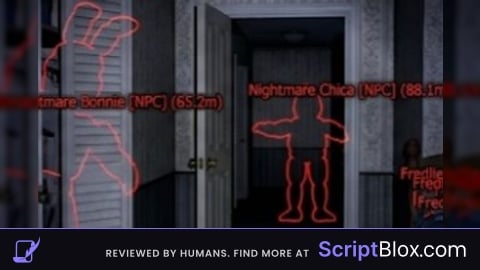
Keyless
local TweenService = game:GetService("TweenService")
local RunService = game:GetService("RunService")
local UserInputService = game:GetService("UserInputService")

local animatronics = {
    ["Chica"] = { color = Color3.fromRGB(255, 255, 0), npcName = "ChicaNPC" },
    ["Freddy"] = { color = Color3.fromRGB(139, 69, 19), npcName = "FreddyNPC" },
    ["Bonnie"] = { color = Color3.fromRGB(170, 0, 255), npcName = "BonnieNPC" },
    ["Foxy"] = { color = Color3.fromRGB(255, 69, 0), npcName = "FoxyNPC" },
    ["Golden Freddy"] = { color = Color3.fromRGB(255, 215, 0), npcName = "GoldenFreddyNPC" }
}

local espEnabled = {}
local highlights = {}

local ScreenGui = Instance.new("ScreenGui", game.CoreGui)
ScreenGui.Name = "AnimatronicESP_GUI"
ScreenGui.ZIndexBehavior = Enum.ZIndexBehavior.Sibling

local sound = Instance.new("Sound")
sound.SoundId = "rbxassetid://876939830"
sound.Volume = 0.6
sound.Parent = ScreenGui

local function playClick()
    if sound.IsLoaded then
        sound:Play()
    else
        sound.Loaded:Wait()
        sound:Play()
    end
end

local function makeDraggable(frame, dragHandle)
    dragHandle = dragHandle or frame
    dragHandle.Active = true

    local dragging = false
    local dragInput, dragStart, startPos

    local function update(input)
        local delta = input.Position - dragStart
        local newPos = UDim2.new(
            0,
            math.clamp(startPos.X.Offset + delta.X, 0, workspace.CurrentCamera.ViewportSize.X - frame.AbsoluteSize.X),
            0,
            math.clamp(startPos.Y.Offset + delta.Y, 0, workspace.CurrentCamera.ViewportSize.Y - frame.AbsoluteSize.Y)
        )
        frame.Position = newPos
    end

    dragHandle.InputBegan:Connect(function(input)
        if input.UserInputType == Enum.UserInputType.MouseButton1 or input.UserInputType == Enum.UserInputType.Touch then
            dragging = true
            dragStart = input.Position
            startPos = frame.Position

            input.Changed:Connect(function()
                if input.UserInputState == Enum.UserInputState.End then
                    dragging = false
                end
            end)
        end
    end)

    dragHandle.InputChanged:Connect(function(input)
        if input.UserInputType == Enum.UserInputType.MouseMovement or input.UserInputType == Enum.UserInputType.Touch then
            dragInput = input
        end
    end)

    UserInputService.InputChanged:Connect(function(input)
        if input == dragInput and dragging then
            update(input)
        end
    end)
end

local loadingFrame = Instance.new("Frame", ScreenGui)
loadingFrame.Size = UDim2.new(1, 0, 1, 0)
loadingFrame.BackgroundColor3 = Color3.fromRGB(0, 0, 0)

local loadingText = Instance.new("TextLabel", loadingFrame)
loadingText.Size = UDim2.new(1, 0, 1, 0)
loadingText.Text = "Loading ESP..."
loadingText.TextColor3 = Color3.fromRGB(255, 255, 0)
loadingText.Font = Enum.Font.Arcade
loadingText.TextScaled = true
loadingText.BackgroundTransparency = 1

task.wait(2)

TweenService:Create(loadingFrame, TweenInfo.new(1, Enum.EasingStyle.Quad), {BackgroundTransparency = 1}):Play()
TweenService:Create(loadingText, TweenInfo.new(1, Enum.EasingStyle.Quad), {TextTransparency = 1}):Play()
task.wait(1)
loadingFrame:Destroy()

local toggleButton = Instance.new("TextButton", ScreenGui)
toggleButton.Size = UDim2.new(0, 120, 0, 30)
toggleButton.Position = UDim2.new(0, 20, 0, 20)
toggleButton.BackgroundColor3 = Color3.fromRGB(60, 60, 60)
toggleButton.TextColor3 = Color3.new(1, 1, 1)
toggleButton.Text = "Toggle ESP Menu"
toggleButton.Font = Enum.Font.Arcade
toggleButton.TextSize = 16

toggleButton.MouseButton1Click:Connect(function()
    playClick()
end)

local frame = Instance.new("Frame", ScreenGui)
frame.Size = UDim2.new(0, 200, 0, 250)
frame.Position = UDim2.new(0, 20, 0, 60)
frame.BackgroundColor3 = Color3.fromRGB(25, 25, 25)
frame.BorderSizePixel = 0
frame.Visible = true
frame.ClipsDescendants = true

local title = Instance.new("TextLabel", frame)
title.Size = UDim2.new(1, 0, 0, 30)
title.BackgroundColor3 = Color3.fromRGB(40, 40, 40)
title.Text = "Animatronic ESP"
title.TextColor3 = Color3.new(1, 1, 1)
title.Font = Enum.Font.Arcade
title.TextSize = 20

local versionLabel = Instance.new("TextLabel", frame)
versionLabel.Size = UDim2.new(1, 0, 0, 20)
versionLabel.Position = UDim2.new(0, 0, 0, 30)
versionLabel.BackgroundTransparency = 1
versionLabel.Text = "Version 1.0"
versionLabel.TextColor3 = Color3.fromRGB(200, 200, 200)
versionLabel.Font = Enum.Font.Arcade
versionLabel.TextSize = 14

local scrollFrame = Instance.new("ScrollingFrame", frame)
scrollFrame.Size = UDim2.new(1, 0, 1, -80)
scrollFrame.Position = UDim2.new(0, 0, 0, 50)
scrollFrame.BackgroundTransparency = 1
scrollFrame.BorderSizePixel = 0
scrollFrame.CanvasSize = UDim2.new(0, 0, 0, 0)
scrollFrame.ScrollBarThickness = 6
scrollFrame.VerticalScrollBarInset = Enum.ScrollBarInset.ScrollBar
scrollFrame.AutomaticCanvasSize = Enum.AutomaticSize.Y

local uiListLayout = Instance.new("UIListLayout", scrollFrame)
uiListLayout.Padding = UDim.new(0, 5)
uiListLayout.SortOrder = Enum.SortOrder.LayoutOrder

for name, info in pairs(animatronics) do
    espEnabled[name] = true
    local button = Instance.new("TextButton", scrollFrame)
    button.Size = UDim2.new(1, -10, 0, 30)
    button.BackgroundColor3 = info.color
    button.Text = "Toggle " .. name .. " [ON]"
    button.TextColor3 = Color3.new(0, 0, 0)
    button.Font = Enum.Font.Arcade
    button.TextSize = 16

    button.MouseButton1Click:Connect(function()
        espEnabled[name] = not espEnabled[name]
        button.Text = "Toggle " .. name .. (espEnabled[name] and " [ON]" or " [OFF]")
        playClick()
        if highlights[name] then
            highlights[name].Enabled = espEnabled[name]
        end
    end)
end

local updateLogButton = Instance.new("TextButton", frame)
updateLogButton.Size = UDim2.new(1, -10, 0, 30)
updateLogButton.Position = UDim2.new(0, 5, 1, -25)
updateLogButton.BackgroundColor3 = Color3.fromRGB(80, 80, 80)
updateLogButton.Text = "View Update Log"
updateLogButton.TextColor3 = Color3.new(1, 1, 1)
updateLogButton.Font = Enum.Font.Arcade
updateLogButton.TextSize = 16

local updateFrame = Instance.new("Frame", ScreenGui)
updateFrame.Size = UDim2.new(0, 250, 0, 150)
updateFrame.Position = UDim2.new(0, 230, 0, 60)
updateFrame.BackgroundColor3 = Color3.fromRGB(30, 30, 30)
updateFrame.Visible = false

local updateTitle = Instance.new("TextLabel", updateFrame)
updateTitle.Size = UDim2.new(1, 0, 0, 30)
updateTitle.BackgroundColor3 = Color3.fromRGB(45, 45, 45)
updateTitle.Text = "Update Log - v1.0"
updateTitle.TextColor3 = Color3.new(1, 1, 0)
updateTitle.Font = Enum.Font.Arcade
updateTitle.TextSize = 18

local updateText = Instance.new("TextLabel", updateFrame)
updateText.Size = UDim2.new(1, -10, 1, -40)
updateText.Position = UDim2.new(0, 5, 0, 35)
updateText.BackgroundTransparency = 1
updateText.TextWrapped = true
updateText.TextYAlignment = Enum.TextYAlignment.Top
updateText.TextColor3 = Color3.new(1, 1, 1)
updateText.Font = Enum.Font.Arcade
updateText.TextSize = 14
updateText.Text = "More updates soon!"

updateLogButton.MouseButton1Click:Connect(function()
    updateFrame.Visible = not updateFrame.Visible
    playClick()
end)

updateLogButton.Parent = frame

local menuVisible = true
local openSize = UDim2.new(0, 200, 0, 250)
local closedSize = UDim2.new(0, 200, 0, 0)

local function toggleMenu()
    menuVisible = not menuVisible
    local goal = {}
    goal.Size = menuVisible and openSize or closedSize
    TweenService:Create(frame, TweenInfo.new(0.35, Enum.EasingStyle.Quad, Enum.EasingDirection.Out), goal):Play()
end

toggleButton.MouseButton1Click:Connect(toggleMenu)

updateFrame.Parent = ScreenGui

makeDraggable(frame, title)
makeDraggable(updateFrame, updateTitle)

RunService.RenderStepped:Connect(function()
    local animFolder = workspace:FindFirstChild("Animatronics")
    if not animFolder then return end

    for name, info in pairs(animatronics) do
        local folder = animFolder:FindFirstChild(name)
        if folder then
            local npc = folder:FindFirstChild(info.npcName)
            if npc and not highlights[name] then
                local highlight = Instance.new("Highlight")
                highlight.Name = name .. "_Highlight"
                highlight.FillTransparency = 0.4
                highlight.OutlineTransparency = 0
                highlight.FillColor = info.color
                highlight.OutlineColor = Color3.new(0, 0, 0)
                highlight.Adornee = npc
                highlight.Enabled = espEnabled[name]
                highlight.Parent = npc
                highlights[name] = highlight
            elseif npc and highlights[name] then
                highlights[name].Adornee = npc
            end
        end
    end
end)
Obfuscate it
I reworked a bit your script so it can detect almost any animatronic
@CHIRNO I just added it to my auto door one so its nice ig il prob make a version for auto mask and music box aswell as auto detecting with fnaf and such, Idk if i should put it public tho, since there are no working once right now that does anything auto only esp
@Irisphillia I was trying to make an automask myself, it doesn't work very well but at least I was able to make it light up the hallway when Foxy is there. The music box auto wind is giving me a headache
@CHIRNO Nice part about Fnaf:COOP is that there are lots of Module scripts, aka we can nearly see all the things it uses so its pretty simple to make, I kinda got bored but il prob resume on my script sometime later on aswell