

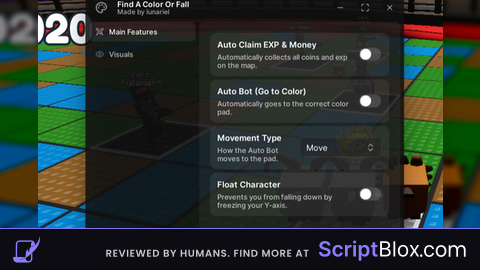
Keyless

local Players = game:GetService("Players")
local LocalPlayer = Players.LocalPlayer
local RunService = game:GetService("RunService")
local TweenService = game:GetService("TweenService")
local CoreGui = game:GetService("CoreGui")

local function createGUI()
  local ScreenGui = Instance.new("ScreenGui")
  ScreenGui.Name = "AutoFarmCoin_Hazai"
  ScreenGui.ResetOnSpawn = false
  ScreenGui.Parent = CoreGui
  local Frame = Instance.new("Frame", ScreenGui)
  Frame.Size = UDim2.new(0, 300, 0, 120)
  Frame.Position = UDim2.new(0.5, -150, 0.8, 0)
  Frame.BackgroundColor3 = Color3.fromRGB(30, 30, 30)
  Frame.BorderSizePixel = 0
  Frame.Active = true
  Frame.Draggable = true
  local UICorner = Instance.new("UICorner", Frame)
  UICorner.CornerRadius = UDim.new(0, 12)
  local UIStroke = Instance.new("UIStroke", Frame)
  UIStroke.Thickness = 2
  UIStroke.Color = Color3.fromRGB(0, 255, 150)
  UIStroke.ApplyStrokeMode = Enum.ApplyStrokeMode.Border
  local UIGradient = Instance.new("UIGradient", Frame)
  UIGradient.Color = ColorSequence.new({
    ColorSequenceKeypoint.new(0, Color3.fromRGB(0, 255, 170)),
    ColorSequenceKeypoint.new(1, Color3.fromRGB(0, 120, 255))
  })
  UIGradient.Rotation = 90
  local Title = Instance.new("TextLabel", Frame)
  Title.Size = UDim2.new(1, 0, 0, 35)
  Title.BackgroundTransparency = 1
  Title.TextColor3 = Color3.fromRGB(255, 255, 255)
  Title.Text = "AutoFarmCoin - Made by Hazai"
  Title.Font = Enum.Font.GothamBold
  Title.TextScaled = true
  Title.TextWrapped = true
  local Toggle = Instance.new("TextButton", Frame)
  Toggle.Size = UDim2.new(0.8, 0, 0, 50)
  Toggle.Position = UDim2.new(0.1, 0, 0.5, 0)
  Toggle.BackgroundColor3 = Color3.fromRGB(255, 0, 0)
  Toggle.Text = "OFF"
  Toggle.Font = Enum.Font.GothamBold
  Toggle.TextSize = 20
  Toggle.TextColor3 = Color3.new(1, 1, 1)
  Toggle.BorderSizePixel = 0
  local corner = Instance.new("UICorner", Toggle)
  corner.CornerRadius = UDim.new(0, 10)
  return ScreenGui, Toggle
end

local ScreenGui, Toggle = createGUI()
local enabled = false

local function tweenColor(object, newColor)
  TweenService:Create(object, TweenInfo.new(0.25, Enum.EasingStyle.Quad, Enum.EasingDirection.Out), {BackgroundColor3 = newColor}):Play()
end

Toggle.MouseButton1Click:Connect(function()
  enabled = not enabled
  if enabled then
    Toggle.Text = "ON"
    tweenColor(Toggle, Color3.fromRGB(0, 255, 100))
  else
    Toggle.Text = "OFF"
    tweenColor(Toggle, Color3.fromRGB(255, 0, 0))
  end
end)
RunService.RenderStepped:Connect(function()
  if enabled and LocalPlayer.Character and LocalPlayer.Character:FindFirstChild("HumanoidRootPart") then
    for _, coin in pairs(workspace:WaitForChild("Coins"):GetChildren()) do
      if coin:IsA("Part") and coin:FindFirstChild("TouchInterest") then
        firetouchinterest(LocalPlayer.Character.HumanoidRootPart, coin, 0)
        firetouchinterest(LocalPlayer.Character.HumanoidRootPart, coin, 1)
      end
    end
  end
end)
LocalPlayer.CharacterAdded:Connect(function()
  repeat
    task.wait()
  until LocalPlayer.Character:FindFirstChild("HumanoidRootPart")
end)No comments yet for this script.