

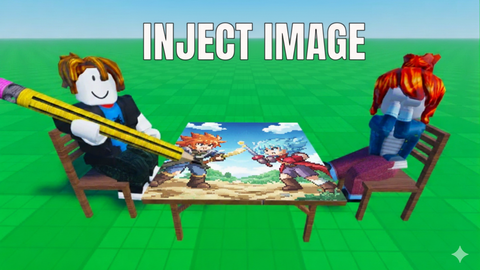
Key Required
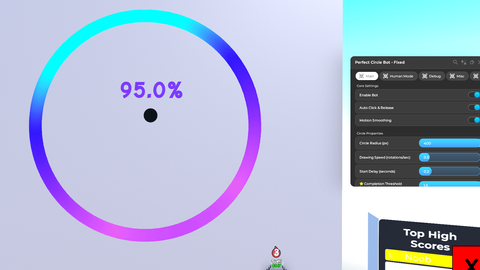
-- Perfect Circle Bot - Fixed & Debugged Version
local Rayfield = loadstring(game:HttpGet('https://sirius.menu/rayfield'))()

local Players = game:GetService("Players")
local UserInputService = game:GetService("UserInputService")
local RunService = game:GetService("RunService")
local VirtualInputManager = game:GetService("VirtualInputManager")

local player = Players.LocalPlayer
local camera = workspace.CurrentCamera

-- Get screen size for centering
local screenSize = camera.ViewportSize

-- Settings
local settings = {
    enabled = false,
    radius = 200,
    speed = 1.5,
    autoCenter = true,
    smoothing = true,
    autoClick = true,
    startDelay = 0.2,
    humanAccuracy = 0,
    jitterAmount = 0,
    speedVariation = 0,
    completionThreshold = 1.2,  -- NEW: How many rotations before stopping
    debugMode = false,  -- NEW: Debug mode
    debugVisuals = false  -- NEW: Show debug visuals
}

-- Drawing state
local isDrawingCircle = false
local isInitializing = false
local circleProgress = 0
local centerX, centerY = nil, nil
local lastUpdateTime = 0
local smoothingBuffer = {}
local renderConnection = nil
local debugConnection = nil
local stats = {
    circlesDrawn = 0,
    averageScore = 0,
    bestScore = 0,
    lastCircleProgress = 0,
    lastCircleTime = 0
}

-- Debug logging
local debugLog = {}
local function logDebug(message)
    if settings.debugMode then
        local timestamp = string.format("[%.2f]", tick())
        local logMessage = timestamp .. " " .. message
        table.insert(debugLog, logMessage)
        if #debugLog > 50 then
            table.remove(debugLog, 1)
        end
        print(logMessage)
    end
end

-- Random seed for human-like variations
math.randomseed(tick())

-- Function to apply human-like inaccuracy
local function applyHumanVariation(x, y, progress)
    if settings.humanAccuracy <= 0 then
        return x, y
    end

    -- Create organic wobble based on progress
    local wobbleFreq = 3 + math.random() * 2
    local wobble = math.sin(progress * math.pi * 2 * wobbleFreq) * settings.humanAccuracy

    -- Add slight random jitter
    local jitterX = (math.random() - 0.5) * settings.jitterAmount
    local jitterY = (math.random() - 0.5) * settings.jitterAmount

    -- Calculate perpendicular direction for wobble
    local angle = progress * math.pi * 2
    local perpX = -math.sin(angle)
    local perpY = math.cos(angle)

    return x + (perpX * wobble) + jitterX, y + (perpY * wobble) + jitterY
end

-- Function to move mouse with smoothing
local function moveMouse(x, y)
    if settings.smoothing then
        table.insert(smoothingBuffer, {x = x, y = y})
        if #smoothingBuffer > 3 then
            table.remove(smoothingBuffer, 1)
        end

        local avgX, avgY = 0, 0
        for _, pos in ipairs(smoothingBuffer) do
            avgX = avgX + pos.x
            avgY = avgY + pos.y
        end
        avgX = avgX / #smoothingBuffer
        avgY = avgY / #smoothingBuffer

        VirtualInputManager:SendMouseMoveEvent(avgX, avgY, game)
    else
        VirtualInputManager:SendMouseMoveEvent(x, y, game)
    end
end

-- Function to click mouse
local function clickMouse(down)
    local success = pcall(function()
        if down then
            VirtualInputManager:SendMouseButtonEvent(0, 0, 0, true, game, 1)
        else
            VirtualInputManager:SendMouseButtonEvent(0, 0, 0, false, game, 1)
        end
    end)
    return success
end

-- Function to cleanup connections
local function cleanupConnections()
    if renderConnection then
        renderConnection:Disconnect()
        renderConnection = nil
        logDebug("Render connection cleaned up")
    end
    if debugConnection then
        debugConnection:Disconnect()
        debugConnection = nil
        logDebug("Debug connection cleaned up")
    end
end

-- Function to start drawing circle
local function startCircle()
    if isDrawingCircle or isInitializing then
        logDebug("Cannot start: Already drawing or initializing")
        Rayfield:Notify({
            Title = "Already Drawing",
            Content = "Please wait for current circle to finish",
            Duration = 2
        })
        return
    end

    isInitializing = true
    logDebug("=== Starting Circle ===")

    -- Validate camera
    if not camera or not camera.ViewportSize then
        logDebug("ERROR: Camera not ready")
        Rayfield:Notify({
            Title = "Error",
            Content = "Camera not ready",
            Duration = 2
        })
        isInitializing = false
        return
    end

    -- Clear any previous state
    smoothingBuffer = {}
    circleProgress = 0

    -- Always center on screen
    screenSize = camera.ViewportSize
    centerX = screenSize.X / 2
    centerY = screenSize.Y / 2

    logDebug(string.format("Center: (%.1f, %.1f)", centerX, centerY))
    logDebug(string.format("Radius: %d, Speed: %.2f", settings.radius, settings.speed))

    -- Calculate starting position (right side of circle - 0 radians)
    local startX = centerX + settings.radius
    local startY = centerY

    logDebug(string.format("Start position: (%.1f, %.1f)", startX, startY))

    -- Move to exact starting position
    moveMouse(startX, startY)

    -- Wait longer to ensure position is set before clicking
    task.wait(0.15)

    -- Initialize drawing state BEFORE clicking
    lastUpdateTime = tick()
    isInitializing = false
    isDrawingCircle = true

    logDebug("Drawing state initialized")

    -- Wait for start delay
    if settings.startDelay > 0 then
        logDebug(string.format("Waiting start delay: %.2fs", settings.startDelay))
        task.wait(settings.startDelay)
    end

    -- Auto-click if enabled
    if settings.autoClick then
        local success = clickMouse(true)
        if not success then
            logDebug("ERROR: Click failed")
            Rayfield:Notify({
                Title = "Click Failed",
                Content = "Could not simulate mouse click",
                Duration = 3
            })
            isDrawingCircle = false
            return
        end
        logDebug("Mouse clicked down")
        task.wait(0.03)
    end

    Rayfield:Notify({
        Title = "Drawing Started",
        Content = string.format("R: %dpx | S: %.1fx | Threshold: %.2f", settings.radius, settings.speed, settings.completionThreshold),
        Duration = 2
    })

    logDebug("Circle drawing started!")
end

-- Function to stop drawing
local function stopCircle()
    if not isDrawingCircle then return end

    logDebug("=== Stopping Circle ===")
    logDebug(string.format("Final progress: %.3f rotations", circleProgress))

    isDrawingCircle = false
    stats.lastCircleProgress = circleProgress
    stats.lastCircleTime = tick() - lastUpdateTime

    -- Clear state
    circleProgress = 0
    smoothingBuffer = {}

    -- Release mouse if auto-click
    if settings.autoClick then
        task.wait(0.05)
        clickMouse(false)
        logDebug("Mouse released")
    end

    stats.circlesDrawn = stats.circlesDrawn + 1

    Rayfield:Notify({
        Title = "Circle Complete!",
        Content = string.format("Total drawn: %d | Progress: %.2f", stats.circlesDrawn, stats.lastCircleProgress),
        Duration = 2
    })

    logDebug(string.format("Total circles drawn: %d", stats.circlesDrawn))
end

-- Main circle drawing loop with optimizations
renderConnection = RunService.RenderStepped:Connect(function()
    if isDrawingCircle and centerX and centerY then
        local currentTime = tick()
        local deltaTime = currentTime - lastUpdateTime
        lastUpdateTime = currentTime

        -- Apply speed variation for human-like behavior
        local currentSpeed = settings.speed
        if settings.speedVariation > 0 then
            local variation = (math.random() - 0.5) * settings.speedVariation
            currentSpeed = currentSpeed + variation
        end

        -- Increment progress
        circleProgress = circleProgress + (deltaTime * currentSpeed)

        -- Calculate angle
        local angle = circleProgress * math.pi * 2

        -- Calculate base position
        local x = centerX + math.cos(angle) * settings.radius
        local y = centerY + math.sin(angle) * settings.radius

        -- Apply human-like variations
        x, y = applyHumanVariation(x, y, circleProgress)

        -- Move mouse
        moveMouse(x, y)

        -- Debug logging every 0.25 rotations
        if settings.debugMode then
            local progressQuarter = math.floor(circleProgress * 4)
            if progressQuarter ~= (stats.lastLoggedQuarter or -1) then
                stats.lastLoggedQuarter = progressQuarter
                logDebug(string.format("Progress: %.2f rotations (%.1f degrees)", circleProgress, (circleProgress * 360) % 360))
            end
        end

        -- Check if complete - FIXED: Now completes full circle
        if circleProgress >= settings.completionThreshold then
            logDebug(string.format("Circle complete at %.3f rotations", circleProgress))
            stopCircle()
        end
    end
end)

-- Keyboard controls
UserInputService.InputBegan:Connect(function(input, gameProcessed)
    if gameProcessed then return end

    if input.KeyCode == Enum.KeyCode.E and settings.enabled then
        if not isDrawingCircle and not isInitializing then
            task.spawn(startCircle)
        end
    end

    if input.KeyCode == Enum.KeyCode.R and isDrawingCircle then
        stopCircle()
    end

    -- Emergency stop all
    if input.KeyCode == Enum.KeyCode.X then
        logDebug("EMERGENCY STOP activated")
        if isDrawingCircle then
            stopCircle()
        end
        settings.enabled = false
        Rayfield:Notify({
            Title = "Emergency Stop",
            Content = "Bot disabled",
            Duration = 2
        })
    end
end)

-- Create Rayfield Window
local Window = Rayfield:CreateWindow({
    Name = "Perfect Circle Bot - Fixed",
    LoadingTitle = "Circle Drawing Tool",
    LoadingSubtitle = "Fixed Completion & Debug Mode",
    ConfigurationSaving = {
        Enabled = true,
        FileName = "CircleBotFixed"
    }
})

-- Main Settings Tab
local MainTab = Window:CreateTab("Main", 4483362458)

MainTab:CreateSection("Core Settings")

local EnableToggle = MainTab:CreateToggle({
    Name = "Enable Bot",
    CurrentValue = false,
    Flag = "EnableBot",
    Callback = function(value)
        settings.enabled = value
        logDebug("Bot " .. (value and "enabled" or "disabled"))
        if value then
            Rayfield:Notify({
                Title = "Bot Enabled",
                Content = "Press E to draw | X for emergency stop",
                Duration = 3,
                Image = 4483362458
            })
        else
            if isDrawingCircle then
                stopCircle()
            end
        end
    end
})

MainTab:CreateToggle({
    Name = "Auto Click & Release",
    CurrentValue = true,
    Flag = "AutoClick",
    Callback = function(value)
        settings.autoClick = value
        logDebug("Auto click: " .. tostring(value))
    end
})

MainTab:CreateToggle({
    Name = "Motion Smoothing",
    CurrentValue = true,
    Flag = "Smoothing",
    Callback = function(value)
        settings.smoothing = value
        smoothingBuffer = {}
        logDebug("Smoothing: " .. tostring(value))
    end
})

MainTab:CreateSection("Circle Properties")

MainTab:CreateSlider({
    Name = "Circle Radius (px)",
    Range = {80, 400},
    Increment = 5,
    CurrentValue = 200,
    Flag = "CircleRadius",
    Callback = function(value)
        settings.radius = value
    end
})

MainTab:CreateSlider({
    Name = "Drawing Speed (rotations/sec)",
    Range = {0.5, 3.5},
    Increment = 0.1,
    CurrentValue = 1.5,
    Flag = "DrawSpeed",
    Callback = function(value)
        settings.speed = value
    end
})

MainTab:CreateSlider({
    Name = "Start Delay (seconds)",
    Range = {0, 1},
    Increment = 0.05,
    CurrentValue = 0.2,
    Flag = "StartDelay",
    Callback = function(value)
        settings.startDelay = value
    end
})

MainTab:CreateSlider({
    Name = "⭐ Completion Threshold (rotations)",
    Range = {1.0, 1.5},
    Increment = 0.05,
    CurrentValue = 1.2,
    Flag = "CompletionThreshold",
    Callback = function(value)
        settings.completionThreshold = value
        logDebug("Completion threshold: " .. value)
    end
})

MainTab:CreateSection("Quick Actions")

MainTab:CreateButton({
    Name = "🎯 Draw Circle Now (E)",
    Callback = function()
        if settings.enabled and not isDrawingCircle and not isInitializing then
            task.spawn(startCircle)
        elseif not settings.enabled then
            Rayfield:Notify({
                Title = "Bot Disabled",
                Content = "Enable the bot first!",
                Duration = 2
            })
        else
            Rayfield:Notify({
                Title = "Already Drawing",
                Content = "Please wait...",
                Duration = 2
            })
        end
    end
})

MainTab:CreateButton({
    Name = "⏹️ Stop Drawing (R)",
    Callback = function()
        if isDrawingCircle then
            stopCircle()
        else
            Rayfield:Notify({
                Title = "Not Drawing",
                Content = "No active circle to stop",
                Duration = 2
            })
        end
    end
})

-- Human Accuracy Tab
local HumanTab = Window:CreateTab("Human Mode", 4483362458)

HumanTab:CreateSection("Human-Like Behavior")

HumanTab:CreateParagraph({
    Title = "About Human Mode",
    Content = "Add natural imperfections to make the circle look hand-drawn. Higher values = more human-like but lower scores."
})

HumanTab:CreateSlider({
    Name = "Overall Human Accuracy",
    Range = {0, 10},
    Increment = 0.5,
    CurrentValue = 0,
    Flag = "HumanAccuracy",
    Callback = function(value)
        settings.humanAccuracy = value
    end
})

HumanTab:CreateSlider({
    Name = "Hand Jitter Amount",
    Range = {0, 5},
    Increment = 0.1,
    CurrentValue = 0,
    Flag = "JitterAmount",
    Callback = function(value)
        settings.jitterAmount = value
    end
})

HumanTab:CreateSlider({
    Name = "Speed Variation",
    Range = {0, 0.3},
    Increment = 0.01,
    CurrentValue = 0,
    Flag = "SpeedVariation",
    Callback = function(value)
        settings.speedVariation = value
    end
})

HumanTab:CreateSection("Presets")

HumanTab:CreateButton({
    Name = "Perfect Bot (0% human)",
    Callback = function()
        settings.humanAccuracy = 0
        settings.jitterAmount = 0
        settings.speedVariation = 0
        Rayfield:Notify({Title = "Mode Set", Content = "Perfect Bot Mode", Duration = 2})
    end
})

HumanTab:CreateButton({
    Name = "Slight Human (2-3% human)",
    Callback = function()
        settings.humanAccuracy = 2
        settings.jitterAmount = 0.3
        settings.speedVariation = 0.05
        Rayfield:Notify({Title = "Mode Set", Content = "Slight Human Mode", Duration = 2})
    end
})

HumanTab:CreateButton({
    Name = "Very Human (5-7% human)",
    Callback = function()
        settings.humanAccuracy = 5
        settings.jitterAmount = 1
        settings.speedVariation = 0.15
        Rayfield:Notify({Title = "Mode Set", Content = "Very Human Mode", Duration = 2})
    end
})

-- DEBUG TAB
local DebugTab = Window:CreateTab("Debug", 4483362458)

DebugTab:CreateSection("Debug Options")

DebugTab:CreateToggle({
    Name = "🐛 Enable Debug Logging",
    CurrentValue = false,
    Flag = "DebugMode",
    Callback = function(value)
        settings.debugMode = value
        if value then
            Rayfield:Notify({Title = "Debug ON", Content = "Check console (F9) for logs", Duration = 3})
        end
        logDebug("Debug mode: " .. tostring(value))
    end
})

DebugTab:CreateSection("Debug Info")

DebugTab:CreateParagraph({
    Title = "Last Circle Stats",
    Content = string.format(
        "Progress: %.3f rotations\nDuration: %.2fs\nCircles drawn: %d",
        stats.lastCircleProgress,
        stats.lastCircleTime,
        stats.circlesDrawn
    )
})

DebugTab:CreateButton({
    Name = "📋 Copy Debug Log",
    Callback = function()
        if #debugLog == 0 then
            Rayfield:Notify({Title = "No Logs", Content = "Enable debug mode first", Duration = 2})
            return
        end

        local logText = table.concat(debugLog, "\n")
        print("=== DEBUG LOG ===")
        print(logText)
        print("=== END DEBUG LOG ===")

        Rayfield:Notify({
            Title = "Log Printed",
            Content = string.format("%d entries in console (F9)", #debugLog),
            Duration = 3
        })
    end
})

DebugTab:CreateButton({
    Name = "🗑️ Clear Debug Log",
    Callback = function()
        debugLog = {}
        Rayfield:Notify({Title = "Cleared", Content = "Debug log cleared", Duration = 2})
    end
})

DebugTab:CreateSection("Test Functions")

DebugTab:CreateButton({
    Name = "🧪 Test Mouse Movement",
    Callback = function()
        logDebug("Testing mouse movement...")
        local testX = screenSize.X / 2
        local testY = screenSize.Y / 2

        for i = 0, 10 do
            local angle = (i / 10) * math.pi * 2
            local x = testX + math.cos(angle) * 100
            local y = testY + math.sin(angle) * 100
            moveMouse(x, y)
            task.wait(0.05)
        end

        Rayfield:Notify({Title = "Test Complete", Content = "Mouse moved in small circle", Duration = 2})
    end
})

DebugTab:CreateButton({
    Name = "🖱️ Test Click",
    Callback = function()
        logDebug("Testing click...")
        local success1 = clickMouse(true)
        task.wait(0.5)
        local success2 = clickMouse(false)

        Rayfield:Notify({
            Title = "Click Test",
            Content = string.format("Down: %s | Up: %s", tostring(success1), tostring(success2)),
            Duration = 3
        })
    end
})

DebugTab:CreateButton({
    Name = "📊 Print Current Settings",
    Callback = function()
        print("=== CURRENT SETTINGS ===")
        for key, value in pairs(settings) do
            print(string.format("%s: %s", key, tostring(value)))
        end
        print("=== END SETTINGS ===")

        Rayfield:Notify({Title = "Settings Printed", Content = "Check console (F9)", Duration = 2})
    end
})

-- Misc/Advanced Tab
local MiscTab = Window:CreateTab("Misc", 4483362458)

MiscTab:CreateSection("Statistics")

MiscTab:CreateButton({
    Name = "📊 View Stats",
    Callback = function()
        Rayfield:Notify({
            Title = "Session Stats",
            Content = string.format(
                "Circles: %d\nLast Progress: %.2f\nLast Time: %.2fs",
                stats.circlesDrawn,
                stats.lastCircleProgress,
                stats.lastCircleTime
            ),
            Duration = 5
        })
    end
})

MiscTab:CreateButton({
    Name = "Reset Statistics",
    Callback = function()
        stats.circlesDrawn = 0
        stats.averageScore = 0
        stats.bestScore = 0
        stats.lastCircleProgress = 0
        stats.lastCircleTime = 0
        Rayfield:Notify({Title = "Stats Reset", Content = "All statistics cleared", Duration = 2})
    end
})

MiscTab:CreateSection("Presets")

MiscTab:CreateButton({
    Name = "Small Fast (R:150 S:2.0)",
    Callback = function()
        settings.radius = 150
        settings.speed = 2.0
        Rayfield:Notify({Title = "Preset", Content = "Small Fast Circle", Duration = 2})
    end
})

MiscTab:CreateButton({
    Name = "Medium Balanced (R:200 S:1.5)",
    Callback = function()
        settings.radius = 200
        settings.speed = 1.5
        Rayfield:Notify({Title = "Preset", Content = "Medium Balanced Circle", Duration = 2})
    end
})

MiscTab:CreateButton({
    Name = "Large Slow (R:280 S:1.2)",
    Callback = function()
        settings.radius = 280
        settings.speed = 1.2
        Rayfield:Notify({Title = "Preset", Content = "Large Slow Circle", Duration = 2})
    end
})

MiscTab:CreateButton({
    Name = "Perfect 100% (R:200 S:1.5 T:1.2)",
    Callback = function()
        settings.radius = 200
        settings.speed = 1.5
        settings.smoothing = true
        settings.humanAccuracy = 0
        settings.completionThreshold = 1.2
        Rayfield:Notify({Title = "Preset", Content = "Perfect 100% Settings", Duration = 2})
    end
})

MiscTab:CreateSection("Advanced")

MiscTab:CreateButton({
    Name = "Reload Configuration",
    Callback = function()
        Rayfield:LoadConfiguration()
        Rayfield:Notify({Title = "Config Reloaded", Content = "Settings restored", Duration = 2})
    end
})

MiscTab:CreateButton({
    Name = "Destroy GUI",
    Callback = function()
        cleanupConnections()
        Rayfield:Destroy()
    end
})

-- Info Tab
local InfoTab = Window:CreateTab("Info", 4483362458)

InfoTab:CreateSection("How to Use")

InfoTab:CreateParagraph({
    Title = "IMPORTANT - READ THIS",
    Content = "⚠️ DO NOT MOVE YOUR MOUSE while the bot is drawing! Any manual mouse movement will create extra lines and ruin the circle. Keep your hands off the mouse after pressing the button!"
})

InfoTab:CreateParagraph({
    Title = "Quick Start",
    Content = "1. Enable Bot in Main tab\n2. Start game's circle challenge\n3. Click 'Draw Circle Now' BUTTON\n4. DO NOT TOUCH YOUR MOUSE\n5. Let bot complete the full circle\n6. Circle will now FULLY CLOSE!"
})

InfoTab:CreateParagraph({
    Title = "NEW: Completion Threshold",
    Content = "The Completion Threshold slider controls how many rotations the bot makes before stopping. Default is 1.2 (20% extra) to ensure the circle FULLY closes. If you see gaps, increase this value!"
})

InfoTab:CreateParagraph({
    Title = "Tips for Best Scores",
    Content = "• Radius 180-220 for most circles\n• Speed 1.3-1.8 is optimal\n• Enable smoothing for cleaner lines\n• Use 0.2s start delay to sync with game\n• Keep human mode at 0 for 100% scores\n• Completion threshold 1.15-1.25 for perfect closure"
})

InfoTab:CreateSection("Troubleshooting")

InfoTab:CreateParagraph({
    Title = "Common Issues & Fixes",
    Content = "Circle not closing? → Increase Completion Threshold\nCircle too small/big? → Adjust radius\nCircle too fast/slow? → Adjust speed\nNot clicking? → Check Auto Click\nLow score? → Disable human mode\nStill issues? → Enable Debug mode"
})

InfoTab:CreateSection("Debug Features")

InfoTab:CreateParagraph({
    Title = "Using Debug Mode",
    Content = "Enable debug logging in the Debug tab to see detailed information about circle drawing. All logs appear in console (F9). Use test functions to verify mouse and click functionality."
})

InfoTab:CreateSection("Credits")

InfoTab:CreateParagraph({
    Title = "Perfect Circle Bot",
    Content = "Version: Fixed & Debugged\nCreated by Gold/blazn\nUI: Rayfield Interface Library\n\nFixes: Circle completion, debug mode\n\nThank you for using this script!"
})

-- Load saved configuration
Rayfield:LoadConfiguration()

-- Startup notification
Rayfield:Notify({
    Title = "Circle Bot Loaded!",
    Content = "FIXED: Circles now fully close! Press E to draw",
    Duration = 4,
    Image = 4483362458
})

-- Console output
print("=================================")
print("Perfect Circle Bot - Fixed Version")
print("=================================")
print("Controls:")
print("  E - Start drawing")
print("  R - Stop drawing")
print("  X - Emergency stop")
print("")
print("NEW FEATURES:")
print("  ✅ Circle completion fixed!")
print("  🐛 Debug mode available")
print("  📊 Better statistics")
print("")
print("Status: Ready")
print("Completion Threshold: " .. settings.completionThreshold)
print("=================================")

-- Cleanup on script end
game:GetService("Players").PlayerRemoving:Connect(function(playerWhoLeft)
    if playerWhoLeft == player then
        logDebug("Player leaving, cleaning up...")
        cleanupConnections()
    end
end)

good
@simkaHUB Thank you! May you rate it 1/10 ?