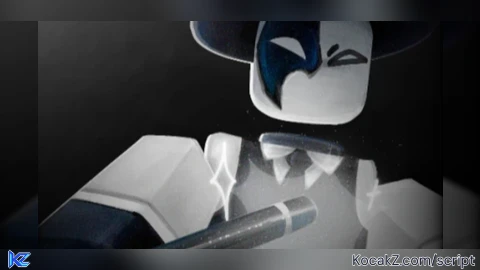

-- Reveals the Dookie Daniel card in the local player's shop UI.


local Players = game:GetService("Players")
local localPlayer = Players.LocalPlayer


if not localPlayer then
    warn("[Dookie Visibility] LocalPlayer is unavailable.")
    return
end


local path = {
    "PlayerGui",
    "MainGui",
    "Shop",
    "Killers",
    "Characters",
    "Frame",
    "ScrollingFrame",
    "Dookie Daniel",
}


local current = localPlayer
for _, childName in ipairs(path) do
    current = current:WaitForChild(childName, 10)
    if not current then
        warn("[Dookie Visibility] Could not find path segment: " .. childName)
        return
    end
end


if not current:IsA("GuiObject") then
    warn("[Dookie Visibility] Target is not a GuiObject: " .. current:GetFullName())
    return
end


current.Visible = true


if current.Visible then
    print("[Dookie Visibility] Visible is true: " .. current:GetFullName())
else
    warn("[Dookie Visibility] The target did not become visible.")
end-- Reveals the Dookie Daniel card in the local player's shop UI.


local Players = game:GetService("Players")
local localPlayer = Players.LocalPlayer


if not localPlayer then
    warn("[Dookie Visibility] LocalPlayer is unavailable.")
    return
end


local path = {
    "PlayerGui",
    "MainGui",
    "Shop",
    "Killers",
    "Characters",
    "Frame",
    "ScrollingFrame",
    "Dookie Daniel",
}


local current = localPlayer
for _, childName in ipairs(path) do
    current = current:WaitForChild(childName, 10)
    if not current then
        warn("[Dookie Visibility] Could not find path segment: " .. childName)
        return
    end
end


if not current:IsA("GuiObject") then
    warn("[Dookie Visibility] Target is not a GuiObject: " .. current:GetFullName())
    return
end


current.Visible = true


if current.Visible then
    print("[Dookie Visibility] Visible is true: " .. current:GetFullName())
else
    warn("[Dookie Visibility] The target did not become visible.")
end
How to Execute Die of Death Script – Dookie Daniel Killer
Step 1: Copy Code: Click the Copy Code button in the viewer above to grab the clean Lua loadstring.
Step 2: Launch Executor: Open a compatible, unpatched executor. If you need one, check our Roblox Executors Directory.
Step 3: Join Experience: Launch Roblox and join Die of Death.
Step 4: Attach & Run: Attach/inject your executor into the Roblox process, paste the code into the script tab, and press Execute.
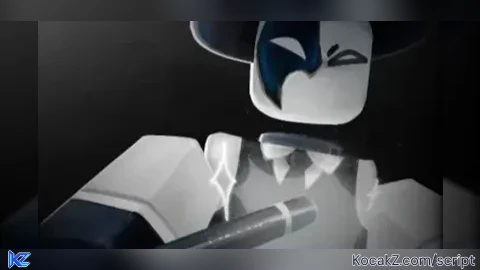
![[⚔️🩹] Die of Death](https://media.kocakz.me/e8d465c8c75ad68b465e2c372338617ade02314d582e6e036c057833653aef00.webp)
Features & Information
Script Changelog (1)
Community Comments (0)
No comments yet for this script.
Frequently Asked Questions
How do I execute Die of Death Script – Dookie Daniel Killer in Roblox?
To run Die of Death Script – Dookie Daniel Killer, copy the Lua loadstring from the code viewer above, launch Roblox and join Die of Death, attach a working executor (such as Potassium, Solara, or Delta from our Executors directory), paste the code into your executor console, and click Execute.
Is Die of Death Script – Dookie Daniel Killer keyless or does it require an access key?
Die of Death Script – Dookie Daniel Killer requires an access key. You can retrieve the official key directly using the Get Script Key link provided above.
Is Die of Death Script – Dookie Daniel Killer currently safe and working?
This script is active and operational. Always test scripts using a secondary (alt) Roblox account to safeguard your main profile against anti-cheat bans.

![[SOON.] [1.5V] DIED OF DEATH RedScripter102 Hub - Verified script for Die of Death](https://media.kocakz.me/3844ea6befe7608557d8cac92b906024b990eb3e2864e172535657484b7729bf.webp)