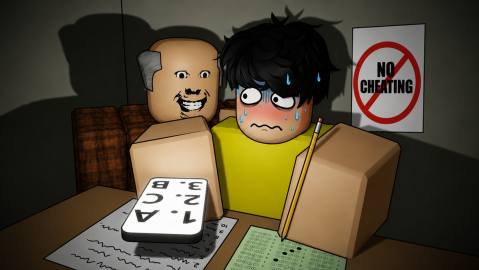
When you open the hub, you'll see:
* Cheat Sheet on the left
* Safety Banner at the top
* Gadgets on the right
Press K to open or hide the hub.
---
Safe-to-Cheat Banner
The banner tells you when it's safe to cheat.
GREEN — SAFE TO CHEAT
The teacher is looking away and is far enough from you.
RED — DANGER ZONE
The teacher is looking at you or is too close.
It also shows the teacher's distance in studs.
You can drag the banner anywhere you want.
---
Cheat Sheet
The Cheat Sheet remembers the answers you've found.
* A, B, C, D = Answer found
* ? = No answer yet
If the test has Version A and B, the hub remembers both separately.
Even if you die and respawn, your answers stay saved.
---
AutoPilot
AutoPilot does the hard work for you.
When it's safe, AutoPilot:
* Uses your phone to read the test
* Finds the answers
* Fills them in automatically
* Saves the answers to your Cheat Sheet
If the teacher gets too close, AutoPilot pauses and waits until it's safe again.
You can turn AutoPilot on or off from the Cheat Sheet.
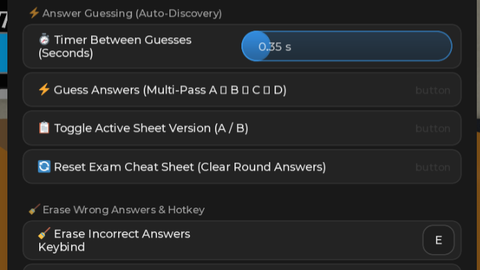
You can also change how quickly it answers in Options.
---
Gadgets
The Gadgets panel lets you quickly buy useful items.
* Eraser — Erases answers you've already entered
* Pen — A basic writing tool
* Smart Glasses — Gives you extra exam information
* Smart Watch — Shows the remaining exam time
* Phone — Your main tool for AutoPilot. Higher-level phones can show more possible answers
You need the required player level and enough credits to buy gadgets.
---
Answer Eraser
Press E or click the Erase button to use your Eraser.
The wrong answer will be removed so you can try again.
You need an Eraser with uses remaining. The hub will never buy one automatically.
---
Teacher ESP
Teacher ESP keeps an eye on the teacher for you.
* Shows the teacher's distance
* Shows where they're looking
* Warns you when they're looking directly at you
This information also appears in the Safe-to-Cheat Banner.
You can turn Teacher ESP on or off in Options.
---
Anti-Anxiety
Anti-Anxiety removes the game's camera shake so your screen stays steady while you play.
But be careful — you'll still feel anxiety, so keep an eye on your anxiety bar!
---
Options
The Options tab lets you customize the hub.
You can turn features on or off:
* Teacher ESP
* Safe-to-Cheat Banner
* Cheat Sheet
* Gadgets Panel
* AutoPilot Safe Distance
You can also change the AutoPilot delay and switch your Cheat Sheet between Version A and B.
#Cheating During Testing#AutoPilot#Exam Solver#ESP#Auto Answer

![Krein | OP[BEST KEYLESS]](https://scriptblox.com/images/script/98894876188248-1789661737545.webp)