
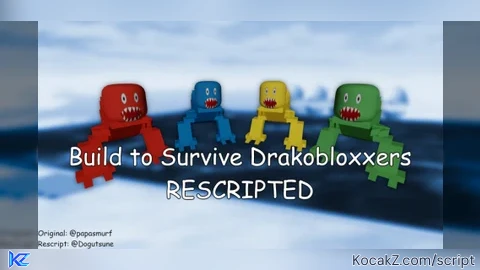

Lua Script•136 lines (3844 chars)
yoffset = 500 -- Place the player 500 studs above the target but if its 5000 it will place it 5000 studs above the target

local Players = game:GetService("Players")
local player = Players.LocalPlayer
local mouse = player:GetMouse()

-- GUI Setup
local screenGui = Instance.new("ScreenGui", player:WaitForChild("PlayerGui"))
screenGui.ResetOnSpawn = false
local button = Instance.new("TextButton")
button.Size = UDim2.new(0, 120, 0, 40)
button.Position = UDim2.new(1, -170, 0.65, -150)
button.Text = "Click this button then click drako"
button.TextScaled = true
button.Parent = screenGui
-- second button
local button2 = Instance.new("TextButton")
button2.Size = UDim2.new(0, 120, 0, 40)
button2.Position = UDim2.new(1, -170, 0.8, -150)
button2.Text = "Exit"
button2.TextScaled = true
button2.Parent = screenGui
-- third button
local button3 = Instance.new("TextButton")
button3.Size = UDim2.new(0, 120, 0, 40)
button3.Position = UDim2.new(1, -170, 0.9, -150)
button3.Text = "Reset player camera"
button3.TextScaled = true
button3.Parent = screenGui

-- Vars
local tracking = false
local targetPart = nil
local startPosition = nil
local stop = false

local function resetEverything()
	stop = true
	tracking = false
	button.Text = "Click this button then click drako"

	local cam = workspace.CurrentCamera
	cam.CameraSubject = player.Character:FindFirstChild("Humanoid") or nil

	local spawnLocation = workspace:FindFirstChildOfClass("SpawnLocation")
	if spawnLocation and player.Character and player.Character:FindFirstChild("HumanoidRootPart") then
		player.Character.HumanoidRootPart.CFrame = spawnLocation.CFrame + Vector3.new(0, 5, 0)
	end
end

-- Start tracking
local function startTracking(part)
	targetPart = part
	stop = false

	local char = player.Character
	if char and char:FindFirstChild("Humanoid") then
		char.Humanoid.WalkSpeed = 17
	end

	task.spawn(function()
		while not stop and targetPart and targetPart:IsDescendantOf(workspace) do
			task.wait()

			local char = player.Character
			if not char or not char:FindFirstChild("HumanoidRootPart") or not char:FindFirstChild("Humanoid") then
				continue
			end

			local hrp = char.HumanoidRootPart
			local moveDir = char.Humanoid.MoveDirection


			local yUnder = targetPart.Position.Y + yoffset

			if yUnder < workspace.FallenPartsDestroyHeight + 25 then
				yUnder = workspace.FallenPartsDestroyHeight + 25
			end

			if targetPart.Parent:IsA("Model") then
				targetModel = targetPart.Parent
			end

			yUnder = targetModel:GetPivot().Position.Y + yoffset

			local targetPos = Vector3.new(
				targetModel:GetPivot().Position.X + moveDir.X * 50,
				yUnder,
				targetModel:GetPivot().Position.Z + moveDir.Z * 50
			)

			hrp.CFrame = CFrame.new(targetPos)
			hrp.AssemblyLinearVelocity = Vector3.new(hrp.AssemblyLinearVelocity.X, 0, hrp.AssemblyLinearVelocity.Z)

			local cam = workspace.CurrentCamera
			cam.CameraSubject = targetPart
		end

		-- If loop exited due to part missing
		if not stop then
			resetEverything()
		end
	end)
end
-- Button click
button.MouseButton1Click:Connect(function()
	if tracking then return end
	button.Text = "Click on drakobloxxer's head once spawns in (the one with your username above it)"
	tracking = true
	local connection
	connection = mouse.Button1Down:Connect(function()
		if not tracking then return end
		local target = mouse.Target
		if target and target:IsA("BasePart") then
			startTracking(target)
			button.Text = "Controling using pathfinding"
			tracking = false
			connection:Disconnect()
		end
	end)
end)

-- Exit on button2
button2.MouseButton1Click:Connect(function()
	resetEverything()
	task.wait()
	screenGui:Remove()
	return
end)


-- reset cam on button 3
button3.MouseButton1Click:Connect(function()
	workspace.CurrentCamera.CameraSubject = game.Players.LocalPlayer.Character.Humanoid
end)
Features & Information
Control drakobloxxers
tutorial: once the wave/round starts click the button on the right then click on the drakobloxxers head (the one that has your username) then it should start working
if theres bugs or it doesnt work tell me