

Key Required
-- Auto Chef GUI
local Players = game:GetService("Players")
local TweenService = game:GetService("TweenService")
local UserInputService = game:GetService("UserInputService")
local RunService = game:GetService("RunService")
local player = Players.LocalPlayer
local playerGui = player:WaitForChild("PlayerGui")
-- Create GUI
local AutoChef = Instance.new("ScreenGui")
AutoChef.Name = "AutoChef"
AutoChef.ZIndexBehavior = Enum.ZIndexBehavior.Sibling
AutoChef.ResetOnSpawn = false
-- Main Frame
local MainFrame = Instance.new("Frame")
MainFrame.Size = UDim2.new(0, 320, 0, 220)
MainFrame.Position = UDim2.new(0.3, 0, 0.3, 0)
MainFrame.BackgroundColor3 = Color3.fromRGB(30, 30, 35)
MainFrame.BorderSizePixel = 0
MainFrame.ClipsDescendants = true
-- Shadow Effect
local Shadow = Instance.new("ImageLabel")
Shadow.Name = "Shadow"
Shadow.Size = UDim2.new(1, 20, 1, 20)
Shadow.Position = UDim2.new(0, -10, 0, -10)
Shadow.BackgroundTransparency = 1
Shadow.Image = "rbxassetid://1316045217"
Shadow.ImageColor3 = Color3.fromRGB(0, 0, 0)
Shadow.ImageTransparency = 0.8
Shadow.ScaleType = Enum.ScaleType.Slice
Shadow.SliceCenter = Rect.new(10, 10, 118, 118)
Shadow.Parent = MainFrame
-- Corner
local UICorner = Instance.new("UICorner")
UICorner.CornerRadius = UDim.new(0, 12)
UICorner.Parent = MainFrame
-- Header with Gradient
local Header = Instance.new("Frame")
Header.Size = UDim2.new(1, 0, 0, 35)
Header.Position = UDim2.new(0, 0, 0, 0)
Header.BackgroundColor3 = Color3.fromRGB(25, 25, 30)
Header.BorderSizePixel = 0
local HeaderCorner = Instance.new("UICorner")
HeaderCorner.CornerRadius = UDim.new(0, 12)
HeaderCorner.Parent = Header
-- Title with Icon
local Title = Instance.new("TextLabel")
Title.Size = UDim2.new(1, -40, 1, 0)
Title.Position = UDim2.new(0, 10, 0, 0)
Title.BackgroundTransparency = 1
Title.Text = "🧑🍳 AUTO CHEF"
Title.TextColor3 = Color3.fromRGB(255, 255, 255)
Title.Font = Enum.Font.GothamBold
Title.TextSize = 16
Title.TextXAlignment = Enum.TextXAlignment.Left
Title.Parent = Header
-- Close Button
local CloseButton = Instance.new("TextButton")
CloseButton.Size = UDim2.new(0, 25, 0, 25)
CloseButton.Position = UDim2.new(1, -30, 0.5, -12)
CloseButton.BackgroundColor3 = Color3.fromRGB(45, 45, 50)
CloseButton.BorderSizePixel = 0
CloseButton.Text = "×"
CloseButton.TextColor3 = Color3.fromRGB(255, 255, 255)
CloseButton.Font = Enum.Font.GothamBold
CloseButton.TextSize = 18
local CloseCorner = Instance.new("UICorner")
CloseCorner.CornerRadius = UDim.new(0, 6)
CloseCorner.Parent = CloseButton
CloseButton.Parent = Header
Header.Parent = MainFrame
-- Content Area
local Content = Instance.new("Frame")
Content.Size = UDim2.new(1, -20, 1, -55)
Content.Position = UDim2.new(0, 10, 0, 45)
Content.BackgroundTransparency = 1
Content.Parent = MainFrame
-- Toggle Container with Background
local ToggleContainer = Instance.new("Frame")
ToggleContainer.Size = UDim2.new(1, 0, 0, 60)
ToggleContainer.Position = UDim2.new(0, 0, 0, 10)
ToggleContainer.BackgroundColor3 = Color3.fromRGB(35, 35, 40)
ToggleContainer.BorderSizePixel = 0
local ToggleContainerCorner = Instance.new("UICorner")
ToggleContainerCorner.CornerRadius = UDim.new(0, 8)
ToggleContainerCorner.Parent = ToggleContainer
-- Toggle Icon
local ToggleIcon = Instance.new("TextLabel")
ToggleIcon.Size = UDim2.new(0, 30, 0, 30)
ToggleIcon.Position = UDim2.new(0, 15, 0.5, -15)
ToggleIcon.BackgroundTransparency = 1
ToggleIcon.Text = "⚡"
ToggleIcon.TextColor3 = Color3.fromRGB(255, 255, 0)
ToggleIcon.Font = Enum.Font.GothamBold
ToggleIcon.TextSize = 18
ToggleIcon.Parent = ToggleContainer
-- Toggle Label
local ToggleLabel = Instance.new("TextLabel")
ToggleLabel.Size = UDim2.new(0.6, -40, 1, 0)
ToggleLabel.Position = UDim2.new(0, 55, 0, 0)
ToggleLabel.BackgroundTransparency = 1
ToggleLabel.Text = "Auto Free Chef"
ToggleLabel.TextColor3 = Color3.fromRGB(255, 255, 255)
ToggleLabel.TextXAlignment = Enum.TextXAlignment.Left
ToggleLabel.Font = Enum.Font.Gotham
ToggleLabel.TextSize = 14
ToggleLabel.Parent = ToggleContainer
-- Status Label
local StatusLabel = Instance.new("TextLabel")
StatusLabel.Size = UDim2.new(0.6, -40, 0, 15)
StatusLabel.Position = UDim2.new(0, 55, 0, 25)
StatusLabel.BackgroundTransparency = 1
StatusLabel.Text = "OFF"
StatusLabel.TextColor3 = Color3.fromRGB(255, 100, 100)
StatusLabel.TextXAlignment = Enum.TextXAlignment.Left
StatusLabel.Font = Enum.Font.Gotham
StatusLabel.TextSize = 11
StatusLabel.Parent = ToggleContainer
-- Toggle Button
local ToggleButton = Instance.new("TextButton")
ToggleButton.Size = UDim2.new(0, 50, 0, 26)
ToggleButton.Position = UDim2.new(1, -65, 0.5, -13)
ToggleButton.BackgroundColor3 = Color3.fromRGB(80, 80, 85)
ToggleButton.BorderSizePixel = 0
ToggleButton.Text = ""
local ToggleCorner = Instance.new("UICorner")
ToggleCorner.CornerRadius = UDim.new(0, 13)
ToggleCorner.Parent = ToggleButton
-- Toggle Knob
local ToggleKnob = Instance.new("Frame")
ToggleKnob.Size = UDim2.new(0, 20, 0, 20)
ToggleKnob.Position = UDim2.new(0, 3, 0, 3)
ToggleKnob.BackgroundColor3 = Color3.fromRGB(255, 255, 255)
ToggleKnob.BorderSizePixel = 0
local KnobCorner = Instance.new("UICorner")
KnobCorner.CornerRadius = UDim.new(0, 10)
KnobCorner.Parent = ToggleKnob
ToggleKnob.Parent = ToggleButton
ToggleButton.Parent = ToggleContainer
ToggleContainer.Parent = Content
-- Click Button with Hover Effects
local ClickButton = Instance.new("TextButton")
ClickButton.Size = UDim2.new(1, 0, 0, 45)
ClickButton.Position = UDim2.new(0, 0, 0, 85)
ClickButton.BackgroundColor3 = Color3.fromRGB(0, 120, 215)
ClickButton.BorderSizePixel = 0
ClickButton.Text = "👨🍳 CLICK FREE CHEF"
ClickButton.TextColor3 = Color3.fromRGB(255, 255, 255)
ClickButton.Font = Enum.Font.GothamBold
ClickButton.TextSize = 14
ClickButton.AutoButtonColor = false
local ButtonCorner = Instance.new("UICorner")
ButtonCorner.CornerRadius = UDim.new(0, 8)
ButtonCorner.Parent = ClickButton
-- Button Gradient Effect
local ButtonGradient = Instance.new("UIGradient")
ButtonGradient.Color = ColorSequence.new({
ColorSequenceKeypoint.new(0, Color3.fromRGB(0, 120, 215)),
ColorSequenceKeypoint.new(1, Color3.fromRGB(0, 100, 180))
})
ButtonGradient.Rotation = 90
ButtonGradient.Parent = ClickButton
ClickButton.Parent = Content
-- Stats Label
local StatsLabel = Instance.new("TextLabel")
StatsLabel.Size = UDim2.new(1, 0, 0, 20)
StatsLabel.Position = UDim2.new(0, 0, 0, 140)
StatsLabel.BackgroundTransparency = 1
StatsLabel.Text = "Chefs Purchased: 0"
StatsLabel.TextColor3 = Color3.fromRGB(200, 200, 200)
StatsLabel.Font = Enum.Font.Gotham
StatsLabel.TextSize = 12
StatsLabel.Parent = Content
-- Add to GUI
MainFrame.Parent = AutoChef
AutoChef.Parent = playerGui
-- Variables
local autoEnabled = false
local chefsCount = 0
local connection
local remote
-- Make GUI Draggable
local dragging = false
local dragInput, dragStart, startPos
local function update(input)
local delta = input.Position - dragStart
MainFrame.Position = UDim2.new(startPos.X.Scale, startPos.X.Offset + delta.X, startPos.Y.Scale, startPos.Y.Offset + delta.Y)
end
Header.InputBegan:Connect(function(input)
if input.UserInputType == Enum.UserInputType.MouseButton1 then
dragging = true
dragStart = input.Position
startPos = MainFrame.Position
input.Changed:Connect(function()
if input.UserInputState == Enum.UserInputState.End then
dragging = false
end
end)
end
end)
Header.InputChanged:Connect(function(input)
if input.UserInputType == Enum.UserInputType.MouseMovement then
dragInput = input
end
end)
UserInputService.InputChanged:Connect(function(input)
if input == dragInput and dragging then
update(input)
end
end)
-- Button Hover Effects
ClickButton.MouseEnter:Connect(function()
TweenService:Create(ClickButton, TweenInfo.new(0.2), {BackgroundColor3 = Color3.fromRGB(0, 140, 235)}):Play()
end)
ClickButton.MouseLeave:Connect(function()
TweenService:Create(ClickButton, TweenInfo.new(0.2), {BackgroundColor3 = Color3.fromRGB(0, 120, 215)}):Play()
end)
-- Close Button Function
CloseButton.MouseButton1Click:Connect(function()
if connection then connection:Disconnect() end
TweenService:Create(MainFrame, TweenInfo.new(0.3), {Size = UDim2.new(0, 0, 0, 0)}):Play()
wait(0.3)
AutoChef:Destroy()
end)
-- Auto Chef Function
local function purchaseChef()
if not remote then
remote = game:GetService("ReplicatedStorage"):WaitForChild("Remotes"):WaitForChild("PurchaseChefEvent")
end
local args = {0, "Blood moon CEO"}
local success = pcall(function()
remote:FireServer(unpack(args))
end)
if success then
chefsCount = chefsCount + 1
StatsLabel.Text = "Chefs Purchased: " .. chefsCount
end
return success
end
-- Toggle Function
ToggleButton.MouseButton1Click:Connect(function()
autoEnabled = not autoEnabled
if autoEnabled then
-- Enable auto with animation
TweenService:Create(ToggleKnob, TweenInfo.new(0.2), {Position = UDim2.new(0, 27, 0, 3)}):Play()
TweenService:Create(ToggleButton, TweenInfo.new(0.2), {BackgroundColor3 = Color3.fromRGB(0, 200, 100)}):Play()
StatusLabel.Text = "RUNNING"
StatusLabel.TextColor3 = Color3.fromRGB(100, 255, 100)
-- Start auto farm
if connection then connection:Disconnect() end
connection = RunService.Heartbeat:Connect(function()
if autoEnabled then
purchaseChef()
end
end)
else
-- Disable auto with animation
TweenService:Create(ToggleKnob, TweenInfo.new(0.2), {Position = UDim2.new(0, 3, 0, 3)}):Play()
TweenService:Create(ToggleButton, TweenInfo.new(0.2), {BackgroundColor3 = Color3.fromRGB(80, 80, 85)}):Play()
StatusLabel.Text = "OFF"
StatusLabel.TextColor3 = Color3.fromRGB(255, 100, 100)
if connection then
connection:Disconnect()
end
end
end)
-- Click Button Function
ClickButton.MouseButton1Click:Connect(function()
if purchaseChef() then
-- Success feedback
TweenService:Create(ClickButton, TweenInfo.new(0.1), {BackgroundColor3 = Color3.fromRGB(0, 200, 100)}):Play()
wait(0.1)
TweenService:Create(ClickButton, TweenInfo.new(0.1), {BackgroundColor3 = Color3.fromRGB(0, 140, 235)}):Play()
end
end)
print("🎯 Auto Chef GUI Loaded - Drag the header to move!")
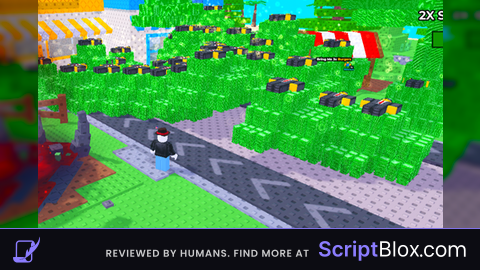
MF skidded my script and even used AI
@chickenadobo Actually i dont see the problem If you dont want other use you script dont make it source code
@Okaaka I don't care if anyone skidded my script but using AI to skid? DISRESPECTFUL
@chickenadobo technically its source code so i can do anything i want with it