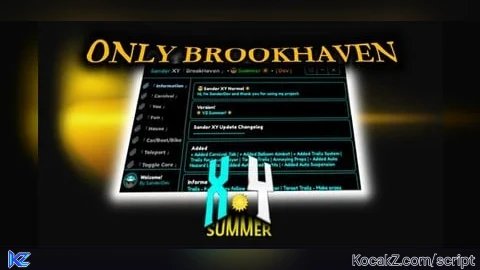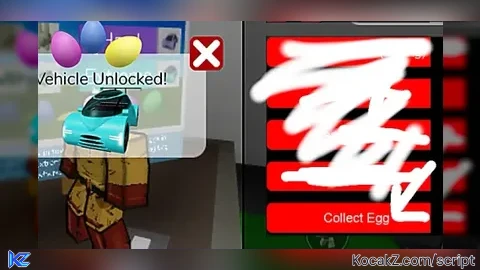

-- Ussef Hub - Master Edition (With Toggle Controls)
local success, result = pcall(function()
    return game:HttpGet("https://rawscripts.net/raw/Brookhaven-RP-RED-BLACK-HUB-BROOKHAVEN-227404")
end)

if success and result then
    -- 1. تشغيل السكربت الأصلي كما هو بدون أي تغيير في قوائمه
    loadstring(result)()

    -- دالة لتحديث النصوص المحددة فقط في السكربت الأصلي
    local function cleanText(textObj)
        if textObj:IsA("TextLabel") or textObj:IsA("TextButton") or textObj:IsA("TextBox") then
            local t = textObj.Text
            if t and t ~= "" then
                local newT = t
                newT = string.gsub(newT, "RED BLACK HUB", "Ussef Hub")
                newT = string.gsub(newT, "Red Black Hub", "Ussef Hub")
                newT = string.gsub(newT, "RED BLACK", "Ussef Hub")
                newT = string.gsub(newT, "Red Black", "Ussef Hub")
                newT = string.gsub(newT, "Mr Red Black&Cleiti6669Hubs", "Ussef Hub Official")
                newT = string.gsub(newT, "Red Black Community", "Ussef Hub Community")

                if newT ~= t then
                    textObj.Text = newT
                end
            end
        end
    end

    -- تطبيق التعديل على العناصر الحالية وفي حالة إضافة عناصر جديدة مستقبلاً
    task.spawn(function()
        for _, gui in ipairs(game.CoreGui:GetDescendants()) do
            cleanText(gui)
        end

        game.CoreGui.DescendantAdded:Connect(function(descendant)
            cleanText(descendant)
        end)
    end)

    -- تظبيط الاسم فوق الرأس في الـ Workspace
    task.spawn(function()
        while task.wait(2) do
            for _, obj in ipairs(workspace:GetDescendants()) do
                if obj:IsA("BillboardGui") or obj:IsA("SurfaceGui") then
                    for _, textObj in ipairs(obj:GetDescendants()) do
                        if textObj:IsA("TextLabel") then
                            local t = textObj.Text
                            if t and (string.find(t, "RED BLACK") or string.find(t, "Red Black") or string.find(t, "Ussef")) then
                                textObj.Text = "Ussef Hub\nYOUSSEF_YASTAD"
                                textObj.TextColor3 = Color3.fromRGB(0, 0, 0)
                            end
                        end
                    end
                end
            end
        end
    end)

    -- نظام تغيير لون الخلفية
    task.spawn(function()
        local bgColors = {
            Color3.fromRGB(20, 20, 20),
            Color3.fromRGB(30, 35, 45),
            Color3.fromRGB(45, 25, 30),
            Color3.fromRGB(25, 40, 35)
        }
        local index = 1
        while true do
            task.wait(300)
            index = (index % #bgColors) + 1
            for _, gui in ipairs(game.CoreGui:GetDescendants()) do
                if gui:IsA("Frame") and (gui.BackgroundColor3.R < 0.2 and gui.BackgroundColor3.G < 0.2 and gui.BackgroundColor3.B < 0.2) then
                    gui.BackgroundColor3 = bgColors[index]
                end
            end
        end
    end)

    -- ========================================================
    -- 2. القائمة الإضافية للأدوات الجديدة (تشغيل / إيقاف)
    -- ========================================================
    local ExtraGui = Instance.new("ScreenGui")
    local MenuFrame = Instance.new("Frame")
    local TitleLabel = Instance.new("TextLabel")
    local ToggleMenuBtn = Instance.new("TextButton")
    local UIList = Instance.new("UIListLayout")

    ExtraGui.Name = "UssefHubExtraControls"
    ExtraGui.Parent = game.CoreGui

    -- زر فتح وإغلاق قائمة الأدوات الجديدة
    ToggleMenuBtn.Name = "ToggleMenuBtn"
    ToggleMenuBtn.Parent = ExtraGui
    ToggleMenuBtn.BackgroundColor3 = Color3.fromRGB(20, 20, 20)
    ToggleMenuBtn.Position = UDim2.new(0, 10, 0.5, 0)
    ToggleMenuBtn.Size = UDim2.new(0, 120, 0, 35)
    ToggleMenuBtn.Text = "أدوات إضافية ⚡"
    ToggleMenuBtn.TextColor3 = Color3.fromRGB(255, 215, 0)
    ToggleMenuBtn.TextSize = 14
    ToggleMenuBtn.Font = Enum.Font.SourceSansBold

    -- قائمة الأزرار
    MenuFrame.Name = "MenuFrame"
    MenuFrame.Parent = ExtraGui
    MenuFrame.BackgroundColor3 = Color3.fromRGB(30, 30, 30)
    MenuFrame.Position = UDim2.new(0, 10, 0.5, 40)
    MenuFrame.Size = UDim2.new(0, 160, 0, 220)
    MenuFrame.Visible = false

    TitleLabel.Parent = MenuFrame
    TitleLabel.Size = UDim2.new(1, 0, 0, 30)
    TitleLabel.BackgroundColor3 = Color3.fromRGB(45, 45, 45)
    TitleLabel.Text = "التحكم بالأدوات"
    TitleLabel.TextColor3 = Color3.fromRGB(255, 255, 255)
    TitleLabel.Font = Enum.Font.SourceSansBold

    UIList.Parent = MenuFrame
    UIList.SortOrder = Enum.SortOrder.LayoutOrder
    UIList.Padding = UDim.new(0, 5)

    local function makeButton(text, color, callback)
        local btn = Instance.new("TextButton")
        btn.Parent = MenuFrame
        btn.Size = UDim2.new(1, -10, 0, 30)
        btn.Position = UDim2.new(0, 5, 0, 0)
        btn.BackgroundColor3 = color
        btn.Text = text
        btn.TextColor3 = Color3.fromRGB(255, 255, 255)
        btn.Font = Enum.Font.SourceSansSemibold
        btn.TextSize = 14
        btn.MouseButton1Click:Connect(callback)
    end

    -- أزرار السرعة (تشغيل وإيقاف)
    makeButton("⚡ تشغيل السرعة (100)", Color3.fromRGB(40, 140, 40), function()
        if game.Players.LocalPlayer.Character and game.Players.LocalPlayer.Character:FindFirstChild("Humanoid") then
            game.Players.LocalPlayer.Character.Humanoid.WalkSpeed = 100
        end
    end)

    makeButton("🛑 إيقاف السرعة (عادي)", Color3.fromRGB(160, 40, 40), function()
        if game.Players.LocalPlayer.Character and game.Players.LocalPlayer.Character:FindFirstChild("Humanoid") then
            game.Players.LocalPlayer.Character.Humanoid.WalkSpeed = 16
        end
    end)

    -- أزرار القفز (تشغيل وإيقاف)
    makeButton("🐇 تشغيل القفز العالي", Color3.fromRGB(40, 140, 40), function()
        if game.Players.LocalPlayer.Character and game.Players.LocalPlayer.Character:FindFirstChild("Humanoid") then
            game.Players.LocalPlayer.Character.Humanoid.JumpPower = 120
        end
    end)

    makeButton("🛑 إيقاف القفز العالي", Color3.fromRGB(160, 40, 40), function()
        if game.Players.LocalPlayer.Character and game.Players.LocalPlayer.Character:FindFirstChild("Humanoid") then
            game.Players.LocalPlayer.Character.Humanoid.JumpPower = 50
        end
    end)

    -- زر الأدمن المميز
    makeButton("🛠️ تشغيل Infinite Yield", Color3.fromRGB(0, 102, 204), function()
        loadstring(game:HttpGet('https://raw.githubusercontent.com/EdgeIY/infiniteyield/master/source'))()
    end)

    -- برمجة إظهار وإخفاء القائمة
    ToggleMenuBtn.MouseButton1Click:Connect(function()
        MenuFrame.Visible = not MenuFrame.Visible
    end)

    print("Ussef Hub: تم تفعيل النسخة المحدثة بنجاح مع أزرار الإيقاف!")
else
    warn("فشل تحميل السكربت، تأكد من الاتصال بالإنترنت!")
end
How to Execute Brookhaven 🏡RP Script – USSEF HUB
Step 1: Copy Code: Click the Copy Code button in the viewer above to grab the clean Lua loadstring.
Step 2: Launch Executor: Open a compatible, unpatched executor. If you need one, check our Roblox Executors Directory.
Step 3: Join Experience: Launch Roblox and join Brookhaven 🏡RP.
Step 4: Attach & Run: Attach/inject your executor into the Roblox process, paste the code into the script tab, and press Execute.
Features & Information
Script Changelog (1)
Community Comments (0)
No comments yet for this script.
Frequently Asked Questions
How do I execute Brookhaven 🏡RP Script – USSEF HUB in Roblox?
To run Brookhaven 🏡RP Script – USSEF HUB, copy the Lua loadstring from the code viewer above, launch Roblox and join Brookhaven 🏡RP, attach a working executor (such as Potassium, Solara, or Delta from our Executors directory), paste the code into your executor console, and click Execute.
Is Brookhaven 🏡RP Script – USSEF HUB keyless or does it require an access key?
Brookhaven 🏡RP Script – USSEF HUB requires an access key. You can retrieve the official key directly using the Get Script Key link provided above.
Is Brookhaven 🏡RP Script – USSEF HUB currently safe and working?
This script is active and operational. Always test scripts using a secondary (alt) Roblox account to safeguard your main profile against anti-cheat bans.