![Item Spawner - Bypass Gamepass [OPEN-SOURCE]](https://cdn.kocakz.me/images/a4a9dc53d5071a447621497e6649bc08d7868008c85e0c21ce3e70efcff4ed40.webp)
Key Required
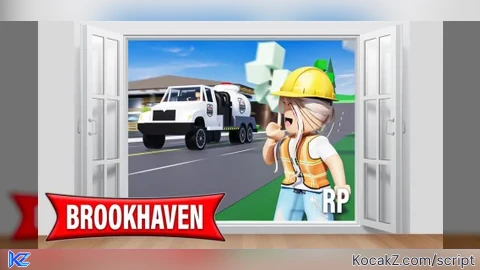
-- Kezirae Hub v1.0 - Brookhaven Football GUI
-- Purple Amethyst Theme | Space Vibes
-- Features: Stick Dribble, Auto Bring (Hitbox Pull), Anti Jump, FPS Booster, Concrete Ball, Local Big Hitbox Visual & More!

local Players = game:GetService("Players")
local RunService = game:GetService("RunService")
local UserInputService = game:GetService("UserInputService")
local player = Players.LocalPlayer

local Rayfield = loadstring(game:HttpGet('https://sirius.menu/rayfield'))()

local Window = Rayfield:CreateWindow({
   Name = "Kezirae Hub",
   LoadingTitle = "Kezirae",
   LoadingSubtitle = "Loading Football Mastery...",
   ConfigurationSaving = {
      Enabled = true,
      FolderName = "KeziraeHub",
      FileName = "Brookhaven"
   },
   Theme = "Amethyst"  -- Purple theme!
})

local MainTab = Window:CreateTab("Football", 4483362458)  -- Soccer icon

local FootballSection = MainTab:CreateSection("Football Controls")

-- Globals
getgenv().DribbleEnabled = false
getgenv().AutoBringEnabled = false  -- Hitbox auto-pull
getgenv().BallHitboxEnabled = false
getgenv().AntiJumpEnabled = false
getgenv().InfJumpEnabled = false
getgenv().FPSBoosted = false
getgenv().ConcreteEnabled = false
getgenv().LocalHitboxEnabled = false  -- New: Big player hitbox visual (only you see clearly)
local CurrentWalkSpeed = 16
local CurrentJumpPower = 50
local BallDensity = 1
local OriginalBallProps = nil
local DribblePosX = 0
local DribblePosY = -1.5
local DribblePosZ = -2
local DribbleAngleX = 10
local DribbleAngleY = 0
local DribbleAngleZ = 0
local HitboxSize = 15
local hitboxPart = nil

-- Main Loop for Football & States
spawn(function()
   while true do
      task.wait(0.1)
      local char = player.Character
      if char then
         local hum = char:FindFirstChildOfClass("Humanoid")
         local hrp = char:FindFirstChild("HumanoidRootPart")
         local foot = char:FindFirstChild("RightFoot") or char:FindFirstChild("Right Leg")
         local ball = workspace:FindFirstChild("Football")

         if hum and hrp then
            -- Anti Jump
            if getgenv().AntiJumpEnabled then
               hum.JumpPower = 0
               hum.JumpHeight = 0
            else
               hum.JumpPower = CurrentJumpPower
            end

            -- WalkSpeed always apply
            hum.WalkSpeed = CurrentWalkSpeed

            -- Infinite Jump check (separate but here for sync)
            if getgenv().InfJumpEnabled and UserInputService:IsKeyDown(Enum.KeyCode.Space) then
               hum:ChangeState(Enum.HumanoidStateType.Jumping)
            end

            -- Local Big Hitbox Visual (Very big sphere around YOU - perfect when near the ball / dribbling)
            if getgenv().LocalHitboxEnabled then
               if not hitboxPart or hitboxPart.Parent == nil then
                  hitboxPart = Instance.new("Part")
                  hitboxPart.Name = "KeziraeLocalHitbox"
                  hitboxPart.Shape = Enum.PartType.Ball
                  hitboxPart.Material = Enum.Material.Neon
                  hitboxPart.Color = Color3.fromRGB(148, 0, 211)  -- Amethyst purple
                  hitboxPart.CanCollide = false
                  hitboxPart.Anchored = false
                  hitboxPart.Transparency = 0.35  -- You see it clearly, others see faint if at all in busy game
                  hitboxPart.Parent = hrp
               end
               hitboxPart.Size = Vector3.new(HitboxSize, HitboxSize, HitboxSize)
            else
               if hitboxPart then
                  hitboxPart:Destroy()
                  hitboxPart = nil
               end
            end

            if ball and foot then
               -- Dribble Stick (Weld)
               if getgenv().DribbleEnabled then
                  if not ball:FindFirstChild("DribbleWeld") then
                     local weld = Instance.new("Weld")
                     weld.Name = "DribbleWeld"
                     weld.Part0 = foot
                     weld.Part1 = ball
                     weld.C0 = CFrame.new(DribblePosX, DribblePosY, DribblePosZ) * CFrame.Angles(math.rad(DribbleAngleX), math.rad(DribbleAngleY), math.rad(DribbleAngleZ))
                     weld.Parent = foot
                     ball.AssemblyLinearVelocity = Vector3.new(0, 0, 0)
                     ball.AssemblyAngularVelocity = Vector3.new(0, 0, 0)
                  end
               else
                  if ball:FindFirstChild("DribbleWeld") then
                     ball.DribbleWeld:Destroy()
                  end
               end

               -- Hitbox Auto Bring (Pull when close, like large hitbox)
               if getgenv().AutoBringEnabled then
                  local dist = (ball.Position - hrp.Position).Magnitude
                  if dist < 50 then  -- Hitbox radius
                     local targetCFrame = hrp.CFrame * CFrame.new(0, -3, -4)
                     ball.CFrame = ball.CFrame:Lerp(targetCFrame, 0.3)
                     ball.AssemblyLinearVelocity = Vector3.new(0, 0, 0)
                  end
               end

               -- Ball Hitbox Expander (Make bigger for easy kicks)
               if getgenv().BallHitboxEnabled then
                  ball.Size = Vector3.new(8, 8, 8)
               else
                  ball.Size = Vector3.new(4, 4, 4)  -- Reset
               end

               -- Concrete Ball (High density for pushing players when dribbling)
               if getgenv().ConcreteEnabled and getgenv().DribbleEnabled then
                  if not OriginalBallProps then
                     OriginalBallProps = ball.CustomPhysicalProperties or PhysicalProperties.new(ball.Material)
                  end
                  ball.CustomPhysicalProperties = PhysicalProperties.new(BallDensity, OriginalBallProps.Friction, OriginalBallProps.Elasticity, OriginalBallProps.FrictionWeight, OriginalBallProps.ElasticityWeight)
               else
                  if OriginalBallProps then
                     ball.CustomPhysicalProperties = OriginalBallProps
                  end
               end
            end
         end
      end
   end
end)

-- Toggles
MainTab:CreateToggle({
   Name = "Football Stick & Dribble",
   CurrentValue = false,
   Flag = "DribbleToggle",
   Callback = function(Value)
      getgenv().DribbleEnabled = Value
      Rayfield:Notify({
         Title = "Kezirae Hub",
         Content = Value and "Football stuck to foot! Dribble easily." or "Dribble disabled.",
         Duration = 3,
         Image = 4483362458
      })
   end,
})

MainTab:CreateToggle({
   Name = "Auto Bring Ball (Hitbox Pull)",
   CurrentValue = false,
   Flag = "AutoBringToggle",
   Callback = function(Value)
      getgenv().AutoBringEnabled = Value
      Rayfield:Notify({
         Title = "Kezirae Hub",
         Content = Value and "Ball pulls to you within 50 studs!" or "Auto bring off.",
         Duration = 3,
         Image = 4483362458
      })
   end,
})

MainTab:CreateToggle({
   Name = "Ball Hitbox Expander",
   CurrentValue = false,
   Flag = "HitboxToggle",
   Callback = function(Value)
      getgenv().BallHitboxEnabled = Value
   end,
})

MainTab:CreateToggle({
   Name = "Anti Jump (No Jump for Dribble)",
   CurrentValue = false,
   Flag = "AntiJumpToggle",
   Callback = function(Value)
      getgenv().AntiJumpEnabled = Value
   end,
})

MainTab:CreateToggle({
   Name = "Concrete Ball (Push Players)",
   CurrentValue = false,
   Flag = "ConcreteToggle",
   Callback = function(Value)
      getgenv().ConcreteEnabled = Value
      Rayfield:Notify({
         Title = "Kezirae Hub",
         Content = Value and "Ball now heavy like concrete! Push players away while dribbling." or "Concrete ball disabled.",
         Duration = 3,
         Image = 4483362458
      })
   end,
})

MainTab:CreateSlider({
   Name = "Ball Weight (Density)",
   Range = {1, 50},
   Increment = 1,
   CurrentValue = 1,
   Flag = "BallDensitySlider",
   Callback = function(Value)
      BallDensity = Value
   end,
})

local DribbleAdjustSection = MainTab:CreateSection("Dribble Position Adjustment (For Emotes like Crawl/Lay Down)")

MainTab:CreateSlider({
   Name = "Position X",
   Range = {-10, 10},
   Increment = 0.1,
   CurrentValue = 0,
   Flag = "DribblePosXSlider",
   Callback = function(Value)
      DribblePosX = Value
      local ball = workspace:FindFirstChild("Football")
      if getgenv().DribbleEnabled and ball and ball:FindFirstChild("DribbleWeld") then
         ball.DribbleWeld:Destroy()
      end
   end,
})

MainTab:CreateSlider({
   Name = "Position Y",
   Range = {-10, 10},
   Increment = 0.1,
   CurrentValue = -1.5,
   Flag = "DribblePosYSlider",
   Callback = function(Value)
      DribblePosY = Value
      local ball = workspace:FindFirstChild("Football")
      if getgenv().DribbleEnabled and ball and ball:FindFirstChild("DribbleWeld") then
         ball.DribbleWeld:Destroy()
      end
   end,
})

MainTab:CreateSlider({
   Name = "Position Z",
   Range = {-10, 10},
   Increment = 0.1,
   CurrentValue = -2,
   Flag = "DribblePosZSlider",
   Callback = function(Value)
      DribblePosZ = Value
      local ball = workspace:FindFirstChild("Football")
      if getgenv().DribbleEnabled and ball and ball:FindFirstChild("DribbleWeld") then
         ball.DribbleWeld:Destroy()
      end
   end,
})

MainTab:CreateSlider({
   Name = "Angle X (Pitch)",
   Range = {-180, 180},
   Increment = 1,
   CurrentValue = 10,
   Flag = "DribbleAngleXSlider",
   Callback = function(Value)
      DribbleAngleX = Value
      local ball = workspace:FindFirstChild("Football")
      if getgenv().DribbleEnabled and ball and ball:FindFirstChild("DribbleWeld") then
         ball.DribbleWeld:Destroy()
      end
   end,
})

MainTab:CreateSlider({
   Name = "Angle Y (Yaw)",
   Range = {-180, 180},
   Increment = 1,
   CurrentValue = 0,
   Flag = "DribbleAngleYSlider",
   Callback = function(Value)
      DribbleAngleY = Value
      local ball = workspace:FindFirstChild("Football")
      if getgenv().DribbleEnabled and ball and ball:FindFirstChild("DribbleWeld") then
         ball.DribbleWeld:Destroy()
      end
   end,
})

MainTab:CreateSlider({
   Name = "Angle Z (Roll)",
   Range = {-180, 180},
   Increment = 1,
   CurrentValue = 0,
   Flag = "DribbleAngleZSlider",
   Callback = function(Value)
      DribbleAngleZ = Value
      local ball = workspace:FindFirstChild("Football")
      if getgenv().DribbleEnabled and ball and ball:FindFirstChild("DribbleWeld") then
         ball.DribbleWeld:Destroy()
      end
   end,
})

-- NEW HITBOX TOOL
local HitboxToolSection = MainTab:CreateSection("Hitbox Tool (Big Local Visual)")

MainTab:CreateToggle({
   Name = "Big Player Hitbox Visual (Very Big Sphere - Only You See Clearly)",
   CurrentValue = false,
   Flag = "LocalHitboxToggle",
   Callback = function(Value)
      getgenv().LocalHitboxEnabled = Value
      Rayfield:Notify({
         Title = "Kezirae Hub",
         Content = Value and "Big hitbox ON! Very large purple sphere around you (perfect near ball/dribble)." or "Big hitbox disabled.",
         Duration = 4,
         Image = 4483362458
      })
   end,
})

MainTab:CreateSlider({
   Name = "Hitbox Size (Studs)",
   Range = {5, 50},
   Increment = 0.5,
   CurrentValue = 15,
   Flag = "HitboxSizeSlider",
   Callback = function(Value)
      HitboxSize = Value
   end,
})

local ExtrasTab = Window:CreateTab("Extras", 4483362458)

local MovementSection = ExtrasTab:CreateSection("Movement")

ExtrasTab:CreateToggle({
   Name = "Infinite Jump",
   CurrentValue = false,
   Flag = "InfJumpToggle",
   Callback = function(Value)
      getgenv().InfJumpEnabled = Value
   end,
})

ExtrasTab:CreateSlider({
   Name = "Walk Speed",
   Range = {16, 200},
   Increment = 1,
   CurrentValue = 16,
   Flag = "WalkSpeedSlider",
   Callback = function(Value)
      CurrentWalkSpeed = Value
   end,
})

ExtrasTab:CreateSlider({
   Name = "Jump Power",
   Range = {0, 200},
   Increment = 1,
   CurrentValue = 50,
   Flag = "JumpPowerSlider",
   Callback = function(Value)
      CurrentJumpPower = Value
   end,
})

ExtrasTab:CreateButton({
   Name = "Reset Walk Speed to Normal",
   Callback = function()
      CurrentWalkSpeed = 16
      Rayfield:Notify({
         Title = "Kezirae Hub",
         Content = "Walk Speed reset to 16.",
         Duration = 3,
         Image = 4483362458
      })
   end,
})

ExtrasTab:CreateButton({
   Name = "Reset Jump Power to Normal",
   Callback = function()
      CurrentJumpPower = 50
      Rayfield:Notify({
         Title = "Kezirae Hub",
         Content = "Jump Power reset to 50.",
         Duration = 3,
         Image = 4483362458
      })
   end,
})

local FPSSection = ExtrasTab:CreateSection("Performance")

-- FPS Booster Function (Optimized from popular scripts)
local function ApplyFPSBoost()
   local decalsyeeted = true
   local g = game
   local w = g.Workspace
   local l = g.Lighting
   local t = w.Terrain
   t.WaterWaveSize = 0
   t.WaterWaveSpeed = 0
   t.WaterReflectance = 0
   t.WaterTransparency = 0
   l.GlobalShadows = false
   l.FogEnd = 9e9
   l.Brightness = 0
   settings().Rendering.QualityLevel = "Level01"
   for i, v in pairs(g:GetDescendants()) do
      if v:IsA("BasePart") then
         v.Material = Enum.Material.Plastic
         v.Reflectance = 0
      elseif v:IsA("Decal") and decalsyeeted then
         v.Transparency = 1
      elseif v:IsA("ParticleEmitter") or v:IsA("Trail") then
         v.Lifetime = NumberRange.new(0)
      elseif v:IsA("Explosion") then
         v.BlastPressure = 1
         v.BlastRadius = 1
      elseif v:IsA("Fire") or v:IsA("Light") or v:IsA("Smoke") then
         v.Enabled = false
      elseif v:IsA("MeshPart") then
         v.Material = Enum.Material.Plastic
         v.Reflectance = 0
      end
   end
   for i, e in pairs(l:GetChildren()) do
      if e:IsA("PostEffect") then
         e.Enabled = false
      end
   end
   -- Unlock FPS
   if setfpscap then
      setfpscap(999)
   end
   -- Garbage collect
   collectgarbage("collect")
end

ExtrasTab:CreateToggle({
   Name = "FPS Booster (Potato Mode)",
   CurrentValue = false,
   Flag = "FPSBoostToggle",
   Callback = function(Value)
      if Value then
         ApplyFPSBoost()
         getgenv().FPSBoosted = true
         Rayfield:Notify({
            Title = "Kezirae Hub",
            Content = "FPS Boosted! Expect +50-100 FPS boost.",
            Duration = 5,
            Image = 7733716400  -- FPS icon
         })
      else
         getgenv().FPSBoosted = false
         -- Can't easily revert, but toggle off stops applying
      end
   end,
})

-- Respawn Handler
player.CharacterAdded:Connect(function()
   task.wait(2)  -- Wait load
end)

Rayfield:Notify({
   Title = "Kezirae Hub Loaded! 🌌",
   Content = "Purple space theme | Go to football field & toggle Dribble! New Big Hitbox Visual for easy ball control when near it!",
   Duration = 6,
   Image = 4483362458
})No comments yet for this script.