
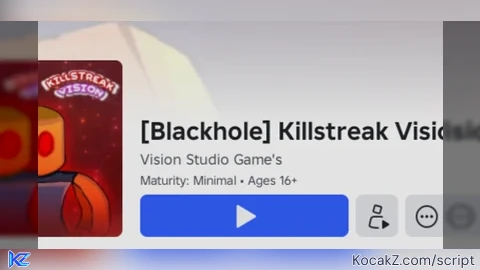

Lua Script•106 lines (3131 chars)
local UIS = game:GetService("UserInputService")
local Players = game:GetService("Players")

local player = Players.LocalPlayer
local playerGui = player:WaitForChild("PlayerGui")

-- Variables to keep track of the active main frame
local mainFrame = nil

-- 1. FUNCTION TO FIND AND FIX THE DEV PANEL AFTER EVERY SPAWN
local function updatePanelReferences()
	local adminUis = playerGui:WaitForChild("admin uis")
	local devPanel = adminUis:WaitForChild("dev panel")

	-- Force the dev panel not to reset
	devPanel.ResetOnSpawn = false

	-- Keep track of the active main frame
	mainFrame = devPanel:WaitForChild("main")
end

-- Run it immediately for the first spawn
updatePanelReferences()

-- Run it again automatically whenever you respawn/reset
player.CharacterAdded:Connect(function()
	task.wait(0.1) -- Small pause to let Roblox finish creating the new UI folders
	updatePanelReferences()
end)

-- 2. CREATE THE SCREEN GUI AND THE BUTTON
local screenGui = Instance.new("ScreenGui")
screenGui.Name = "AdminToggleButtonGui"
screenGui.ResetOnSpawn = false
screenGui.Parent = playerGui

local button = Instance.new("TextButton")
button.Name = "admin ui"
button.Size = UDim2.new(0, 160, 0, 45) -- Scaled up to cleanly fit the text
button.Position = UDim2.new(0, 10, 0, 10)
button.BackgroundColor3 = Color3.fromRGB(40, 40, 40)
button.TextColor3 = Color3.fromRGB(255, 255, 255)

-- Text Styling using a valid bold, cartoony font
button.Font = Enum.Font.FredokaOne
button.TextSize = 15
button.RichText = true
button.Text = "<i>OPEN BALDI PANEL</i>"

button.ZIndex = 10
button.Parent = screenGui

-- ADD ROUNDED CORNERS
local uiCorner = Instance.new("UICorner")
uiCorner.CornerRadius = UDim.new(0, 8)
uiCorner.Parent = button

----------------------------------------
-- 3. SWAP POSITION LOGIC
----------------------------------------
button.MouseButton1Click:Connect(function()
	if mainFrame then
		local isOffScreen = mainFrame.Position.X.Offset >= 2000
		if isOffScreen then
			mainFrame.Position = UDim2.new(0.5, 0, 0.5, 0)
		else
			mainFrame.Position = UDim2.new(1, 2000, 1, 2000)
		end
	end
end)

----------------------------------------
-- 4. DRAGGABLE BUTTON LOGIC
----------------------------------------
local dragging, dragInput, dragStart, startPos

local function update(input)
	local delta = input.Position - dragStart
	button.Position = UDim2.new(startPos.X.Scale, startPos.X.Offset + delta.X, startPos.Y.Scale, startPos.Y.Offset + delta.Y)
end

button.InputBegan:Connect(function(input)
	if input.UserInputType == Enum.UserInputType.MouseButton1 or input.UserInputType == Enum.UserInputType.Touch then
		dragging = true
		dragStart = input.Position
		startPos = button.Position

		input.Changed:Connect(function()
			if input.UserInputState == Enum.UserInputState.End then
				dragging = false
			end
		end)
	end
end)

button.InputChanged:Connect(function(input)
	if input.UserInputType == Enum.UserInputType.MouseMovement or input.UserInputType == Enum.UserInputType.Touch then
		dragInput = input
	end
end)

UIS.InputChanged:Connect(function(input)
	if input == dragInput and dragging then
		update(input)
	end
end)
Features & Information
This activates the admin up for this game pls use it and abuse it on this game
Game had 16+ Games
@roscoiumarian266 ik, because Roblox making bad updates.
Help me for ask your parents roscoiumarian266@gmail.com Get id Card Get camera And now is Get here
@roscoiumarian266 I can't help you bro