
Lua Script•132 lines (3506 chars)
-- MaślakHub
-- Put this LocalScript in StarterPlayer > StarterPlayerScripts

local Players = game:GetService("Players")
local VirtualUser = game:GetService("VirtualUser")

local player = Players.LocalPlayer

--// Settings
local anchored = false
local antiAFK = true

--// Character anchoring
local function setAnchored(state)
	anchored = state

	local character = player.Character
	if not character then return end

	local root = character:FindFirstChild("HumanoidRootPart")
	if root then
		root.Anchored = state
	end
end

player.CharacterAdded:Connect(function(character)
	local root = character:WaitForChild("HumanoidRootPart")

	-- Keep the selected anchor state after respawning
	root.Anchored = anchored
end)

--// Anti-AFK
player.Idled:Connect(function()
	if antiAFK then
		VirtualUser:CaptureController()
		VirtualUser:ClickButton2(Vector2.new(0, 0))
	end
end)

--// GUI
local gui = Instance.new("ScreenGui")
gui.Name = "MaślakHub"
gui.ResetOnSpawn = false
gui.Parent = player:WaitForChild("PlayerGui")

-- Main window
local main = Instance.new("Frame")
main.Name = "Main"
main.Size = UDim2.new(0, 260, 0, 180)
main.Position = UDim2.new(0.5, -130, 0.5, -90)
main.BackgroundColor3 = Color3.fromRGB(15, 10, 20)
main.BorderSizePixel = 0
main.Parent = gui

local corner = Instance.new("UICorner")
corner.CornerRadius = UDim.new(0, 12)
corner.Parent = main

-- Purple outline
local stroke = Instance.new("UIStroke")
stroke.Color = Color3.fromRGB(150, 50, 255)
stroke.Thickness = 2
stroke.Parent = main

-- Title
local title = Instance.new("TextLabel")
title.Size = UDim2.new(1, 0, 0, 45)
title.BackgroundTransparency = 1
title.Text = "MaślakHub"
title.TextColor3 = Color3.fromRGB(190, 80, 255)
title.TextSize = 25
title.Font = Enum.Font.GothamBold
title.Parent = main

-- Anchor button
local anchorButton = Instance.new("TextButton")
anchorButton.Size = UDim2.new(0, 220, 0, 45)
anchorButton.Position = UDim2.new(0.5, -110, 0, 55)
anchorButton.BackgroundColor3 = Color3.fromRGB(90, 30, 140)
anchorButton.BorderSizePixel = 0
anchorButton.TextColor3 = Color3.fromRGB(255, 255, 255)
anchorButton.TextSize = 17
anchorButton.Font = Enum.Font.GothamBold
anchorButton.Text = "Anchor: OFF"
anchorButton.Parent = main

local anchorCorner = Instance.new("UICorner")
anchorCorner.CornerRadius = UDim.new(0, 8)
anchorCorner.Parent = anchorButton

-- Anti-AFK button
local afkButton = Instance.new("TextButton")
afkButton.Size = UDim2.new(0, 220, 0, 45)
afkButton.Position = UDim2.new(0.5, -110, 0, 110)
afkButton.BackgroundColor3 = Color3.fromRGB(90, 30, 140)
afkButton.BorderSizePixel = 0
afkButton.TextColor3 = Color3.fromRGB(255, 255, 255)
afkButton.TextSize = 17
afkButton.Font = Enum.Font.GothamBold
afkButton.Text = "Anti-AFK: ON"
afkButton.Parent = main

local afkCorner = Instance.new("UICorner")
afkCorner.CornerRadius = UDim.new(0, 8)
afkCorner.Parent = afkButton

--// Anchor toggle
anchorButton.MouseButton1Click:Connect(function()
	setAnchored(not anchored)

	if anchored then
		anchorButton.Text = "Anchor: ON"
		anchorButton.BackgroundColor3 = Color3.fromRGB(140, 40, 210)
	else
		anchorButton.Text = "Anchor: OFF"
		anchorButton.BackgroundColor3 = Color3.fromRGB(90, 30, 140)
	end
end)

--// Anti-AFK toggle
afkButton.MouseButton1Click:Connect(function()
	antiAFK = not antiAFK

	if antiAFK then
		afkButton.Text = "Anti-AFK: ON"
		afkButton.BackgroundColor3 = Color3.fromRGB(140, 40, 210)
	else
		afkButton.Text = "Anti-AFK: OFF"
		afkButton.BackgroundColor3 = Color3.fromRGB(90, 30, 140)
	end
end)
Features & Information
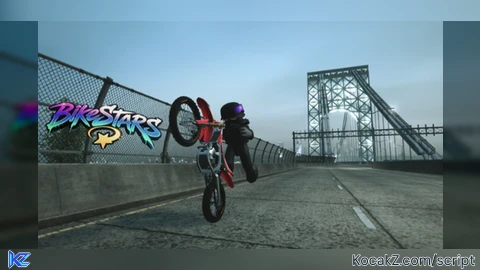
Just go do a wheelie and click that.
Community Comments (0)
No comments yet for this script.