


Keyless Patched
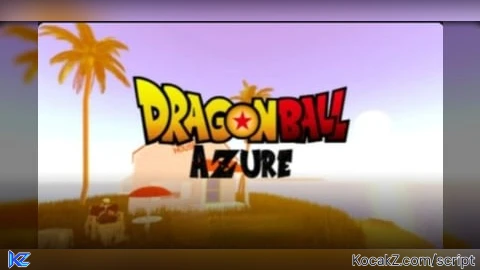
loadstring([[
local player = game.Players.LocalPlayer
local TweenService = game:GetService("TweenService")
local UserInputService = game:GetService("UserInputService")
local SoundService = game:GetService("SoundService")

--------------------------------------------------
-- EXECUTION SOUND
--------------------------------------------------
local execSound = Instance.new("Sound")
execSound.SoundId = "rbxassetid://2084290015" -- CHANGE THIS ID
execSound.Volume = 1
execSound.PlaybackSpeed = 1
execSound.Parent = SoundService
execSound:Play()

--------------------------------------------------
-- GUI
--------------------------------------------------
local gui = Instance.new("ScreenGui")
gui.Name = "HeightChanger"
gui.Parent = player:WaitForChild("PlayerGui")

-- Toggle Button
local toggle = Instance.new("TextButton")
toggle.Size = UDim2.new(0, 120, 0, 40)
toggle.Position = UDim2.new(0, 20, 0.5, -20)
toggle.Text = "Open"
toggle.Font = Enum.Font.SourceSansBold
toggle.TextSize = 18
toggle.Parent = gui

Instance.new("UICorner", toggle).CornerRadius = UDim.new(0, 12)

-- Main Frame
local frame = Instance.new("Frame")
frame.Size = UDim2.new(0, 300, 0, 180)
frame.Position = UDim2.new(0.5, -150, 0.5, -90)
frame.BackgroundColor3 = Color3.fromRGB(35, 35, 35)
frame.Visible = false
frame.Parent = gui
frame.Active = true

Instance.new("UICorner", frame).CornerRadius = UDim.new(0, 16)

-- Title
local title = Instance.new("TextLabel")
title.Size = UDim2.new(1, 0, 0, 40)
title.Text = "Height Changer"
title.TextColor3 = Color3.new(1,1,1)
title.BackgroundTransparency = 1
title.Font = Enum.Font.SourceSansBold
title.TextSize = 24
title.Parent = frame

-- TextBox
local box = Instance.new("TextBox")
box.Size = UDim2.new(1, -20, 0, 40)
box.Position = UDim2.new(0, 10, 0, 50)
box.PlaceholderText = "Enter Height Number"
box.TextSize = 18
box.Parent = frame

Instance.new("UICorner", box).CornerRadius = UDim.new(0, 10)

-- Apply Button
local apply = Instance.new("TextButton")
apply.Size = UDim2.new(0.45, 0, 0, 40)
apply.Position = UDim2.new(0.05, 0, 0, 110)
apply.Text = "Apply"
apply.TextSize = 18
apply.Parent = frame

Instance.new("UICorner", apply).CornerRadius = UDim.new(0, 10)

-- Close Button
local close = Instance.new("TextButton")
close.Size = UDim2.new(0.45, 0, 0, 40)
close.Position = UDim2.new(0.5, 0, 0, 110)
close.Text = "Close"
close.TextSize = 18
close.Parent = frame

Instance.new("UICorner", close).CornerRadius = UDim.new(0, 10)

--------------------------------------------------
-- ANIMATIONS
--------------------------------------------------
local openTween = TweenService:Create(
	frame,
	TweenInfo.new(0.3, Enum.EasingStyle.Quad, Enum.EasingDirection.Out),
	{Size = UDim2.new(0, 300, 0, 180)}
)

local closeTween = TweenService:Create(
	frame,
	TweenInfo.new(0.25, Enum.EasingStyle.Quad, Enum.EasingDirection.In),
	{Size = UDim2.new(0, 300, 0, 0)}
)

--------------------------------------------------
-- TOGGLE LOGIC
--------------------------------------------------
local open = false

toggle.MouseButton1Click:Connect(function()
	if not open then
		frame.Visible = true
		frame.Size = UDim2.new(0, 300, 0, 0)
		openTween:Play()
		toggle.Text = "Close"
		open = true
	else
		closeTween:Play()
		task.wait(0.25)
		frame.Visible = false
		toggle.Text = "Open"
		open = false
	end
end)

close.MouseButton1Click:Connect(function()
	toggle.MouseButton1Click:Fire()
end)

--------------------------------------------------
-- APPLY (REMOTE)
--------------------------------------------------
apply.MouseButton1Click:Connect(function()
	if box.Text ~= "" then
		local args = {
			box.Text,
			"Height"
		}
		game:GetService("ReplicatedStorage")
			:WaitForChild("CCRemotes")
			:WaitForChild("CCGui")
			:WaitForChild("ColourC")
			:FireServer(unpack(args))
	end
end)

--------------------------------------------------
-- DRAG (PC + MOBILE)
--------------------------------------------------
local dragging, dragStart, startPos

local function update(input)
	local delta = input.Position - dragStart
	frame.Position = UDim2.new(
		startPos.X.Scale,
		startPos.X.Offset + delta.X,
		startPos.Y.Scale,
		startPos.Y.Offset + delta.Y
	)
end

frame.InputBegan:Connect(function(input)
	if input.UserInputType == Enum.UserInputType.MouseButton1
	or input.UserInputType == Enum.UserInputType.Touch then
		dragging = true
		dragStart = input.Position
		startPos = frame.Position
	end
end)

frame.InputChanged:Connect(function(input)
	if dragging and (
		input.UserInputType == Enum.UserInputType.MouseMovement
		or input.UserInputType == Enum.UserInputType.Touch
	) then
		update(input)
	end
end)

UserInputService.InputEnded:Connect(function(input)
	if input.UserInputType == Enum.UserInputType.MouseButton1
	or input.UserInputType == Enum.UserInputType.Touch then
		dragging = false
	end
end)
]])()
Enjoy the script I had to ReUpload it again the issue was I added the wrong game ID so yeah my bad it won't happen again
please make a script to cheat dice rolls, like the d20 in the game. if you can then please make a script that lets you get 20 on the d20 everytime you roll
@Poorguy alright I will but I lost access to this account btw this is my alt I will try to do the script you told me