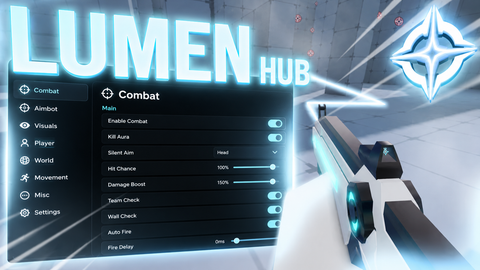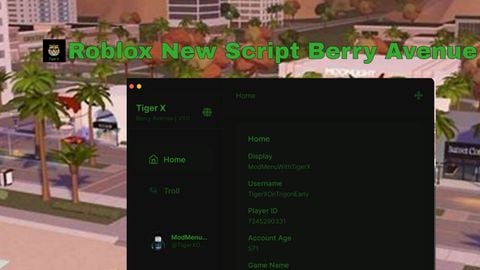
Key RequiredUniversal
local player = game.Players.LocalPlayer
local screenGui = Instance.new("ScreenGui")
screenGui.Parent = player:WaitForChild("PlayerGui")

local mainFrame = Instance.new("Frame")
mainFrame.Size = UDim2.new(0, 350, 0, 400)
mainFrame.Position = UDim2.new(0.5, -175, 0.5, -200)
mainFrame.BackgroundColor3 = Color3.fromRGB(50, 50, 50)
mainFrame.Active = true
mainFrame.Draggable = true
mainFrame.Parent = screenGui

local function createSlider(name, minValue, maxValue, defaultValue, yPos)
    local label = Instance.new("TextLabel")
    label.Size = UDim2.new(0, 120, 0, 25)
    label.Position = UDim2.new(0, 10, 0, yPos)
    label.Text = name .. ": " .. defaultValue
    label.TextColor3 = Color3.new(1,1,1)
    label.BackgroundTransparency = 1
    label.Parent = mainFrame

    local bar = Instance.new("Frame")
    bar.Size = UDim2.new(0, 200, 0, 25)
    bar.Position = UDim2.new(0, 130, 0, yPos)
    bar.BackgroundColor3 = Color3.fromRGB(100, 100, 100)
    bar.Parent = mainFrame

    local fill = Instance.new("Frame")
    fill.Size = UDim2.new((defaultValue-minValue)/(maxValue-minValue), 0, 1, 0)
    fill.BackgroundColor3 = Color3.fromRGB(0, 200, 100)
    fill.Parent = bar

    local isDragging = false

    bar.InputBegan:Connect(function(input)
        if input.UserInputType == Enum.UserInputType.MouseButton1 then
            isDragging = true
            mainFrame.Draggable = false
        end
    end)

    bar.InputEnded:Connect(function(input)
        if input.UserInputType == Enum.UserInputType.MouseButton1 then
            isDragging = false
            mainFrame.Draggable = true
        end
    end)

    bar.InputChanged:Connect(function(input)
        if isDragging and input.UserInputType == Enum.UserInputType.MouseMovement then
            local relativeX = input.Position.X - bar.AbsolutePosition.X
            relativeX = math.clamp(relativeX, 0, bar.AbsoluteSize.X)
            fill.Size = UDim2.new(relativeX/bar.AbsoluteSize.X, 0, 1, 0)
            local value = minValue + (relativeX/bar.AbsoluteSize.X) * (maxValue-minValue)
            label.Text = name .. ": " .. math.floor(value)
        end
    end)

    return function()
        return minValue + fill.Size.X.Scale * (maxValue - minValue)
    end
end

local maxSpeedSlider = createSlider("MaxSpeed", 0, 500, 225, 10)
local reverseSpeedSlider = createSlider("ReverseSpeed", 0, 200, 50, 50)
local accelerationSlider = createSlider("Acceleration", 0, 500, 225, 90)
local torqueSlider = createSlider("Torque", 0, 20000, 10000, 130)
local turnSpeedSlider = createSlider("TurnSpeed", 0, 100, 30, 170)
local steerAngleSlider = createSlider("MaxSteerAngle", 0, 90, 30, 210)
local brakePowerSlider = createSlider("BrakePower", 0, 50000, 25000, 250)

local applyButton = Instance.new("TextButton")
applyButton.Size = UDim2.new(0, 330, 0, 50)
applyButton.Position = UDim2.new(0, 10, 0, 320)
applyButton.Text = "Apply Vehicle Stats"
applyButton.BackgroundColor3 = Color3.fromRGB(100, 200, 100)
applyButton.Parent = mainFrame

applyButton.MouseButton1Click:Connect(function()
    for _, vehicle in ipairs(workspace.Vehicles:GetChildren()) do
        if vehicle:FindFirstChild("Configuration") then
            local config = require(vehicle.Configuration)
            config.MaxSpeed = maxSpeedSlider()
            config.ReverseSpeed = reverseSpeedSlider()
            config.Acceleration = accelerationSlider()
            config.Torque = torqueSlider()
            config.TurnSpeed = turnSpeedSlider()
            config.MaxSteerAngle = steerAngleSlider()
            config.BrakePower = brakePowerSlider()
            print(vehicle.Name .. " updated")
        end
    end
end)No comments yet for this script.