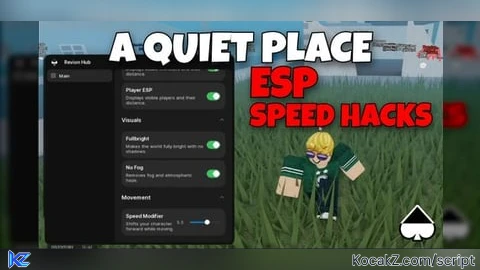
Key Required

local Players = game:GetService("Players")
local RunService = game:GetService("RunService")
local Workspace = game:GetService("Workspace")

local localPlayer = Players.LocalPlayer


local MONSTERS_FOLDER_NAME = "_Monsters"
local PROXIMITY_LIMIT = 9000 -- Highlight activates within this many studs

--yes so track the monsters highlight
local activeHighlights = {}

-- gives our position
local function getPlayerPosition()
    if localPlayer.Character and localPlayer.Character:FindFirstChild("HumanoidRootPart") then
        return localPlayer.Character.HumanoidRootPart.Position
    end
    return nil
end

-- Function to handle proximity highlighting for all monsters in the folder
local function manageProximityHighlight()
    local playerPos = getPlayerPosition()
    if not playerPos then return end

    -- Locate the _Monsters folder in the Workspace
    local monstersFolder = Workspace:FindFirstChild(MONSTERS_FOLDER_NAME)
    if not monstersFolder then return end

    -- Track which monsters we processed during this frame
    local currentFrameMonsters = {}

    -- Loop through every monster inside the folder
    for _, targetEntity in ipairs(monstersFolder:GetChildren()) do
        if targetEntity:FindFirstChild("HumanoidRootPart") then
            currentFrameMonsters[targetEntity] = true

            local targetPos = targetEntity.HumanoidRootPart.Position
            local distance = (playerPos - targetPos).Magnitude

            -- Check if the player is close enough to trigger the visual perk
            if distance <= PROXIMITY_LIMIT then
                -- Create the highlight if it doesn't exist yet for this specific monster
                if not activeHighlights[targetEntity] then
                    local newHighlight = Instance.new("Highlight")
                    newHighlight.Name = "ProximityVisualEffect"
                    newHighlight.FillColor = Color3.fromRGB(255, 0, 0) -- Red fill
                    newHighlight.FillTransparency = 0.5 -- Semi-transparent fill
                    newHighlight.OutlineColor = Color3.fromRGB(255, 255, 255) -- White outline
                    newHighlight.OutlineTransparency = 0 -- Sharp outline

                    -- allows you to see the esp thru walls
                    newHighlight.DepthMode = Enum.HighlightDepthMode.AlwaysOnTop

                    -- Parent the effect to the specific entity to activate it
                    newHighlight.Parent = targetEntity
                    activeHighlights[targetEntity] = newHighlight
                end
            else
                -- Remove the highlight if too far kinda useless
                if activeHighlights[targetEntity] then
                    activeHighlights[targetEntity]:Destroy()
                    activeHighlights[targetEntity] = nil
                end
            end
        end
    end

    -- remove the dead monsters or depsawn or dead
    for entity, highlight in pairs(activeHighlights) do
        if not currentFrameMonsters[entity] then
            if highlight then
                highlight:Destroy()
            end
            activeHighlights[entity] = nil
        end
    end
end

-- used gemni to help.
RunService.RenderStepped:Connect(manageProximityHighlight)No comments yet for this script.