

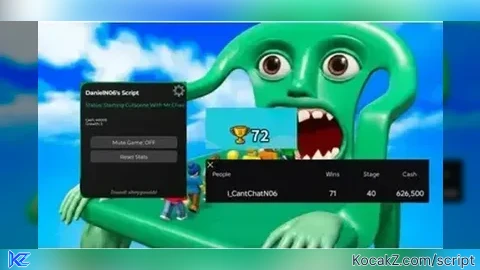
Key Required

-- Roblox Immortal Teleport GUI with Draggable 🍕 Hide/Show Button
-- ✕ = delete GUI completely
-- 🍕 = toggle hide/show (draggable at all times)

local Players = game:GetService("Players")
local UserInputService = game:GetService("UserInputService")
local TweenService = game:GetService("TweenService")
local CoreGui = game:GetService("CoreGui")

local player = Players.LocalPlayer

local GUI_NAME = "ImmortalTeleportGUI"

-- Clean old version
if CoreGui:FindFirstChild(GUI_NAME) then
    CoreGui[GUI_NAME]:Destroy()
end

local screenGui = Instance.new("ScreenGui")
screenGui.Name = GUI_NAME
screenGui.ResetOnSpawn = false
screenGui.IgnoreGuiInset = true
screenGui.Parent = CoreGui

-- Main Frame (the full menu)
local frame = Instance.new("Frame")
frame.Name = "MainFrame"
frame.Size = UDim2.new(0, 300, 0, 260)
frame.Position = UDim2.new(0.5, -150, 0.5, -130)
frame.BackgroundColor3 = Color3.fromRGB(25, 25, 25)
frame.BorderSizePixel = 0
frame.BackgroundTransparency = 0.05
frame.Parent = screenGui

local corner = Instance.new("UICorner")
corner.CornerRadius = UDim.new(0, 16)
corner.Parent = frame

local stroke = Instance.new("UIStroke")
stroke.Color = Color3.fromRGB(255, 215, 0)
stroke.Thickness = 3
stroke.Parent = frame

-- Title
local title = Instance.new("TextLabel")
title.Size = UDim2.new(1, 0, 0, 50)
title.BackgroundTransparency = 1
title.Text = "🍀 TELEPORT MENU 🍀"
title.TextColor3 = Color3.fromRGB(255, 215, 0)
title.TextScaled = true
title.Font = Enum.Font.GothamBold
title.Parent = frame

-- Lucky Block Button
local luckyButton = Instance.new("TextButton")
luckyButton.Size = UDim2.new(0.9, 0, 0.28, 0)
luckyButton.Position = UDim2.new(0.05, 0, 0.32, 0)
luckyButton.BackgroundColor3 = Color3.fromRGB(255, 215, 0)
luckyButton.Text = "TELEPORT INTO A LUCKY BLOCK ✨"
luckyButton.TextColor3 = Color3.fromRGB(0, 0, 0)
luckyButton.TextScaled = true
luckyButton.Font = Enum.Font.GothamBold
luckyButton.Parent = frame

local luckyCorner = Instance.new("UICorner")
luckyCorner.CornerRadius = UDim.new(0, 12)
luckyCorner.Parent = luckyButton

local luckyStroke = Instance.new("UIStroke")
luckyStroke.Color = Color3.fromRGB(255, 255, 255)
luckyStroke.Thickness = 2
luckyStroke.Parent = luckyButton

-- Mr. Chair Button
local chairButton = Instance.new("TextButton")
chairButton.Size = UDim2.new(0.9, 0, 0.28, 0)
chairButton.Position = UDim2.new(0.05, 0, 0.65, 0)
chairButton.BackgroundColor3 = Color3.fromRGB(100, 50, 255)
chairButton.Text = "TELEPORT INTO MR. CHAIR 🪑\n(Only Works After Sewer Teleport)"
chairButton.TextColor3 = Color3.fromRGB(255, 255, 255)
chairButton.TextScaled = true
chairButton.TextWrapped = true
chairButton.Font = Enum.Font.GothamBold
chairButton.Parent = frame

local chairCorner = Instance.new("UICorner")
chairCorner.CornerRadius = UDim.new(0, 12)
chairCorner.Parent = chairButton

local chairStroke = Instance.new("UIStroke")
chairStroke.Color = Color3.fromRGB(255, 255, 255)
chairStroke.Thickness = 2
chairStroke.Parent = chairButton

-- 🍕 Hide/Show Button (draggable always)
local toggleBtn = Instance.new("TextButton")
toggleBtn.Name = "TogglePizza"
toggleBtn.Size = UDim2.new(0, 50, 0, 50)
toggleBtn.Position = UDim2.new(0, 20, 0, 20)  -- starting corner position
toggleBtn.BackgroundColor3 = Color3.fromRGB(255, 100, 100)
toggleBtn.Text = "🍕"
toggleBtn.TextScaled = true
toggleBtn.Font = Enum.Font.GothamBold
toggleBtn.Parent = screenGui  -- Parent to ScreenGui so it stays on top & draggable independently

local toggleCorner = Instance.new("UICorner")
toggleCorner.CornerRadius = UDim.new(1, 0)  -- fully round
toggleCorner.Parent = toggleBtn

local toggleStroke = Instance.new("UIStroke")
toggleStroke.Color = Color3.fromRGB(255, 215, 0)
toggleStroke.Thickness = 2.5
toggleStroke.Parent = toggleBtn

-- Close Button (top right of main frame - deletes everything)
local closeBtn = Instance.new("TextButton")
closeBtn.Size = UDim2.new(0, 35, 0, 35)
closeBtn.Position = UDim2.new(1, -43, 0, 8)
closeBtn.BackgroundTransparency = 1
closeBtn.Text = "✕"
closeBtn.TextColor3 = Color3.fromRGB(255, 80, 80)
closeBtn.TextScaled = true
closeBtn.Font = Enum.Font.GothamBold
closeBtn.Parent = frame

-- Hover effect for 🍕 button
toggleBtn.MouseEnter:Connect(function()
    TweenService:Create(toggleBtn, TweenInfo.new(0.2), {BackgroundColor3 = Color3.fromRGB(255, 150, 150)}):Play()
end)
toggleBtn.MouseLeave:Connect(function()
    TweenService:Create(toggleBtn, TweenInfo.new(0.2), {BackgroundColor3 = Color3.fromRGB(255, 100, 100)}):Play()
end)

-- Draggable logic for 🍕 button (independent)
local dragging, dragInput, dragStart, startPos = false, nil, nil, nil

local function update(input)
    local delta = input.Position - dragStart
    toggleBtn.Position = UDim2.new(startPos.X.Scale, startPos.X.Offset + delta.X, startPos.Y.Scale, startPos.Y.Offset + delta.Y)
end

toggleBtn.InputBegan:Connect(function(input)
    if input.UserInputType == Enum.UserInputType.MouseButton1 or input.UserInputType == Enum.UserInputType.Touch then
        dragging = true
        dragStart = input.Position
        startPos = toggleBtn.Position

        input.Changed:Connect(function()
            if input.UserInputState == Enum.UserInputState.End then
                dragging = false
            end
        end)
    end
end)

toggleBtn.InputChanged:Connect(function(input)
    if input.UserInputType == Enum.UserInputType.MouseMovement or input.UserInputType == Enum.UserInputType.Touch then
        dragInput = input
    end
end)

UserInputService.InputChanged:Connect(function(input)
    if input == dragInput and dragging then
        update(input)
    end
end)

-- Toggle hide/show logic
local isHidden = false

toggleBtn.MouseButton1Click:Connect(function()
    isHidden = not isHidden

    if isHidden then
        -- Hide main GUI
        frame.Visible = false
        toggleBtn.Text = "🍕"
        toggleBtn.BackgroundColor3 = Color3.fromRGB(0, 180, 100)  -- green when hidden
        print("GUI hidden - drag 🍕 anywhere & click to show")
    else
        -- Show main GUI (centered on the 🍕 button for smooth feel)
        frame.Visible = true
        frame.Position = UDim2.new(toggleBtn.Position.X.Scale, toggleBtn.Position.X.Offset - 125, toggleBtn.Position.Y.Scale, toggleBtn.Position.Y.Offset - 100)
        toggleBtn.Text = "🍕"
        toggleBtn.BackgroundColor3 = Color3.fromRGB(255, 100, 100)  -- red when visible
        print("GUI shown")
    end
end)

-- Teleport functions (same as before)
local function teleportTo(pos, button, originalText, originalColor)
    local character = player.Character or player.CharacterAdded:Wait()
    local hrp = character:WaitForChild("HumanoidRootPart", 8)
    if hrp then
        hrp.CFrame = CFrame.new(pos)
        local oldText = button.Text
        button.Text = "TELEPORTED! 🎉"
        button.BackgroundColor3 = Color3.fromRGB(0, 255, 100)
        task.wait(1.8)
        button.Text = oldText
        button.BackgroundColor3 = originalColor
    else
        button.Text = "No HRP! Retry"
        task.wait(2)
        button.Text = originalText
    end
end

luckyButton.MouseButton1Click:Connect(function()
    teleportTo(Vector3.new(0, 866, -1423), luckyButton, "TELEPORT INTO A LUCKY BLOCK ✨", Color3.fromRGB(255, 215, 0))
end)

chairButton.MouseButton1Click:Connect(function()
    teleportTo(Vector3.new(39, 4102, 383), chairButton, "TELEPORT INTO MR. CHAIR 🪑\n(Only Works After Sewer Teleport)", Color3.fromRGB(100, 50, 255))
end)

-- Permanent delete
closeBtn.MouseButton1Click:Connect(function()
    screenGui:Destroy()
    print("GUI fully deleted - re-execute to bring back 🍕")
end)

-- Respawn safety
player.CharacterAdded:Connect(function()
    task.wait(0.5)
    if not CoreGui:FindFirstChild(GUI_NAME) then
        screenGui.Parent = CoreGui
    end
end)

print("🍀 Teleport GUI with draggable 🍕 toggle loaded!")
print("→ Drag 🍕 anywhere on screen")
print("→ Click 🍕 to hide/show the menu")
print("→ ✕ deletes everything")No comments yet for this script.