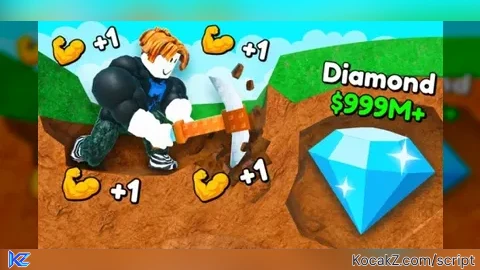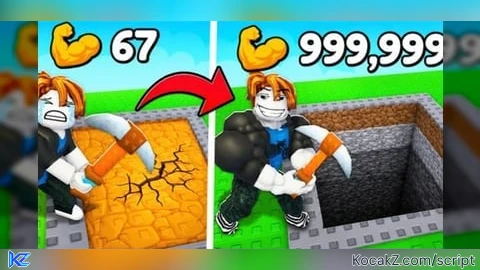
+1 Mine Per Click ⛏️ Script – Auto clicker, Auto rebirth, Auto Sell and More!!

local ReplicatedStorage = game:GetService("ReplicatedStorage")

local Running = false
local CPS = 10
local AutoRebirth = false

local Rayfield = loadstring(game:HttpGet("https://sirius.menu/rayfield"))()

local Window = Rayfield:CreateWindow({
    Name = "+1 Mine",
    LoadingTitle = "+1 Mine Per Click Script - c2h6o",
    LoadingSubtitle = "Rayfield UI",
    ConfigurationSaving = {
        Enabled = false
    }
})

local Tab = Window:CreateTab("Main", 4483362458)

Tab:CreateInput({
    Name = "Clicks Per Second",
    PlaceholderText = "Enter CPS (1-1000)",
    RemoveTextAfterFocusLost = false,
    Callback = function(Value)
        local Number = tonumber(Value)

        if Number then
            CPS = math.clamp(math.floor(Number), 1, 1000)
        end
    end
})

Tab:CreateToggle({
    Name = "Auto Clicker",
    CurrentValue = false,
    Flag = "AutoClicker",
    Callback = function(Value)
        Running = Value

        if Running then
            task.spawn(function()
                while Running do
                    local StartTime = os.clock()

                    ReplicatedStorage
                        :WaitForChild("Remotes")
                        :WaitForChild("Server")
                        :WaitForChild("Click")
                        :FireServer()

                    task.wait(math.max(0, (1 / CPS) - (os.clock() - StartTime)))
                end
            end)
        end
    end
})


local Players = game:GetService("Players")
local SoundService = game:GetService("SoundService")

local PlayerGui = Players.LocalPlayer:WaitForChild("PlayerGui")
local Notifications = PlayerGui:WaitForChild("Main"):WaitForChild("TopFrame"):WaitForChild("Notifications")
local ErrorSound = SoundService:WaitForChild("Error")
local OriginalErrorVolume = ErrorSound.Volume

Tab:CreateToggle({
    Name = "Notifications",
    CurrentValue = true,
    Flag = "NotificationsToggle",
    Callback = function(Value)
        Notifications.Visible = Value
        ErrorSound.Volume = Value and OriginalErrorVolume or 0
    end
})


Tab:CreateToggle({
    Name = "Auto Rebirth",
    CurrentValue = false,
    Flag = "AutoRebirth",
    Callback = function(Value)
        AutoRebirth = Value

        if AutoRebirth then
            task.spawn(function()
                local RebirthRemote = ReplicatedStorage
                    :WaitForChild("Remotes")
                    :WaitForChild("Server")
                    :WaitForChild("Rebirth")

                while AutoRebirth do
                    RebirthRemote:FireServer("Rebirth")
                    task.wait(1)
                end
            end)
        end
    end
})


Tab:CreateDivider()

Tab:CreateButton({
    Name = "Goto Surface",
    Callback = function()
        ReplicatedStorage
            :WaitForChild("Remotes")
            :WaitForChild("Server")
            :WaitForChild("GotoSurface")
            :FireServer()
    end
})

Tab:CreateButton({
    Name = "Sell All Loot",
    Callback = function()
        task.spawn(function()
            local Remotes = ReplicatedStorage:WaitForChild("Remotes"):WaitForChild("Server")

            Remotes:WaitForChild("GotoSurface"):FireServer()

            task.wait(.5)

            Remotes:WaitForChild("SellAllLoot"):FireServer()
        end)
    end
})

local KillTab = Window:CreateTab("Kill", 4483362458)

KillTab:CreateButton({
    Name = "Kill UI",
    Callback = function()
        Running = false
        AutoRebirth = false
        Rayfield:Destroy()
    end
})
How to Execute +1 Mine Per Click ⛏️ Script – Auto clicker, Auto rebirth, Auto Sell and More!!
Step 1: Copy Code: Click the Copy Code button in the viewer above to grab the clean Lua loadstring.
Step 2: Launch Executor: Open a compatible, unpatched executor. If you need one, check our Roblox Executors Directory.
Step 3: Join Experience: Launch Roblox and join +1 Mine Per Click ⛏️.
Step 4: Attach & Run: Attach/inject your executor into the Roblox process, paste the code into the script tab, and press Execute.
Features & Information
Script Changelog (1)
Community Comments (0)
No comments yet for this script.
Frequently Asked Questions
How do I execute +1 Mine Per Click ⛏️ Script – Auto clicker, Auto rebirth, Auto Sell and More!! in Roblox?
To run +1 Mine Per Click ⛏️ Script – Auto clicker, Auto rebirth, Auto Sell and More!!, copy the Lua loadstring from the code viewer above, launch Roblox and join +1 Mine Per Click ⛏️, attach a working executor (such as Potassium, Solara, or Delta from our Executors directory), paste the code into your executor console, and click Execute.
Is +1 Mine Per Click ⛏️ Script – Auto clicker, Auto rebirth, Auto Sell and More!! keyless or does it require an access key?
+1 Mine Per Click ⛏️ Script – Auto clicker, Auto rebirth, Auto Sell and More!! requires an access key. You can retrieve the official key directly using the Get Script Key link provided above.
Is +1 Mine Per Click ⛏️ Script – Auto clicker, Auto rebirth, Auto Sell and More!! currently safe and working?
This script is active and operational. Always test scripts using a secondary (alt) Roblox account to safeguard your main profile against anti-cheat bans.