

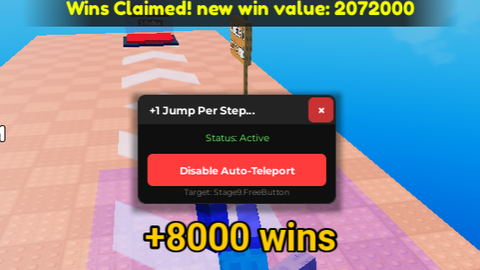
Keyless
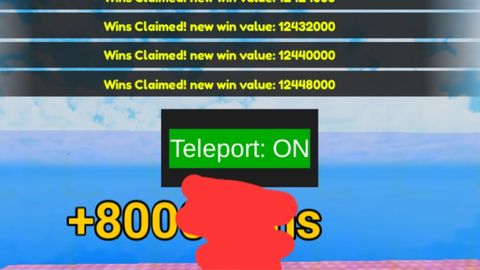
local Players = game:GetService("Players")
local player = Players.LocalPlayer

-- Create GUI
local screenGui = Instance.new("ScreenGui")
screenGui.Name = "TeleportToggleGui"
screenGui.ResetOnSpawn = false
screenGui.Parent = player:WaitForChild("PlayerGui")

-- Main Frame
local frame = Instance.new("Frame")
frame.Size = UDim2.new(0, 200, 0, 100)
frame.Position = UDim2.new(0.5, -100, 0.4, 0)
frame.BackgroundColor3 = Color3.fromRGB(30, 30, 30)
frame.BorderSizePixel = 0
frame.Active = true
frame.Draggable = true
frame.Parent = screenGui

-- Toggle Button
local toggleButton = Instance.new("TextButton")
toggleButton.Size = UDim2.new(1, -20, 0, 50)
toggleButton.Position = UDim2.new(0, 10, 0, 25)
toggleButton.BackgroundColor3 = Color3.fromRGB(170, 0, 0)
toggleButton.TextColor3 = Color3.new(1,1,1)
toggleButton.TextScaled = true
toggleButton.Text = "Teleport: OFF"
toggleButton.Parent = frame

local teleporting = false
local targetPosition = Vector3.new(-413, 6656, 1423)

toggleButton.MouseButton1Click:Connect(function()
	teleporting = not teleporting

	if teleporting then
		toggleButton.Text = "Teleport: ON"
		toggleButton.BackgroundColor3 = Color3.fromRGB(0, 170, 0)
	else
		toggleButton.Text = "Teleport: OFF"
		toggleButton.BackgroundColor3 = Color3.fromRGB(170, 0, 0)
	end
end)

-- Teleport Loop
task.spawn(function()
	while true do
		if teleporting then
			local character = player.Character
			if character and character:FindFirstChild("HumanoidRootPart") then
				character.HumanoidRootPart.CFrame = CFrame.new(targetPosition)
			end
		end
		task.wait(0)
	end
end)
IM ABUSING THE HELLL OUT OF THIS Nvm this doesnt even work
@yao_ming it works? 😭
which executor?
@voidhates Volt, just TPs me to the middle of the void and i die, tried on world 1 and i went to world 3 same thing
@yao_ming idk it works for me in world 1
q